Unified filters

Enter the case study password to continue.

Back to home

← Back to homeDesign walkthrough ↓

DATA PLATFORM · HUBSPOT · 2026

Unified filters

One shared language for finding data.

Unified filter editor with nested conditions

Overview

Filtering sits at the heart of HubSpot. But across CRM, Segments, Workflows and Reporting, customers had to learn different interfaces—and could get different answers to the same question.

I led a platform initiative to turn those fragmented experiences into a shared model: intuitive for simple tasks, capable of complex queries, and reusable across products.

My team: Unified query platform

1 PM, 1 product designer (me),
1 tech lead, 5 frontend engineers

My role

Design direction, cross-team alignment, research, interaction design, live prototypes and implementation QA.

April–October 2026

Context

HubSpot brings marketing, sales, service and operations together around a shared customer database. Filtering is how people turn that database into something useful: finding contacts, building segments, defining automation and narrowing a report.

Our opportunity was to make that foundational interaction consistent across the platform. Engineering was building a unified query backend. I worked on the shared experience customers and product teams would use on top of it.

Who we designed for

Sales reps finding records, marketers building segments, and CRM admins and RevOps teams configuring workflows and reports. Their technical confidence varied widely, but their underlying questions were more alike than we expected.
The existing experience

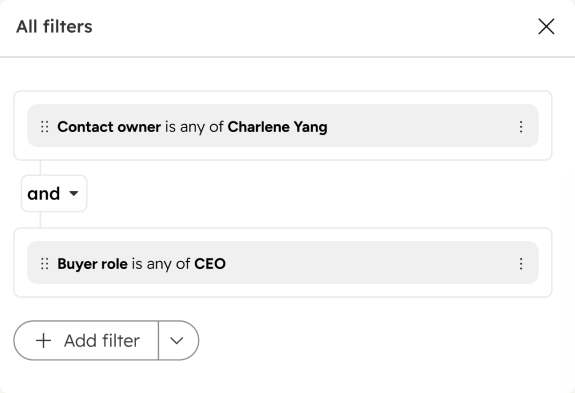
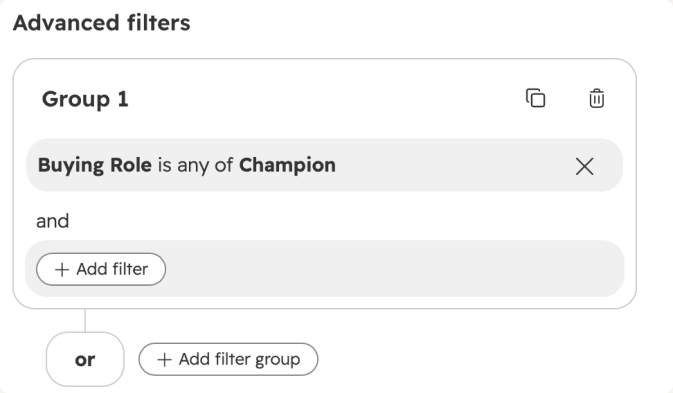
Each product had grown its own filter editor. Capabilities, terminology and interaction patterns drifted apart. Customers had to remember which tool could answer which question.

Filtering was among the top three CSAT complaint categories across all four products.

Legacy filter editor with fixed nesting

Problems and opportunities

  • Not flexible enough. Fixed nesting prevented customers from expressing the questions they needed to ask.
  • Missing capabilities. A basic operation available in one product could be unavailable in another.
  • Inconsistent behavior. Similar-looking filters could return different answers across products.
  • Poor usability. Overlapping operators and unfamiliar patterns made the editor harder to learn.
“Using the same filters as I do to view Contacts, I get very different results when I put together a list. Very confusing and not an effective use of time.”Marketing operations lead · name changed in research

Defining the baseline

I audited the existing editors through four lenses: interaction, content, functionality and data schema. Working with stakeholders helped distinguish intentional differences from limitations inherited from the backend.

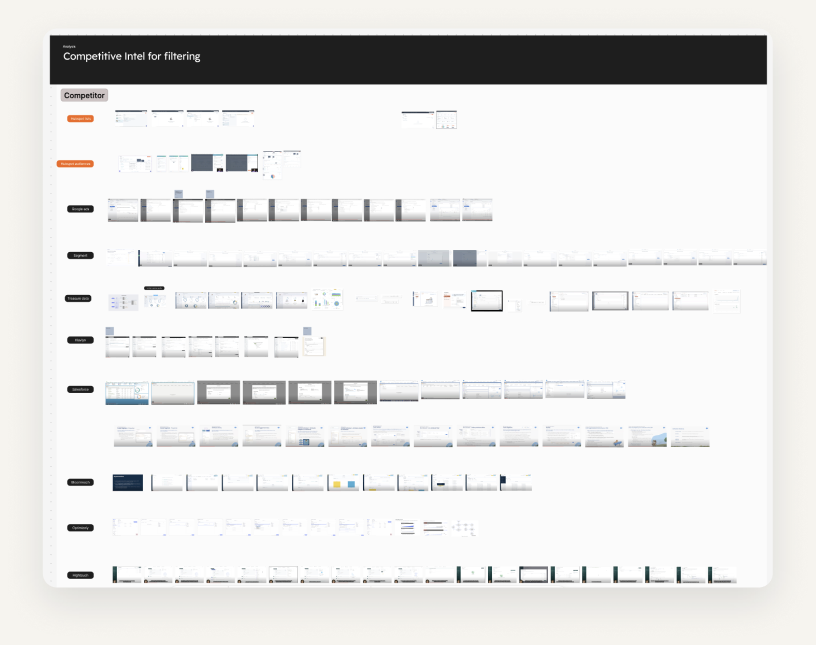
I combined that audit with discovery, competitive analysis and two rounds of customer validation to define what a shared editor needed to support.

Audit of filtering interaction patterns

Research insights

Users ranged from people who feared opening the filter panel to people who needed sophisticated queries. Progressive disclosure became essential: start with the everyday task and reveal complexity when it is needed.

We initially expected each product’s users to need a different model. Research showed that sales reps in CRM needed cross-object filtering just as marketers did in Segments. Artificial limits were pushing people into the wrong tool.

“It makes it easier to work in different areas of HubSpot when you don’t have to consider that certain things have limitations to them versus other tools within the platform.”Sales operations manager · name changed in research

How might we make filtering intuitive for simple tasks, capable of complex questions, and consistent wherever customers work?

Aligning on one shared model

Product teams wanted a simple editor for everyday tasks and their own advanced experience. Our tech lead wanted one editor that could expose nearly every query capability.

I reframed consistency around completing the task and learning a reusable pattern, rather than making every screen identical. Small product-specific variations could live within a shared model.

Those principles helped us stop reopening the same debates and converge on the first phase of the editor.

Design decisions

Start simple. Add complexity when needed.

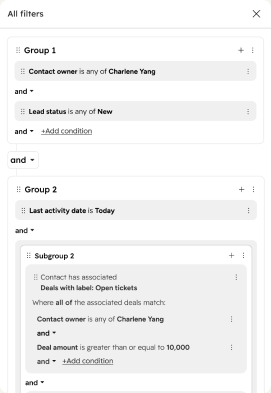
The old editor exposed two fixed nesting levels: intimidating for simple tasks and insufficient for complex ones. The new editor starts with one condition and lets users add groups when needed, supporting up to three levels.

Start simple. Add complexity when needed.

Make the logic easy to reshape.

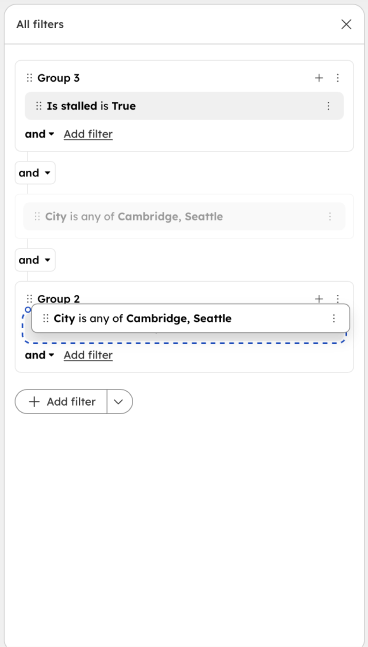
People refine questions as they work. Drag-and-drop, grouping and ungrouping let them reorganize conditions without rebuilding the query.

Make the logic easy to reshape.

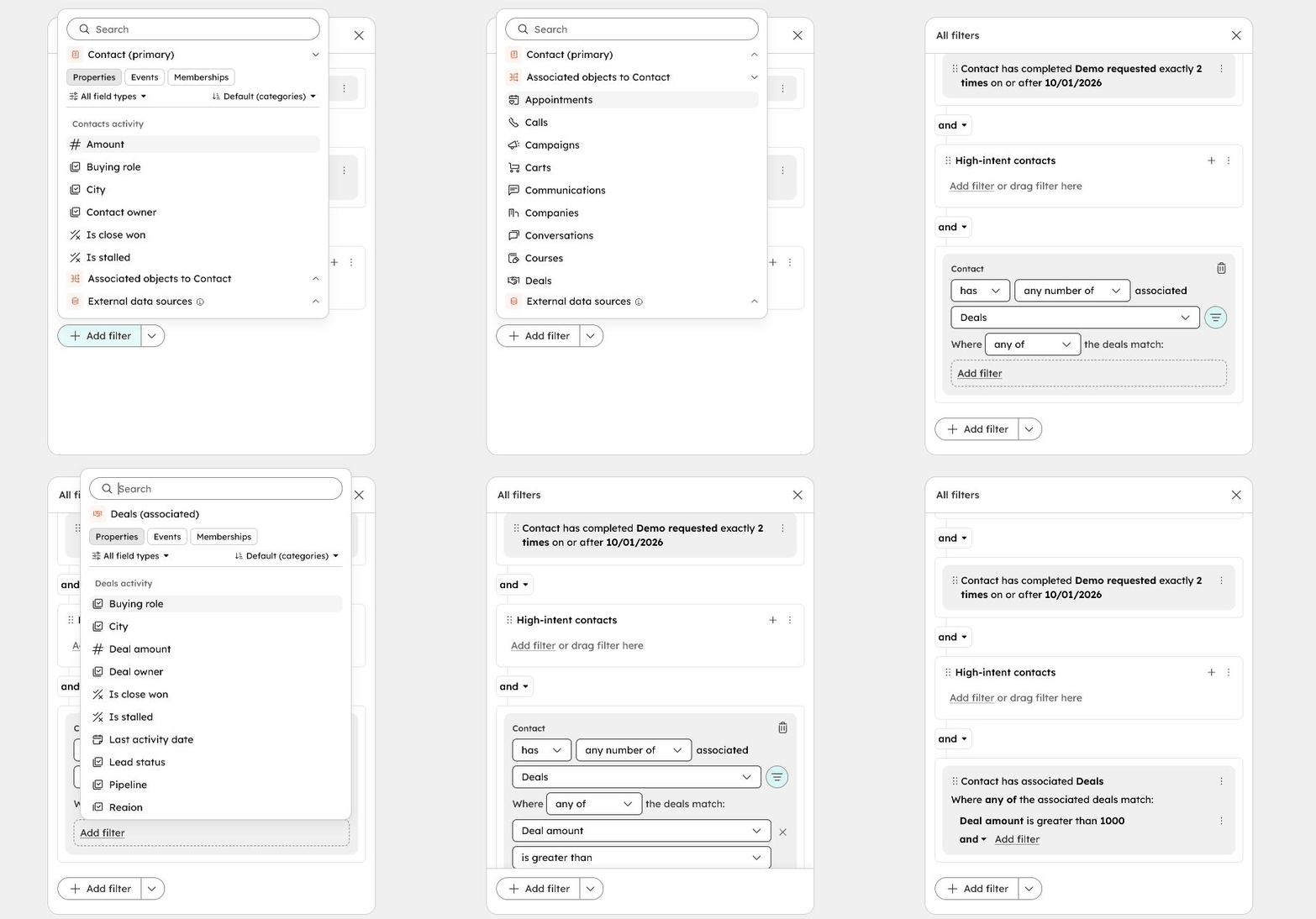
Give different data one predictable structure.

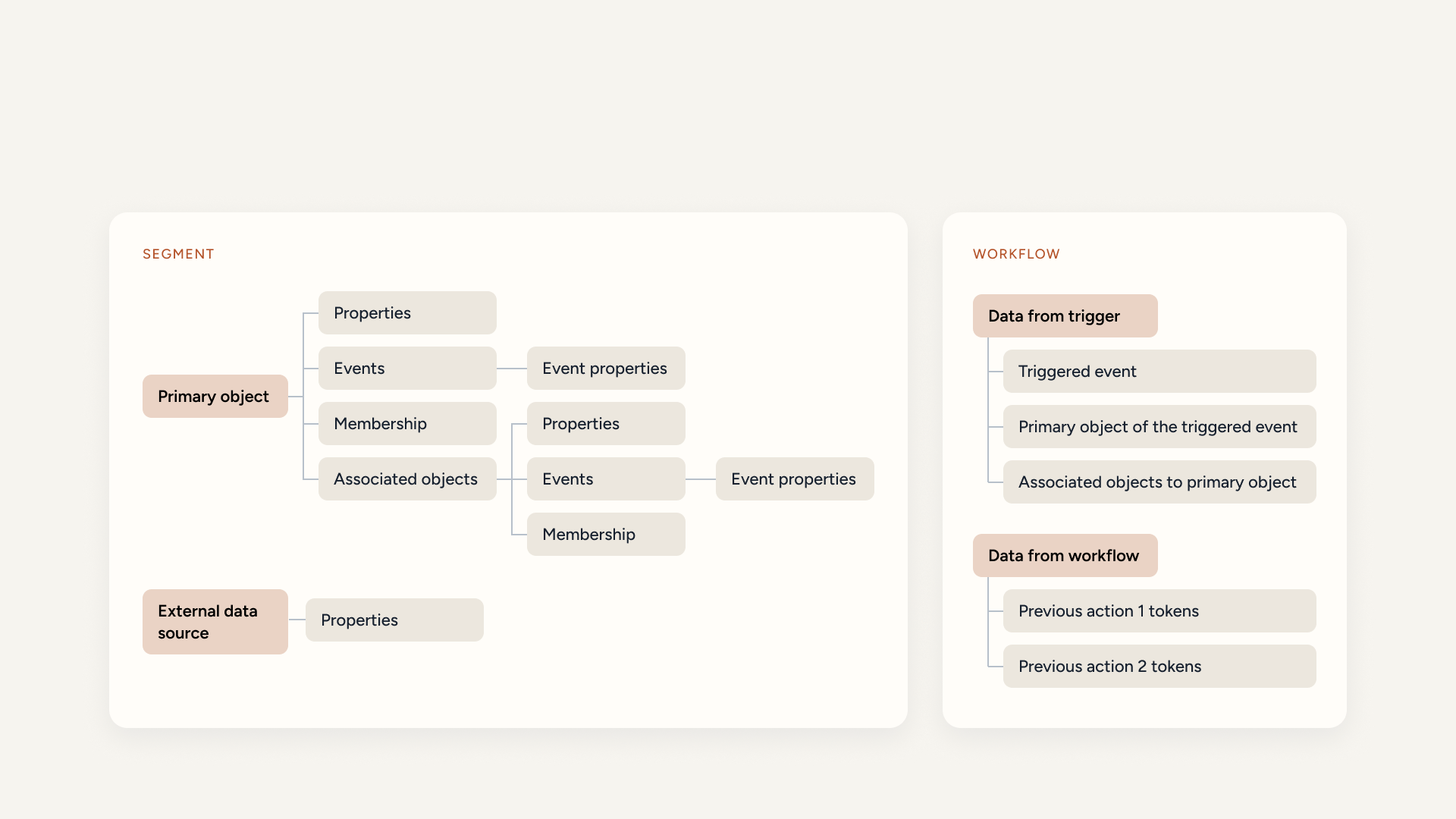
I created a scalable data panel for properties, events, memberships and associated objects. The same interaction model can accommodate workflow trigger data and tokens from previous actions.

Events and associations share concepts such as existence, quantity, attributes and scope. Giving them a common structure reduces what users have to relearn.

Give different data one predictable structure.

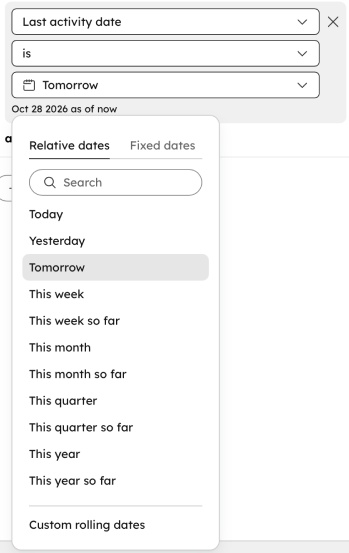
Reduce the operator overload.

Moving choices into values reduced the operator list by 30%. Property comparison and a redesigned date picker made more powerful questions possible within a clearer interaction pattern.

Reduce the operator overload.

Design walkthrough

These animated walkthroughs capture the live filter-editor prototype. Try the interactive prototype ↗

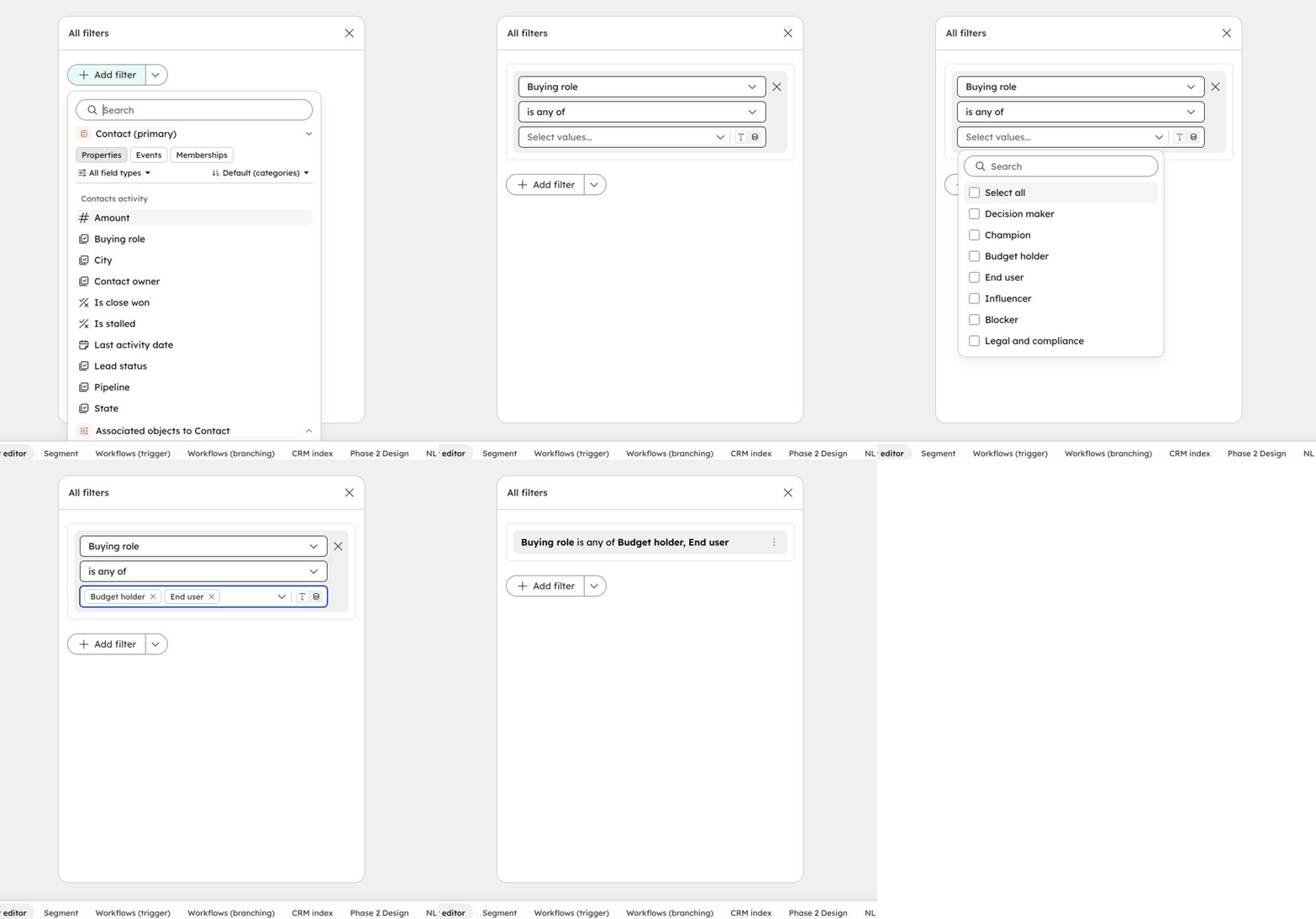
Animated prototype walkthrough: 1. Find a property and define a condition
Recorded prototype walkthrough

1. Find a property and define a condition

Browse the data panel, select a property, choose values and collapse the condition into a readable expression.

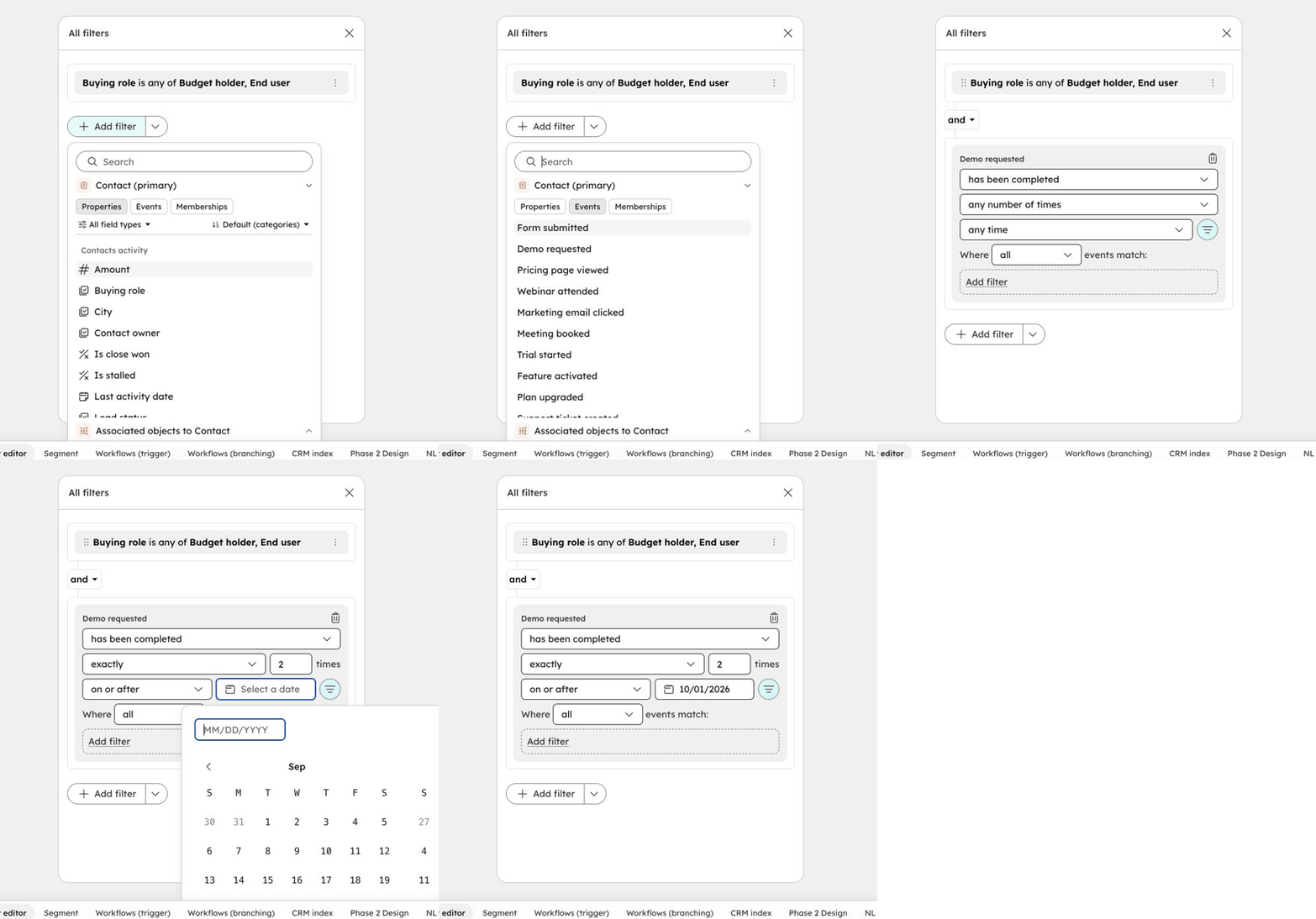
Animated prototype walkthrough: 2. Filter an event by frequency and time
Recorded prototype walkthrough

2. Filter an event by frequency and time

Combine an event with a count and date constraint to express when—and how often—an action happened.

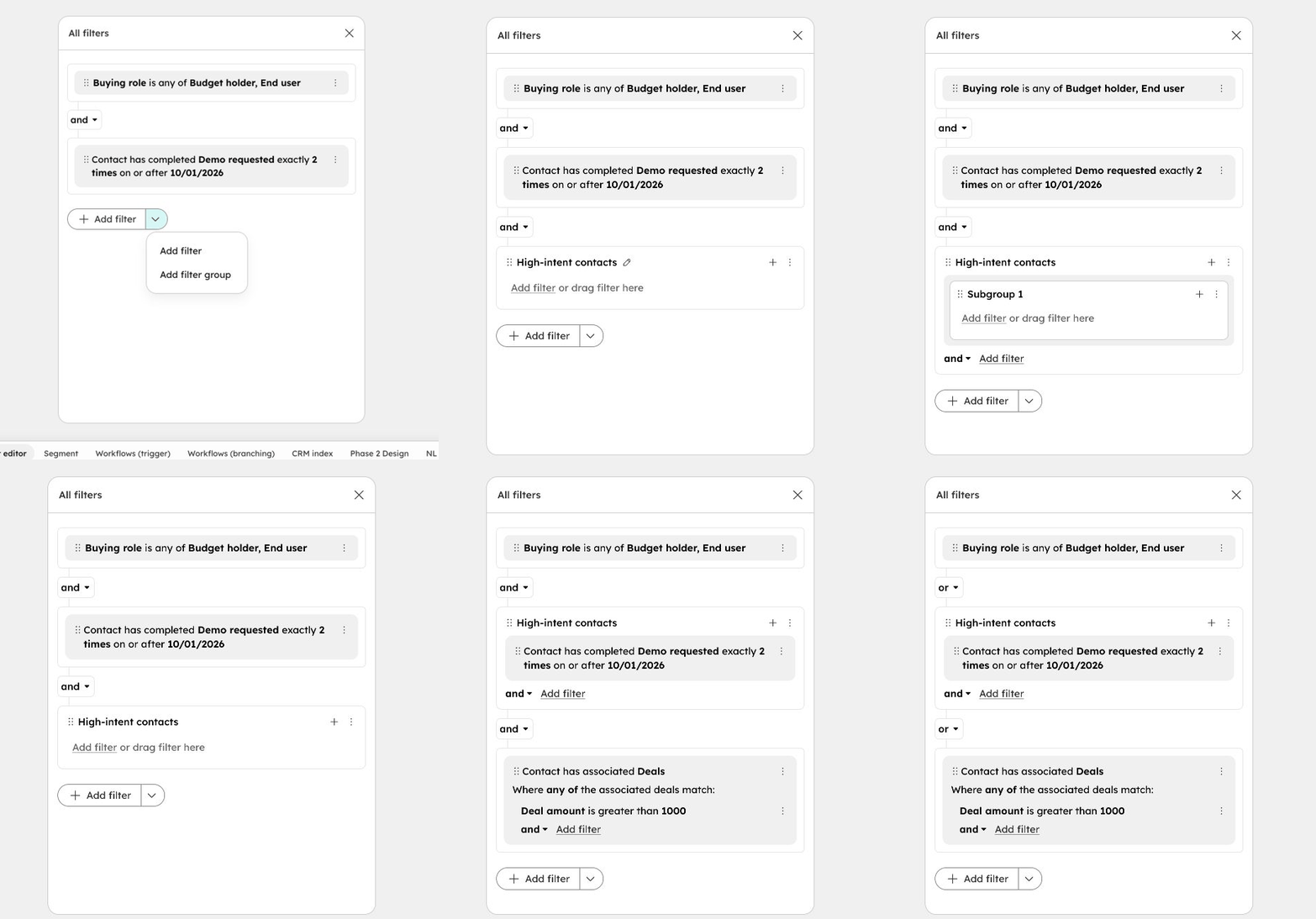
Animated prototype walkthrough: 3. Group, nest and rearrange
Recorded prototype walkthrough

3. Group, nest and rearrange

Add and name a group, introduce a subgroup, ungroup conditions, and drag a condition into a group. Switch between AND and OR as the question evolves.

Animated prototype walkthrough: 4. Filter through an associated object
Recorded prototype walkthrough

4. Filter through an associated object

Choose Deals from the associated objects, then narrow the relationship using deal properties. The pattern carries across different kinds of data.

Result and impact

Thousands

of requests to join the private beta in its first week.

Q1 2027

Migration commitments from Segments and Workflows.

The editor launched in private beta with positive customer feedback. The next measure of success is sustained adoption: faster segment creation, improved in-product feedback, fewer filtering complaints and fewer custom editor implementations across the platform.

What I learned

Go as deep as the query.

Understanding the underlying model helped me see when different feature requests were really the same need—and when complexity was real. That made the shared model stronger and cross-team decisions more concrete.

A foundation for natural language.

In parallel research, all 10 participants built segments faster manually than through chat. That reinforced our decision to establish a strong manual foundation first, with a future handoff between natural-language intent and precise visual editing.

View the original slide deck ↗