Profiles Insights
Overview
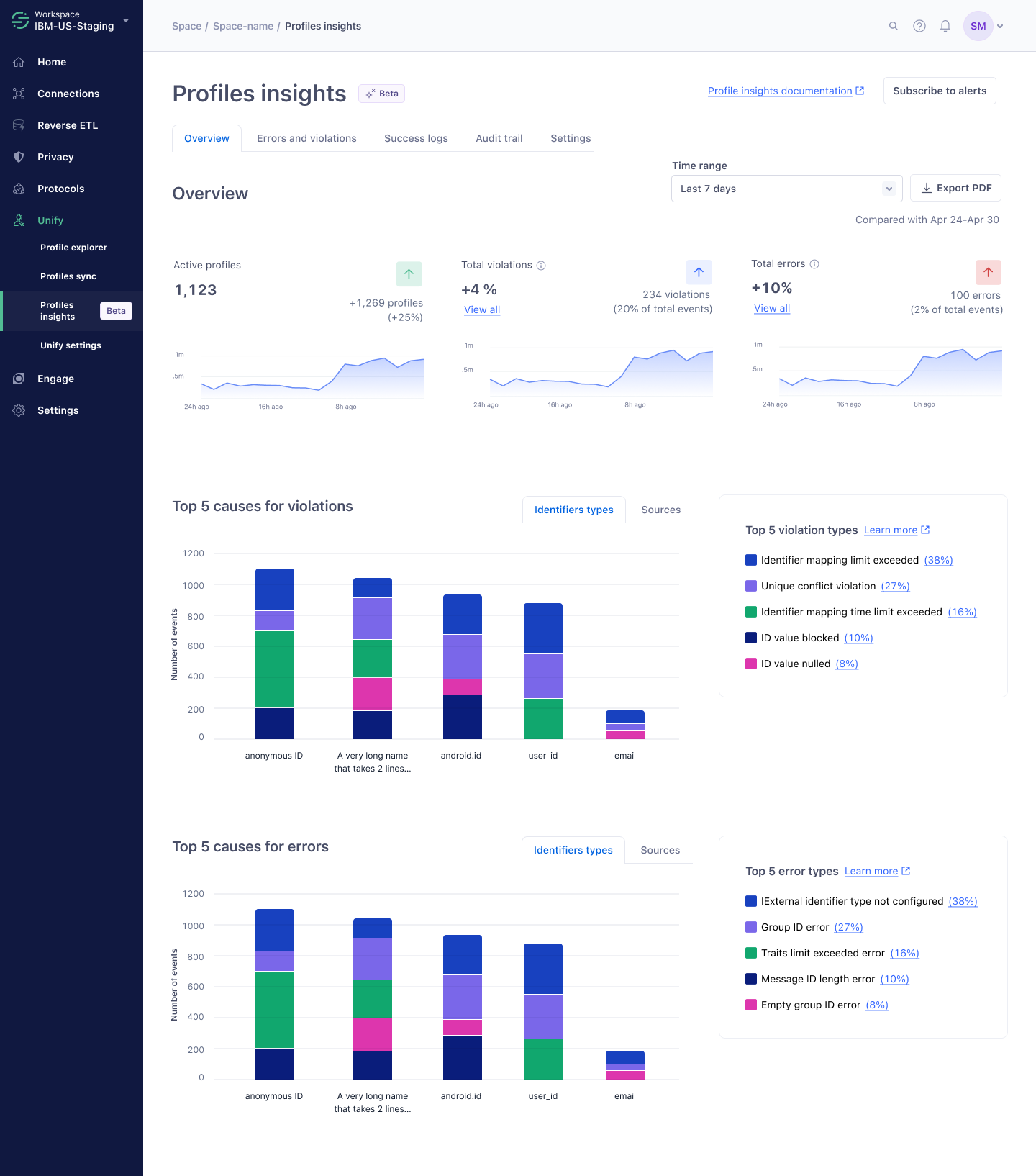
I led the design of Profiles Insights to help data engineers diagnose and resolve profile issues in Segment on their own. After launch, Support and Solutions Engineers reported a 30% decrease in the time it takes to complete profile observability tasks.
My team: Profiles
1 PM, 1 PD, 4 ENG
Mar – May 2023
Context
Segment is a customer data platform (CDP) that helps businesses collect, unify and activate their data to power personalized experiences. Profiles is Segment's flagship product. It uses an identity resolution system that tracks every interaction across the whole user journey to build unified, real-time customer identities.
The Profiles team's mission is to build and activate rich, trusted profiles everywhere, to power the future of personalized customer engagement.
The problem
- 75% of Profiles support tickets related to profile observability and repair.
- About 12.5% of Profiles tickets were escalated to the engineering team.
- 46% of issues were about missing data on profiles.
- Profile observability was reported as the biggest product gap, affecting customers worth $17.9M in annual recurring revenue.
Timeline and my role
Design
- Created user flows and wireframes
- Built prototypes for research
- Delivered high-fidelity mockups
User research
- Built on existing research
- Ran usability testing
- Led research share-outs
Development
- Delivered pixel-perfect designs
- Worked through edge cases with engineers
- Ran design QA on front-end tickets
Research insights
Before I joined, a UX researcher ran interviews and focus groups with internal solution engineers and customers to understand customers' awareness of their data quality, their mental models around partially usable profiles, and their pain points around observability and identity resolution strategy.
Low awareness of profile health
Customers have low awareness of the quality and health of their profile data. The most aware were those who had already suffered catastrophic data quality problems, and their only workaround was to start over with Segment.
"I was not aware that you can actually break a profile to a point that you cannot do anything with it. So this is like dark knowledge. It's nowhere documented… And I got an answer that I did a change that basically broke all our profiles and they're now unusable."
— Systems manager at an enterprise customer
A complicated, rigid system
Segment's identity resolution system is complicated and rigid. It needs careful setup, and any change to it needs safeguards to avoid expensive outcomes that erode customers' trust.
Profiles are a black box
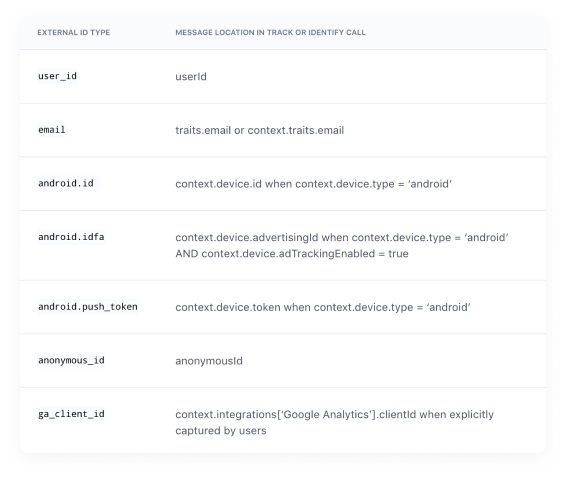
Customers don't know how to identify and fix even the most common issues. Unintended or incorrect profile merges usually come from errors upstream, in customers' code or from not following tracking best practices, but customers had no way to tell a Segment bug from a problem in their own data.
"Data inconsistencies are not exactly the fault of Segment, but the implementation within our web platform, but that's always a little bit hard to pinpoint. So any issue that does come up, it's hard to pinpoint whether that's the issue in Segment or whether there's an issue in the platform."
— Product manager, martech and media, at an enterprise customer
Who we designed for
Primary persona
Data engineers who need to identify data issues and troubleshoot why profiles or the identity resolution system don't behave as expected.
Secondary persona
Business users who want overall profile metrics to justify Segment's ROI.
Customer problem statement
As a data operator or admin who governs data performance, when I notice data issues, I want to troubleshoot what went wrong and fix them myself, so that I can trust Segment's data to power my personalized communications.
Today I have no visibility into what caused profile data issues or how my identity strategy is performing. All I can do is file support tickets or get my Segment rep on a call to help me troubleshoot.
How might we make data operators feel confident identifying and troubleshooting data quality issues on their own?
Design concepts
Overview
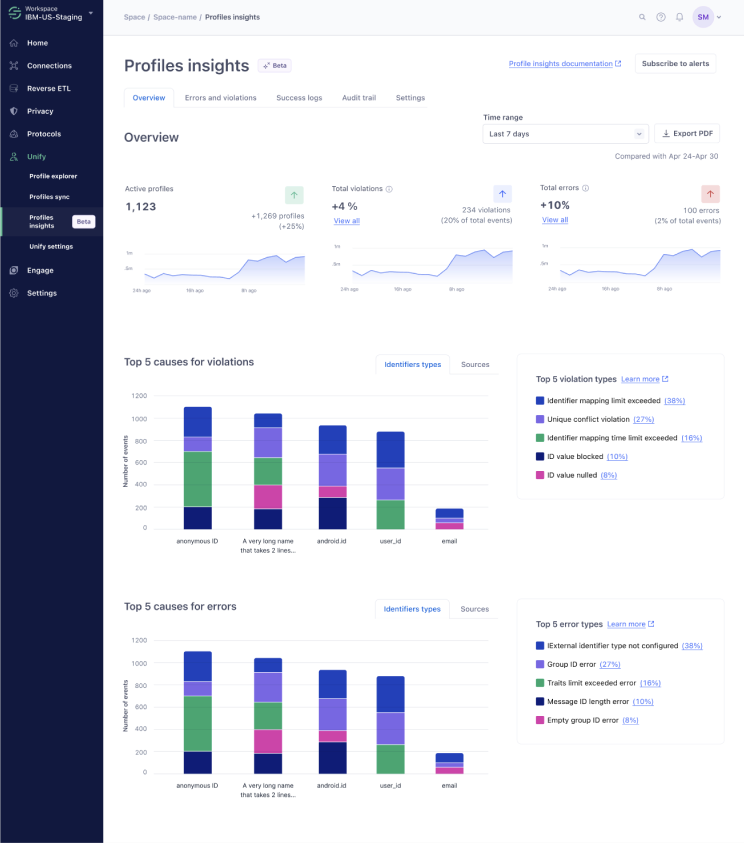
Summary metrics that show how the profile system is performing and enable proactive monitoring.
Logs
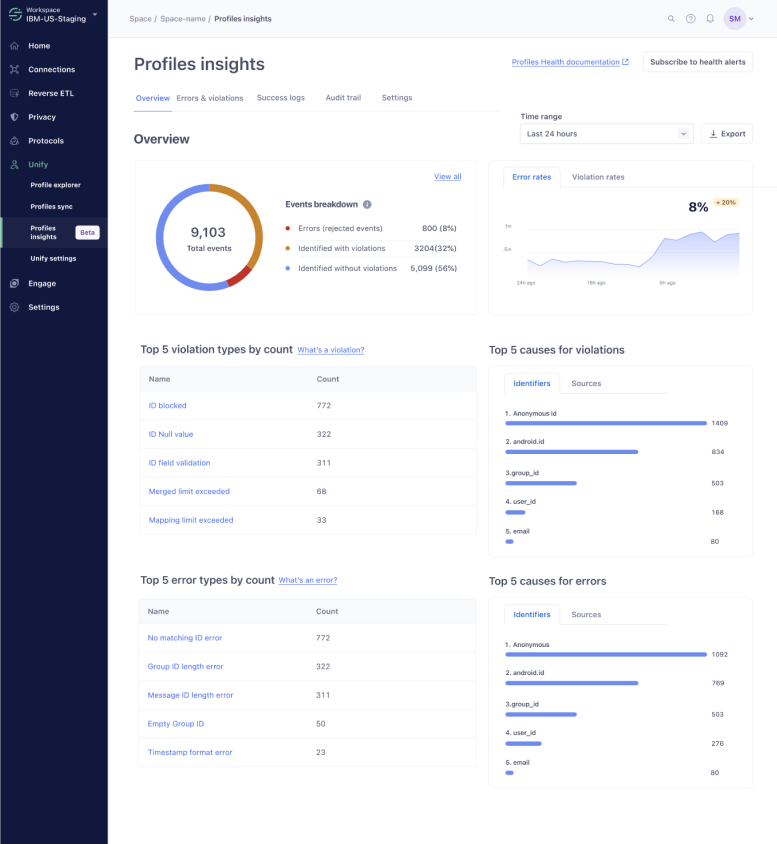
Logs that surface errors, violations and successes in the profile system, to make troubleshooting possible.
Feedback and iterations
Customers and Support were thrilled about this feature! The errors and violations table and its side sheet gave people what they needed to troubleshoot. The overview page had all the key information, but needed more work to help users connect the data into a full picture.
"This Logs section is very useful. We are going from flying blind, no visibility whatsoever and very high cost of actually finding the issues, to having at least some understanding of what's going wrong. In whatever form you're shipping it, I want to be first in line!"
— Data engineer at an enterprise customer
"Observability really is the main pain point we have with Profiles right now with big customers. This will reduce the number of tickets if they learn how to use the tool."
— Customer success lead, Twilio
"In my opinion this is gonna have a massive impact on the support team and clients are gonna love it! For us it's gonna cut the time we spend on this a lot."
— Customer success lead, Twilio
Logs
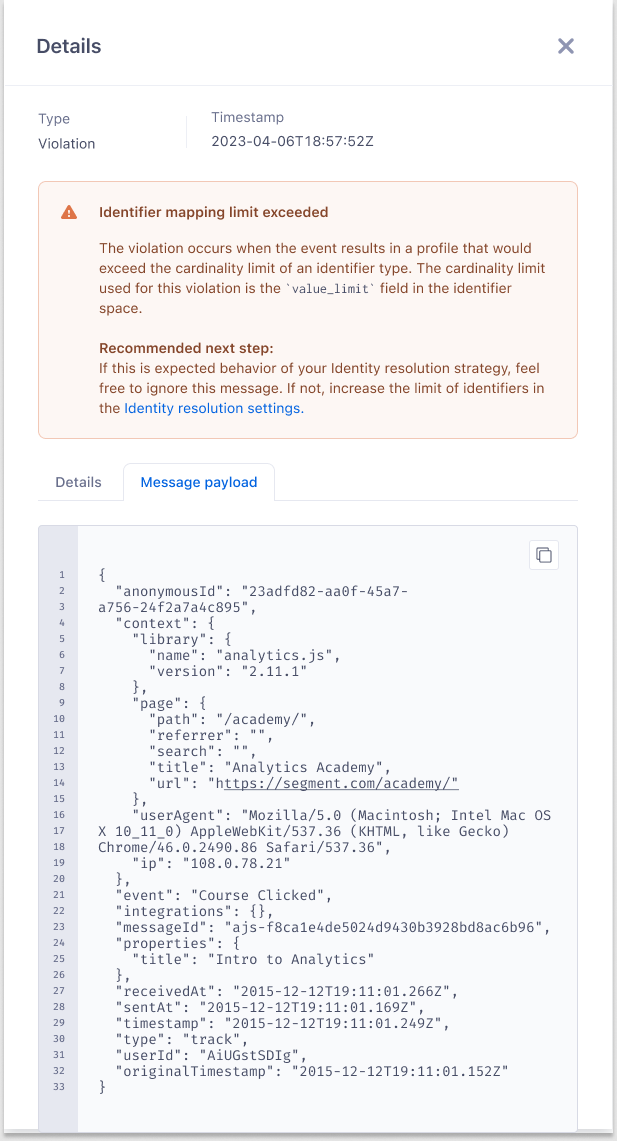
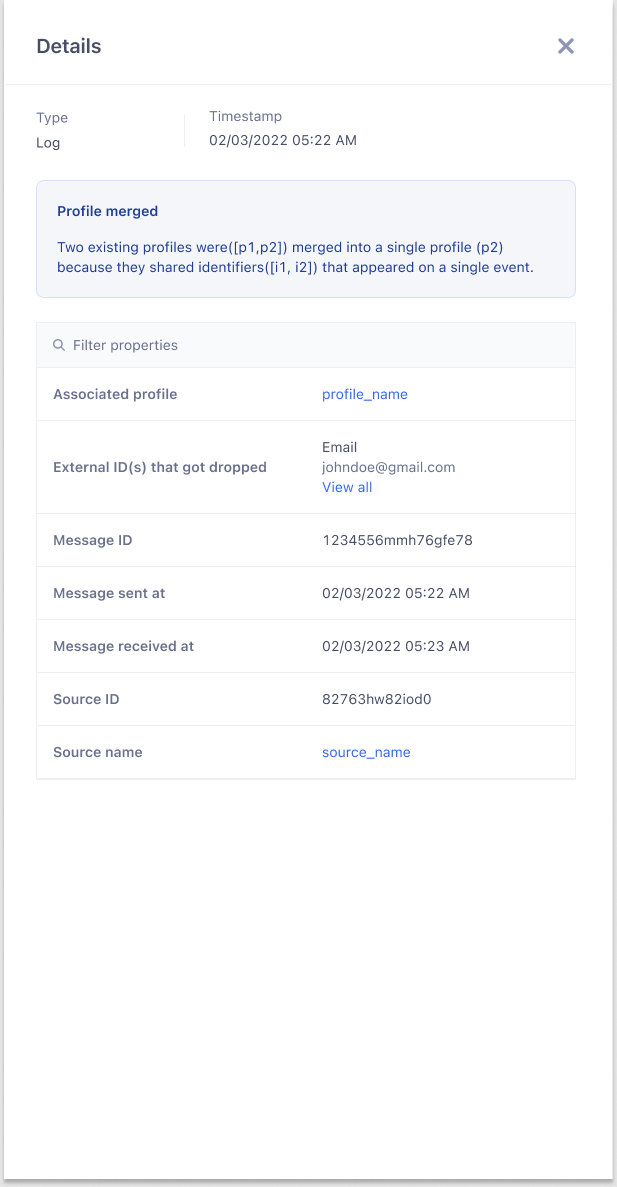
- Customers might feel overwhelmed by the number of violations, reading them as something negative. In fact, violations are the expected behavior of their identity resolution system.
- Customers need to search logs by message ID, but the design only supported external IDs.
- The errors and violations table and its side sheet were insightful and matched how users troubleshoot.
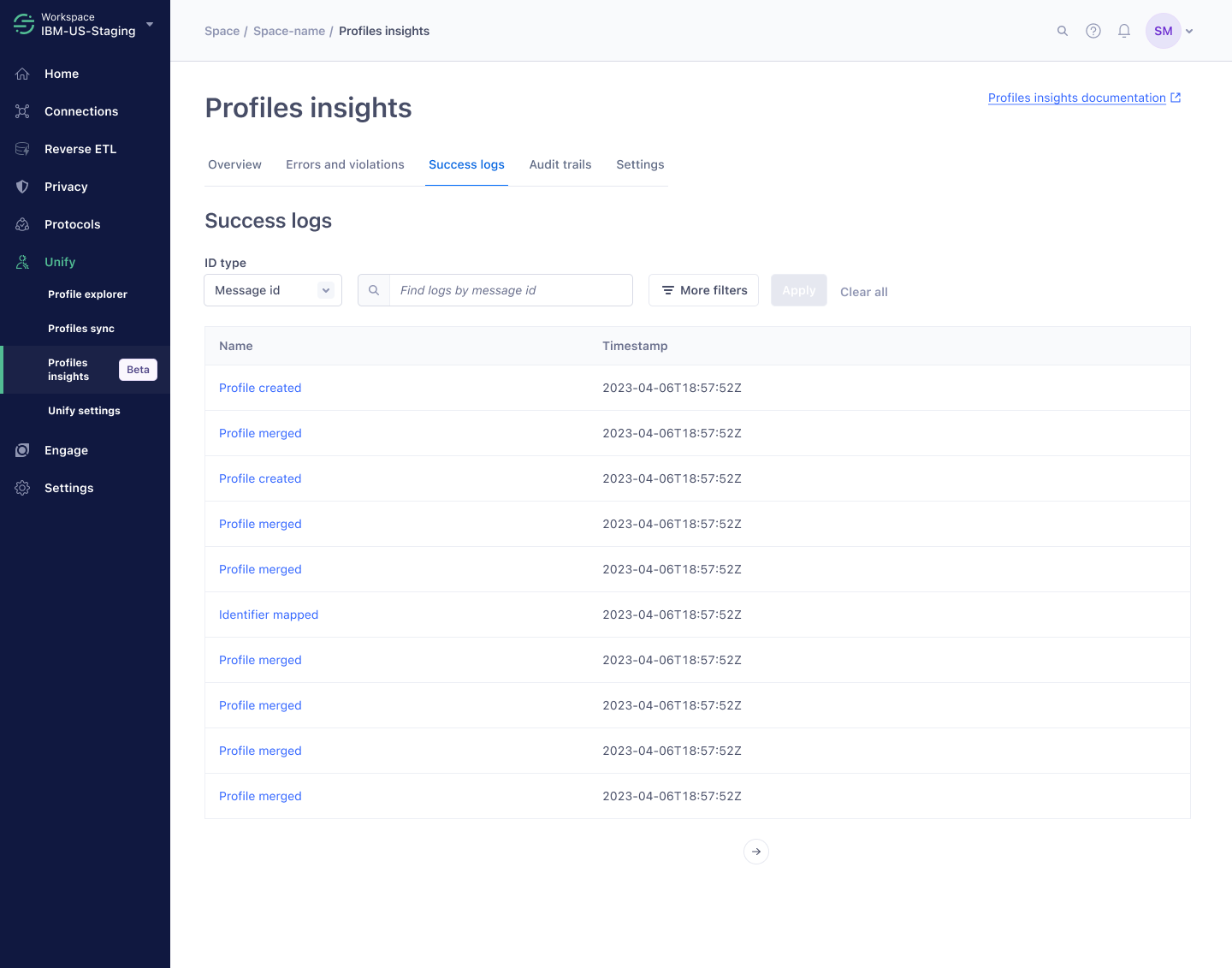
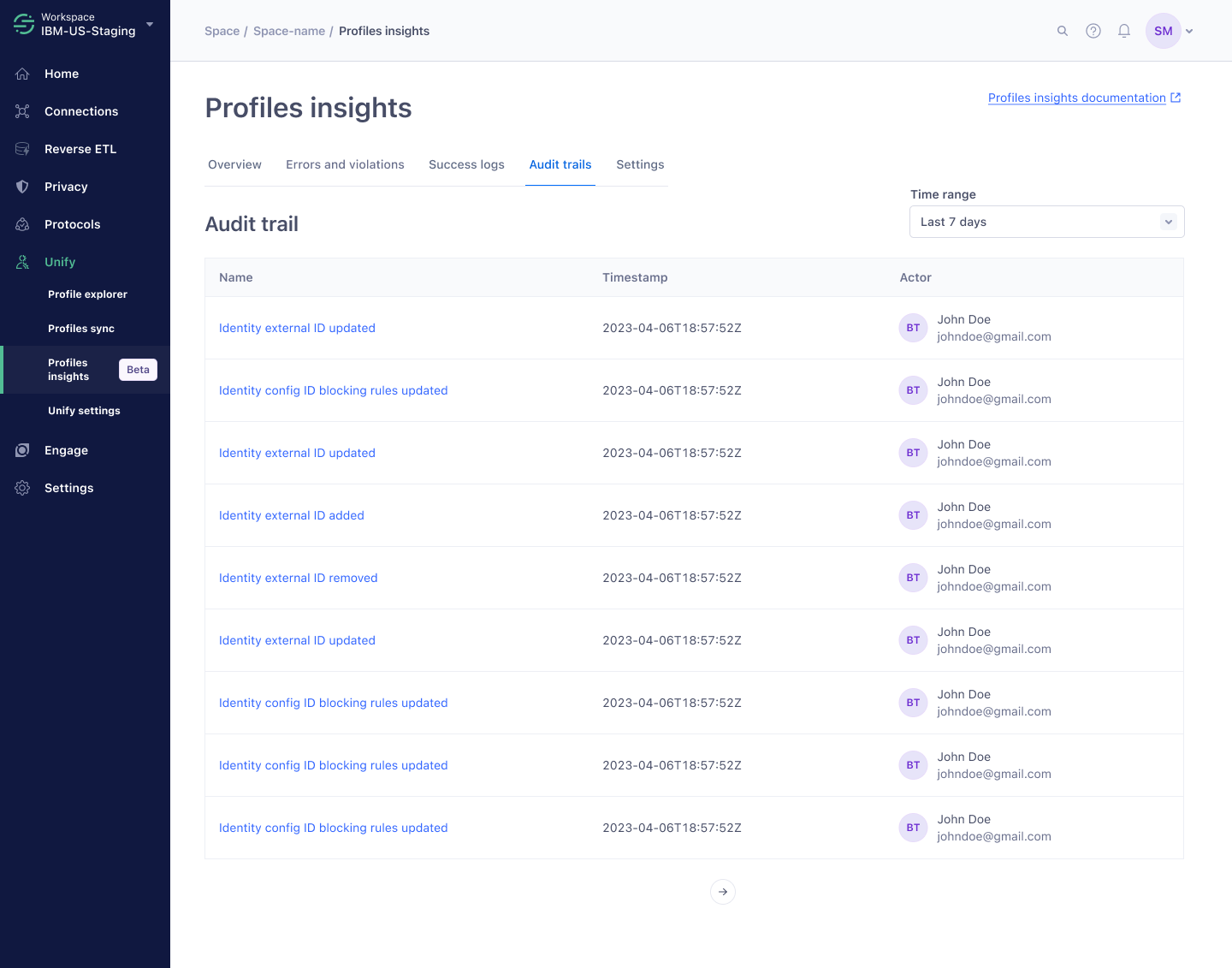
- Success logs are useful but add noise during troubleshooting. Customers also wanted an audit trail of identity resolution changes, to correlate with errors and violations.
Design changes
- Removed the warning icon from violations and added educational content about errors and violations.
- Added search by message ID.
- Moved success logs to their own tab to reduce noise.
- Added an audit trail for transparency.
Overview
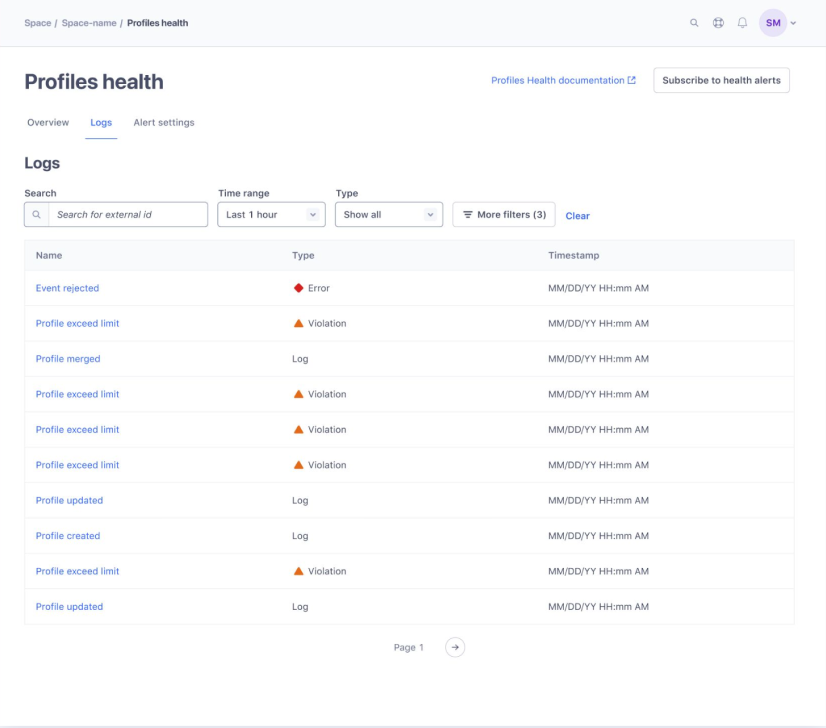
Overview metrics helped gauge the health of a space, and users liked seeing overall trends to proactively monitor profile health. But the top 5 error and violation types and their causes could be better integrated, and a high violation rate could scare non-technical users. The page lacked a positive spin.
Design changes
- Combined the top error and violation types and their causes into one chart.
- Removed the pie chart: non-technical users care about profiles more than raw events, and it put too much emphasis on violations.
"If I put on the marketer hat, they would like to see some performing metrics and how well they are hitting their goals. How many complete profiles do I have? How many people can I reach? The overview page is missing the positive growth data."
— Solutions engineering manager, Twilio
The search and filter challenge
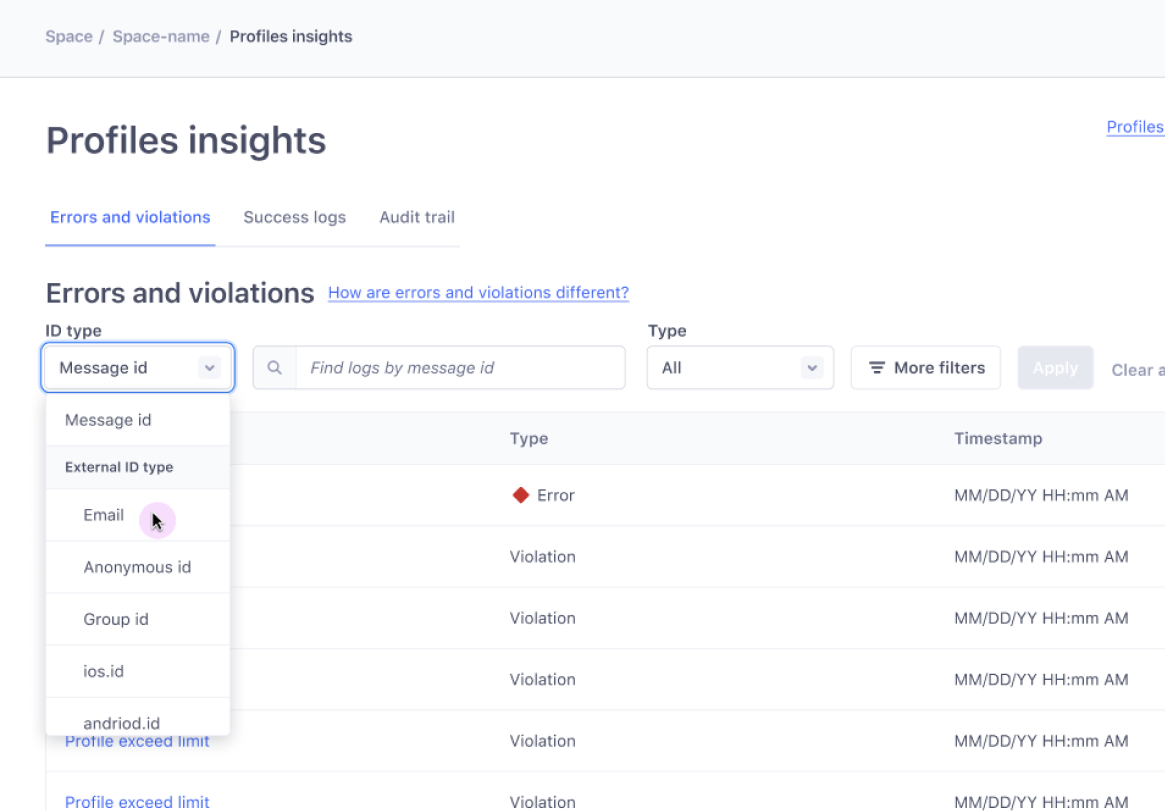
- The ask. As a user, I want to search logs by message ID and by external ID.
- Technical limitation. Message IDs can be searched directly, but searching by external ID requires picking an external ID type first. External ID type is also an important filter that has to work on its own, independently of search.
- UI challenge. Design one search bar that supports two kinds of search: one that needs a filter and one that doesn't.



Two search bars: a regular search for message ID, and an advanced search for external ID with an external ID type filter. Search by external ID is hidden, and it's odd to have two search bars and two external ID filters.
An external ID type selector built into the search bar. It's not an existing component, and it's unclear that no filter is needed when searching by message ID.
One search bar, whose placeholder text changes with the filter selection.
Side sheet exploration
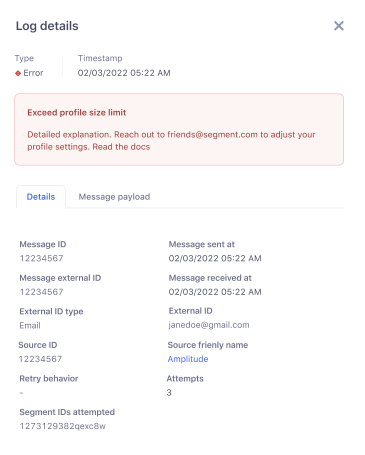
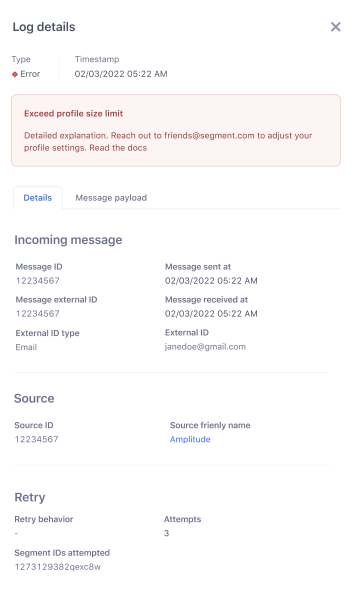
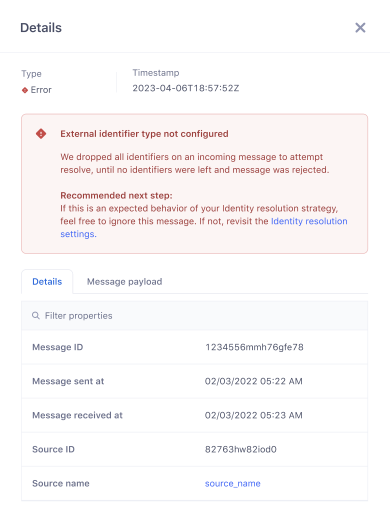
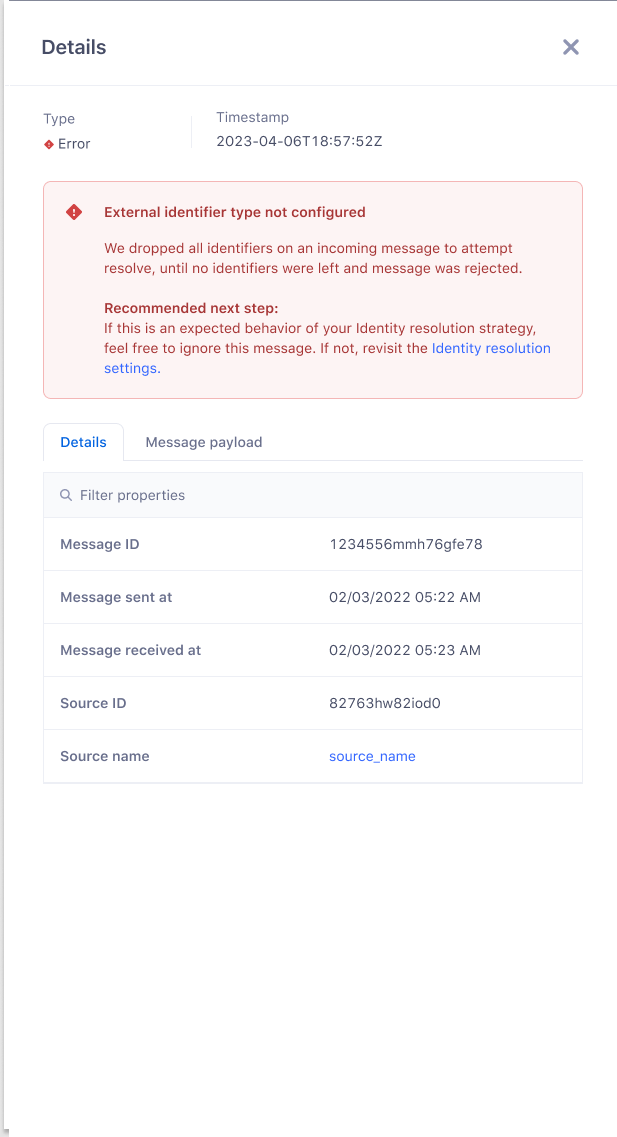
- A table format is the most scannable.
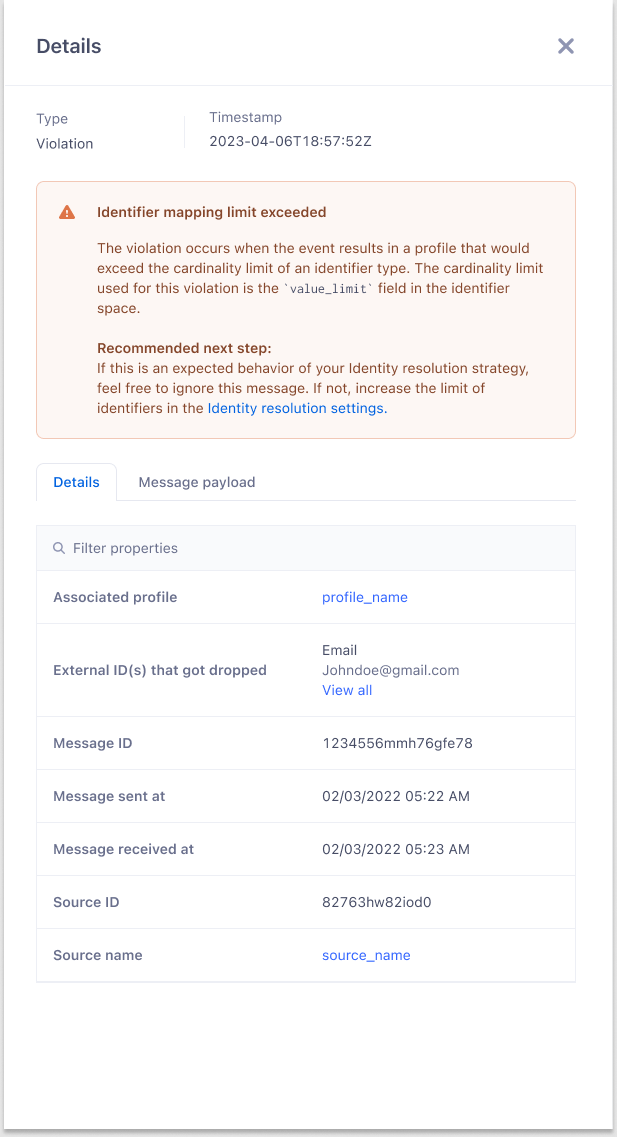
- Each error and violation gets a recommended next step.
- Irrelevant details are removed from the table.
Design walkthrough
Overview
Profile growth, violation and error trends, and their top causes, in one view for proactive monitoring.
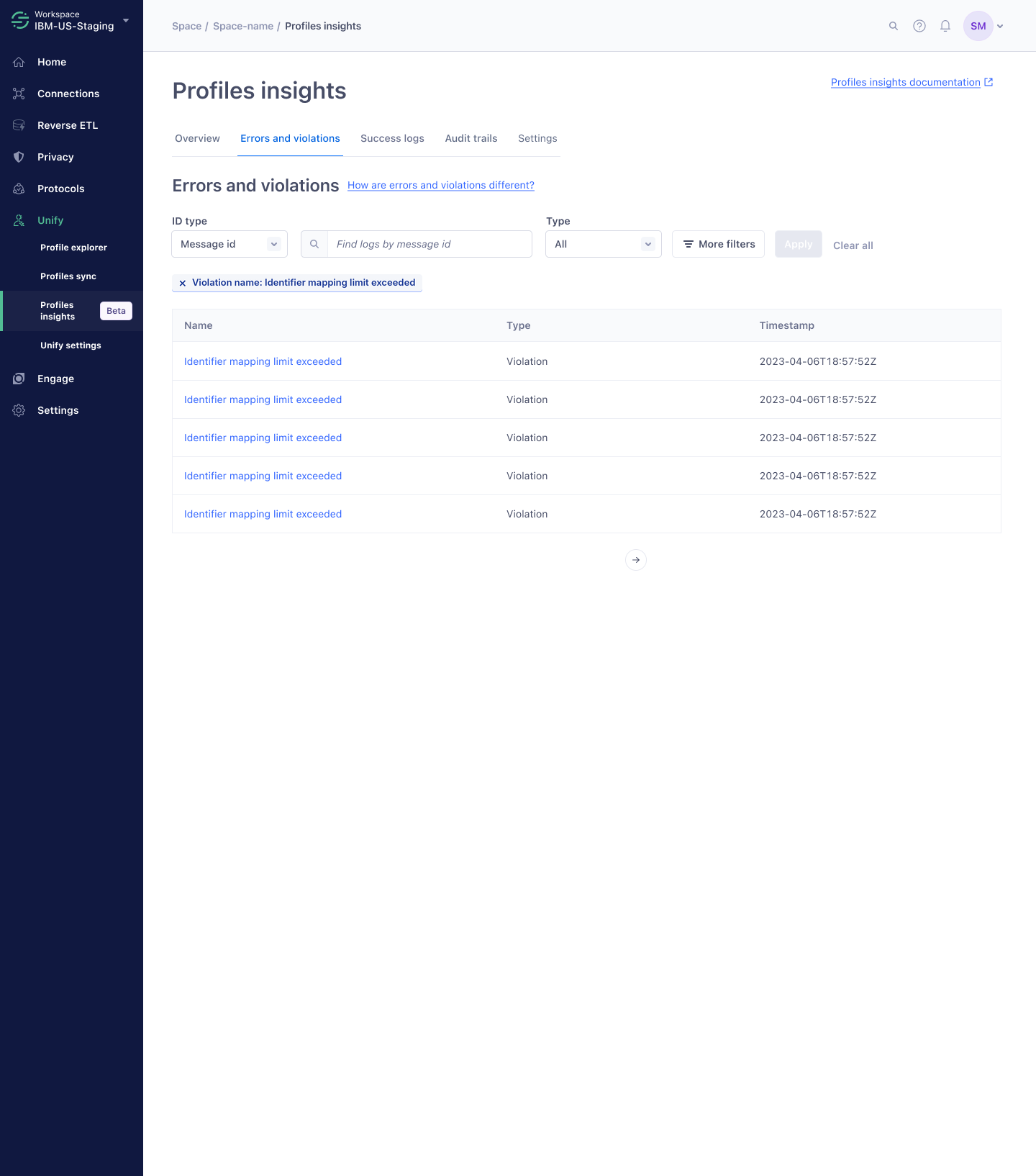
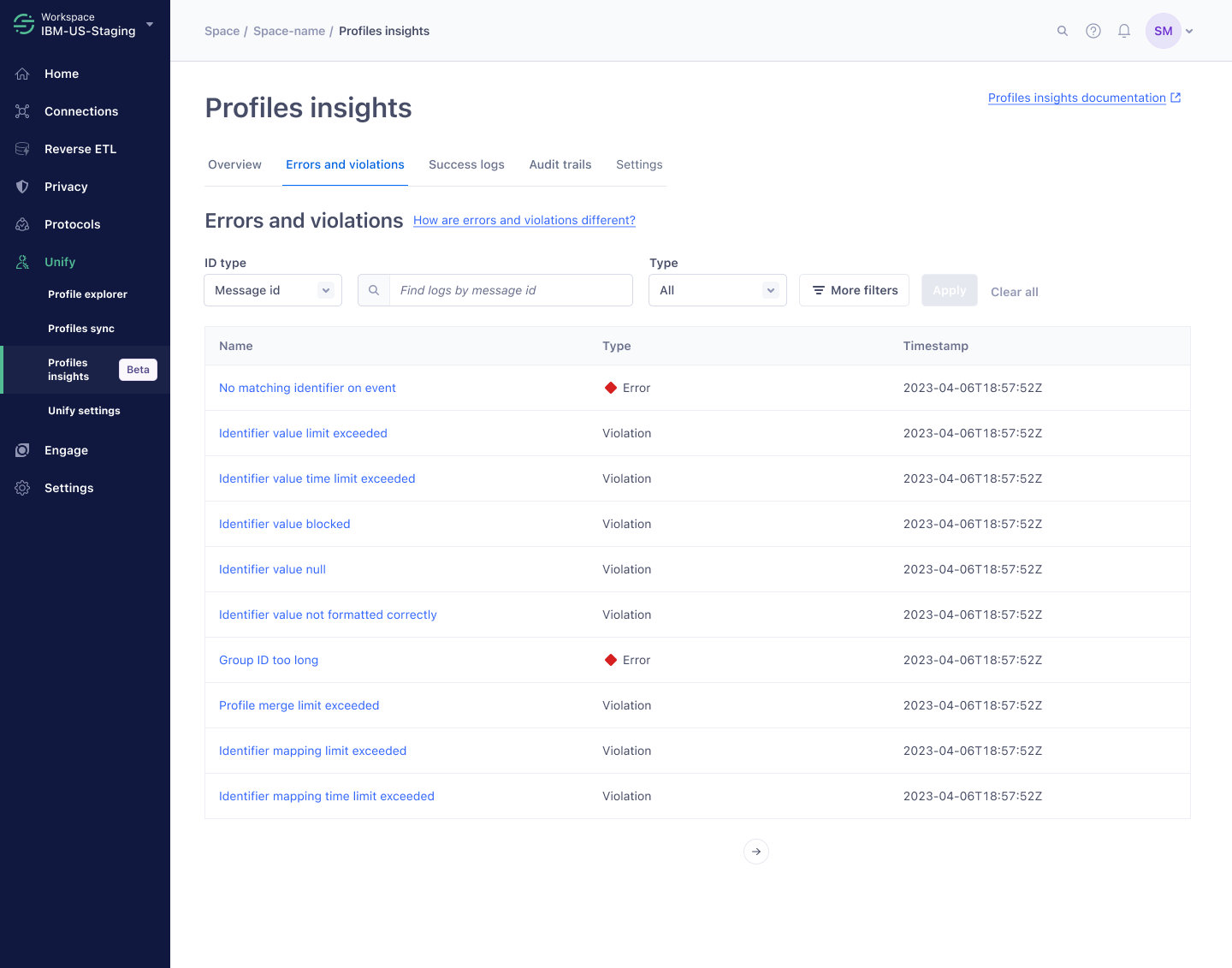
Errors and violations
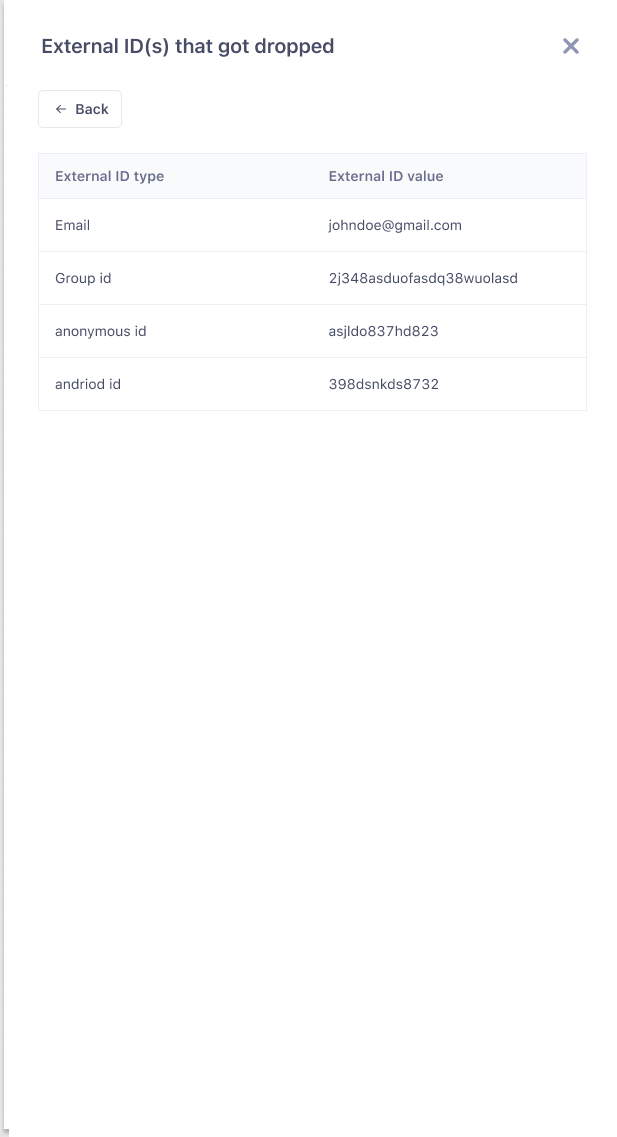
Find the events that need investigation in a dedicated table, then open a side sheet for details and a recommended next step.
Success logs
Successful events have their own tab, preserving useful information while keeping the troubleshooting view focused.
Audit trail
Review identity resolution setting changes and who made them, so changes can be correlated with errors and violations.
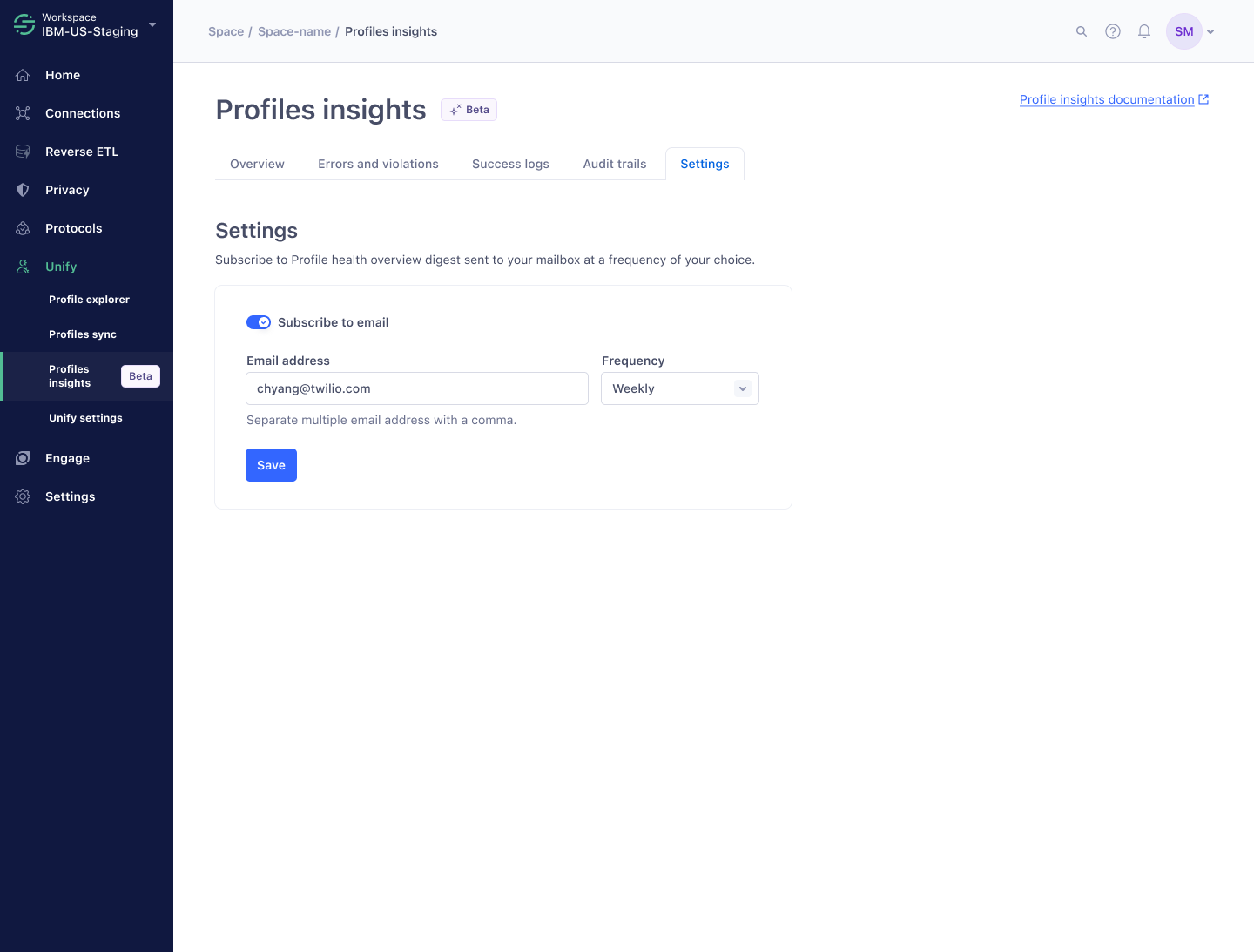
Email digest settings
Subscribe to a digest of profile health to support ongoing monitoring.
Result and impact
With our product, Support and Solutions Engineers reported a 30% decrease in the time it takes to complete profile observability tasks. Profiles Insights is used heavily by Support and Solutions Engineers, and we saw a noticeable drop in escalations to engineers over Slack.