

CRM
HubSpot's most-trafficked page. Filtering is how customers find the right records.
Sales reps, CRM admins
I led a platform initiative to turn a fragmented filter experience into a shared model, adopted by 3 pillar products in HubSpot.
HubSpot is a go-to-market platform that brings marketing, sales, customer service and operations into one system, built on a shared customer database. People come to HubSpot to find their data and ask questions about it. Filtering is how they do it.
HubSpot's most-trafficked page. Filtering is how customers find the right records.
Sales reps, CRM admins
Building a segment is filtering CRM records.
Marketers
Filters define every trigger and branch in an automation.
RevOps, CRM admins, marketers
Every report starts by narrowing the data to what matters.
CRM admins, marketers, RevOps
Filtering was consistently the top 3 CSAT complaint in all four products.
“HubSpot's data segmentation feels ‘option-divey,’ where the abundance of options and inconsistent interfaces can be overwhelming. The segmentation tools often present multiple ways to achieve similar outcomes, such as using lists, workflows, or filters, without a clear and unified approach, creating confusion.”
Marketing operations manager
“Using the same filters as I do to view Contacts, I get very different results when I put together a list. Very confusing and not an effective use of time.”
Marketing ops lead
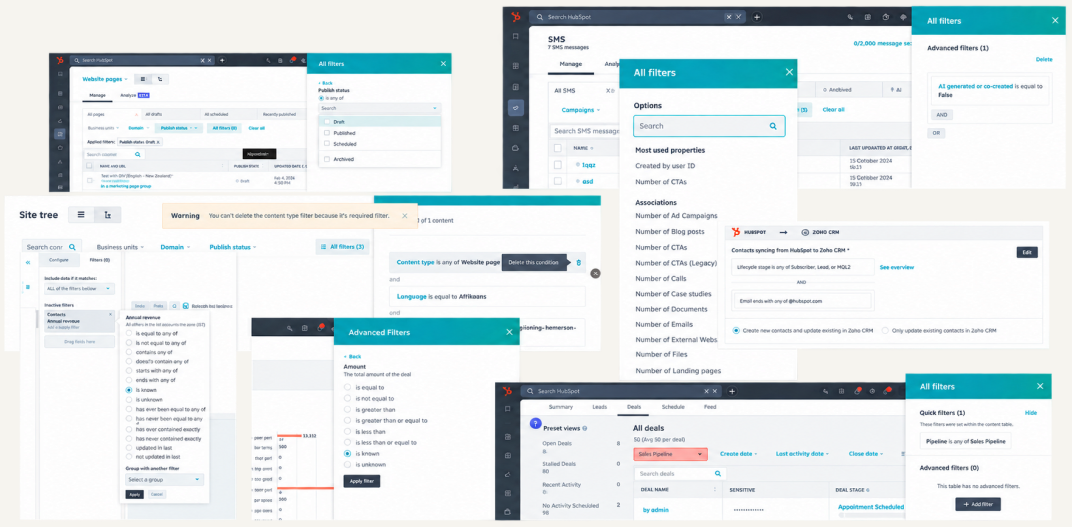
Engineering made a big bet: one unified query platform to replace the separate query backends behind each product. With every product about to query data the same way, design had a huge opportunity to unify the front end too.
Existing query backends
CRM SearchSales ViewsILSSnowflakeFilter surfaces
CRM indexSegmentsWorkflowsReporting…For customers
How might we make filtering intuitive for simple questions, capable of complex ones, and consistent across HubSpot?
For the platform
How might we make the platform filter editor the easiest way for product teams to ship fast, consistent filtering?
Time to create a segment, measured by a randomized A/B test.
In-product survey.
A lower share of negative CSAT verbatims tagged as filtering.
Adoption of the new filter editor, fewer custom filter components, and a lower pattern detach rate.
As the lead product designer, I set the direction of the new filter UX and aligned product and design leaders across the pillar product areas.
Defined the shared filter model and the design principles every product area builds on. Led cross-team workshops to identify needs and drive alignment.
Audit, competitive analysis, discovery research and usability testing. Delivered high-fidelity mockups and specs, design system patterns and documentation.
Handed off vibe-coded live prototypes, did QA and worked through edge cases with engineers.
My process
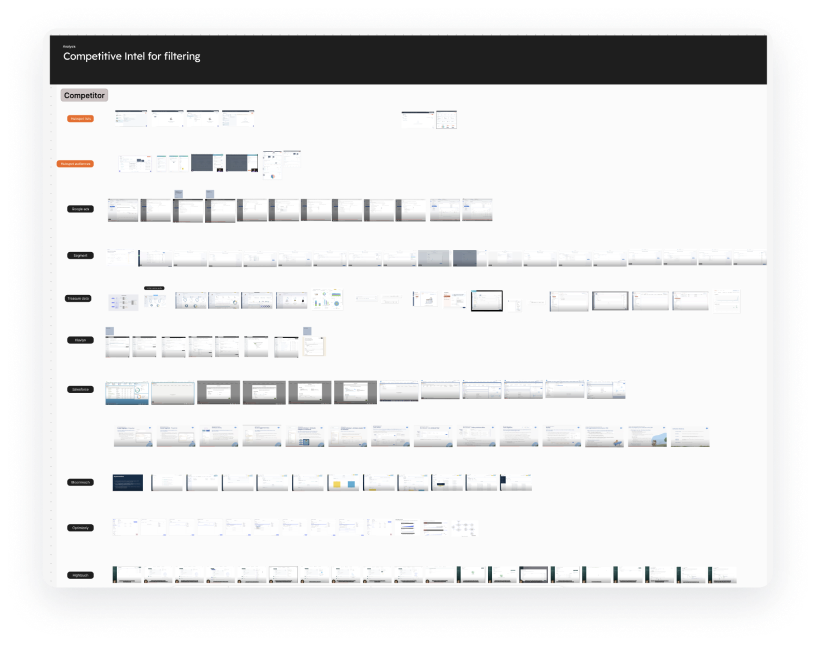
I audited the filter patterns across platforms through four lenses: interaction design, content, functionality and data schema. I also looked at how other tools handle filtering.
I shared the audit and talked with each product team to understand which differences were intentional, and which were design workarounds for system limitations.
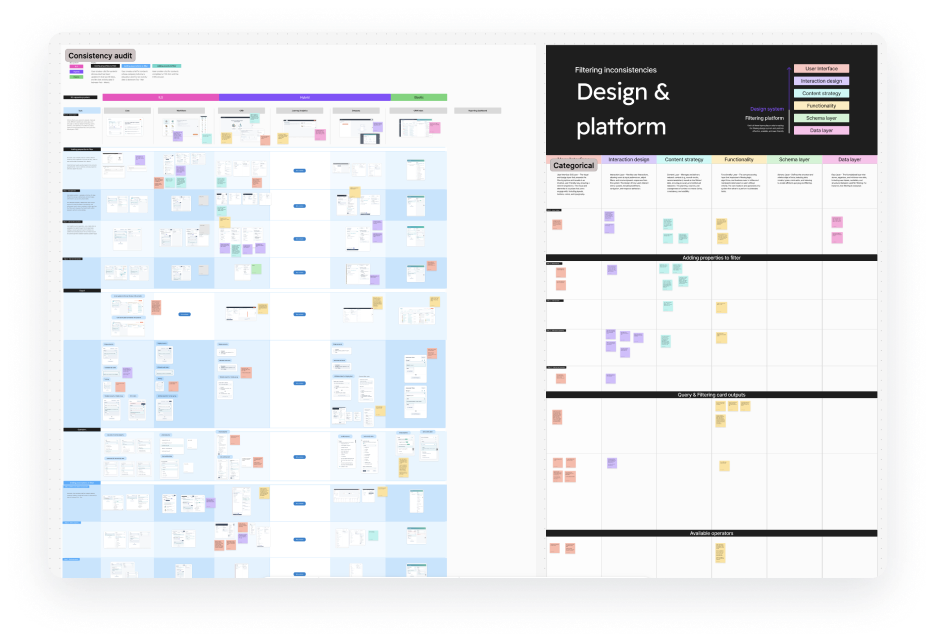
Filtering serves a wide range of users, from RevOps and sales reps to marketers and business analysts, with very different technical levels and data literacy. Some were scared to even open the filter panel. Others asked for complex queries the platform couldn't support. Progressive disclosure is key.
We assumed each tool served a different persona with different filtering needs. Research showed the opposite: users' filtering needs were far more alike than different across tools. For example, sales reps on the CRM index often needed the same cross-object filtering as marketers in Segments. Filtering limits pushed users to the wrong tool and caused confusion and frustration.
“It makes it easier to work in different areas of HubSpot when you don't have to consider that certain things have limitations to them versus other tools within the platform. But for some reason you decided to artificially limit the functionality for this particular part of the platform.”
Sales operations manager
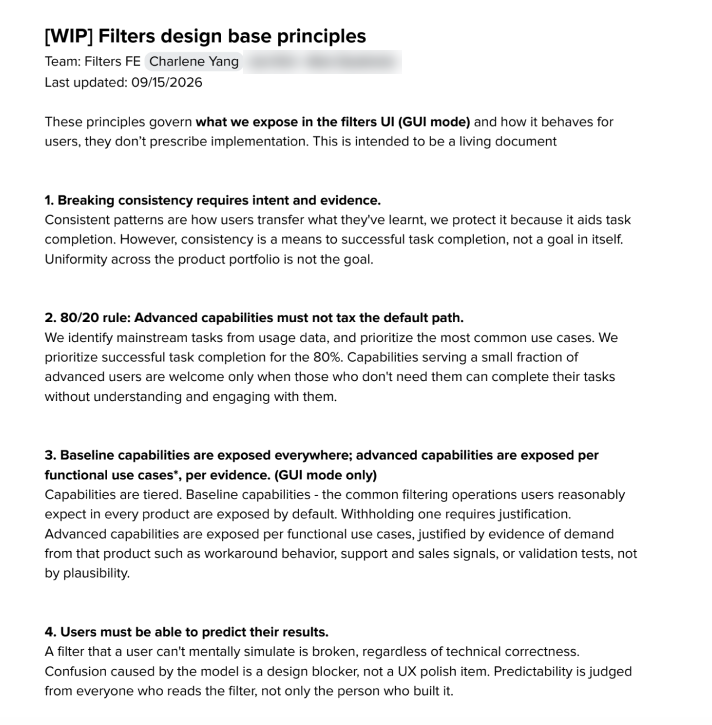
Each team wanted a “simpler” filter for their everyday cases, plus the advanced capabilities their app specifically needed. As a platform team, my tech lead wanted one filter editor everywhere that exposed nearly everything the query could do. I needed to set a direction our team could all stand behind.
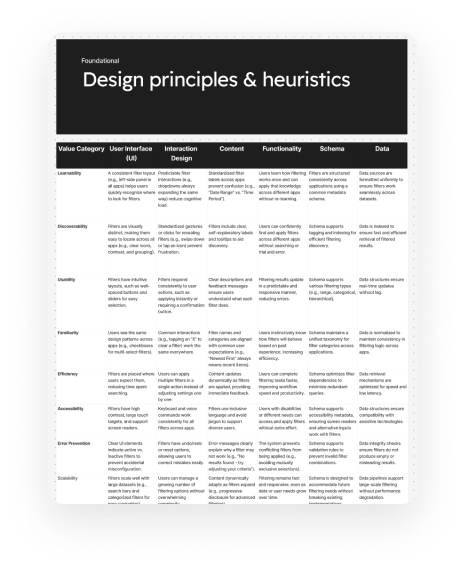
I reframed the goal: consistency is a means, not the goal. The goal is successful task completion in each app. I defined consistency as a learnable pattern, not identical UI, so small variants could live within one shared model. Then I let user research draw the line between the shared baseline and app-specific capabilities.
These became the team's design principles. We stopped re-litigating each feature, design conversations got faster, and we converged on a phase 1 solution quickly.
What we built
Before
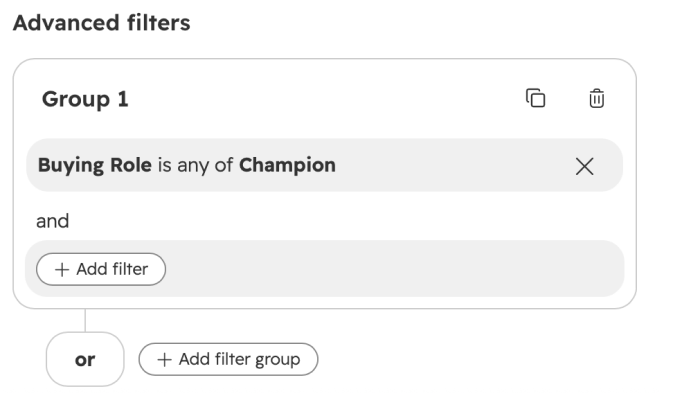
After
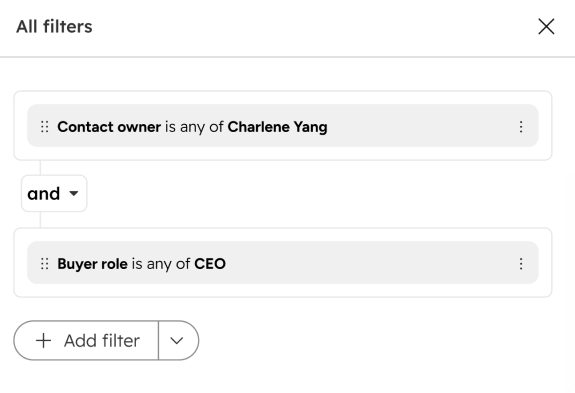
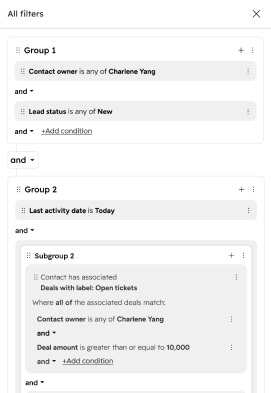
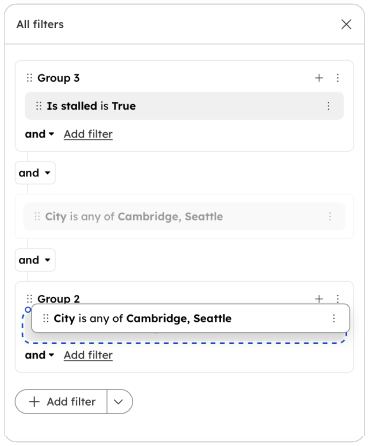
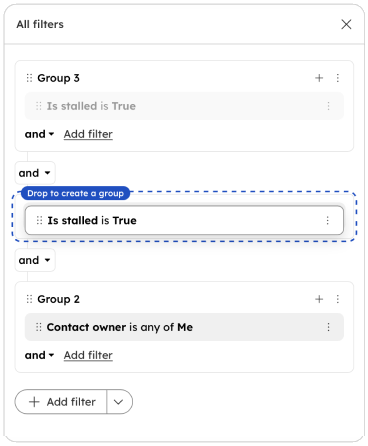
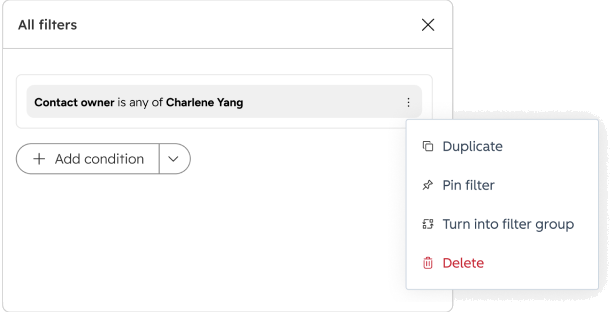
Restructuring a filter shouldn't mean rebuilding it. Users can drag a condition into or out of a group, drop one condition onto another to create a group, or turn any condition into a group from its menu.
Each product filters on a different set of data sources. I designed for a scalable IA that accommodated all of them.
Segment
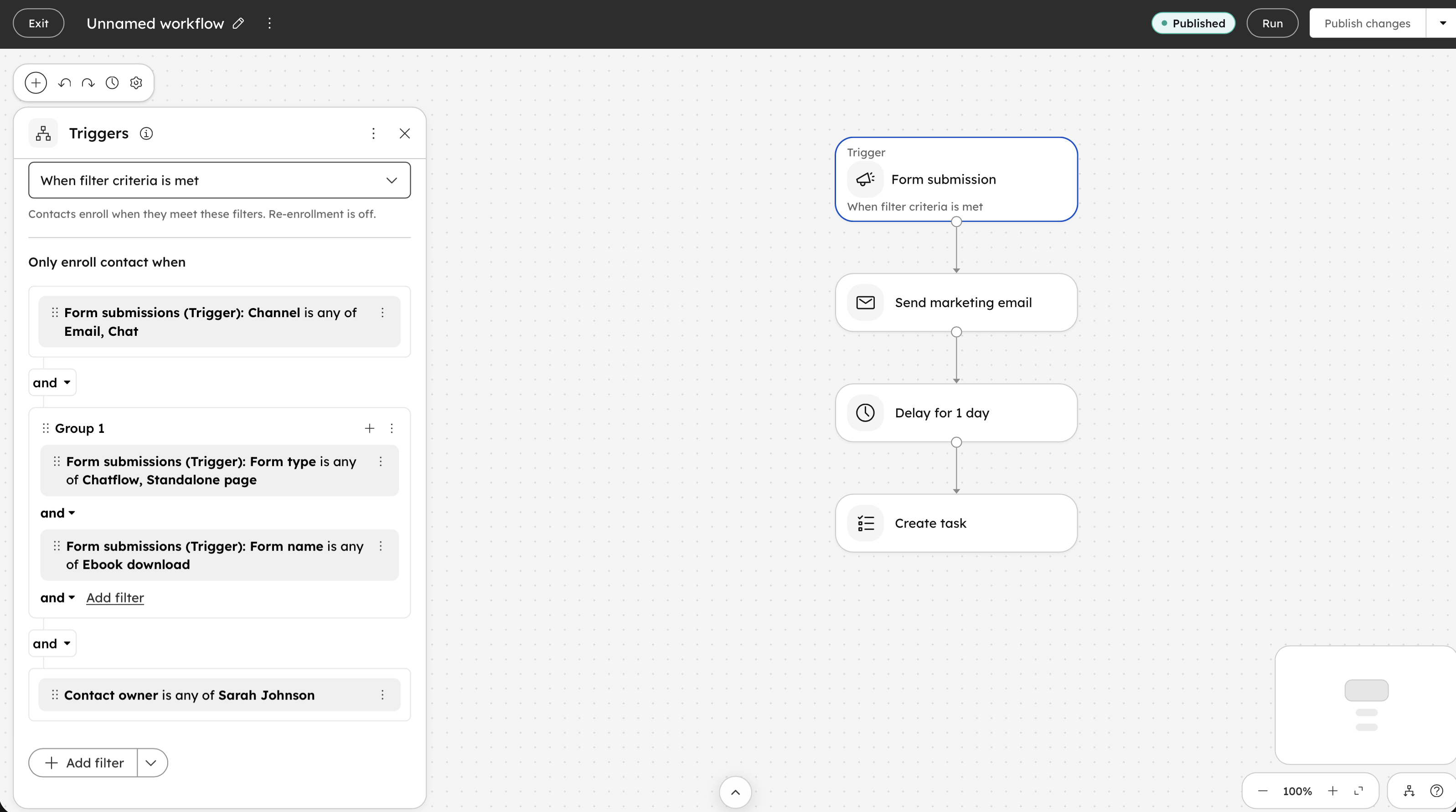
Workflow
Filtering on associated records and linked events under the hood shared the same paradigm. I designed a consistent UX pattern that scales to both.
| Pattern | Associated objects | Linked events |
|---|---|---|
| Existence | Has / has no associated deal | Has done / has not done Opened email |
| Quantity | Number of associated deals is at least 3 | Opened email at least 3 times |
| Attribute | Any (or all) associated deals where amount > $1,000 | Opened email where campaign is Spring Sale |
| Aggregation | Total deal amount > $50,000 | Total purchase amount > $500 |
| Which one | First / most recently associated deal | First / most recent email opened event |
| Scoped by | Association label (e.g. Primary) | Time window (e.g. last 30 days) |
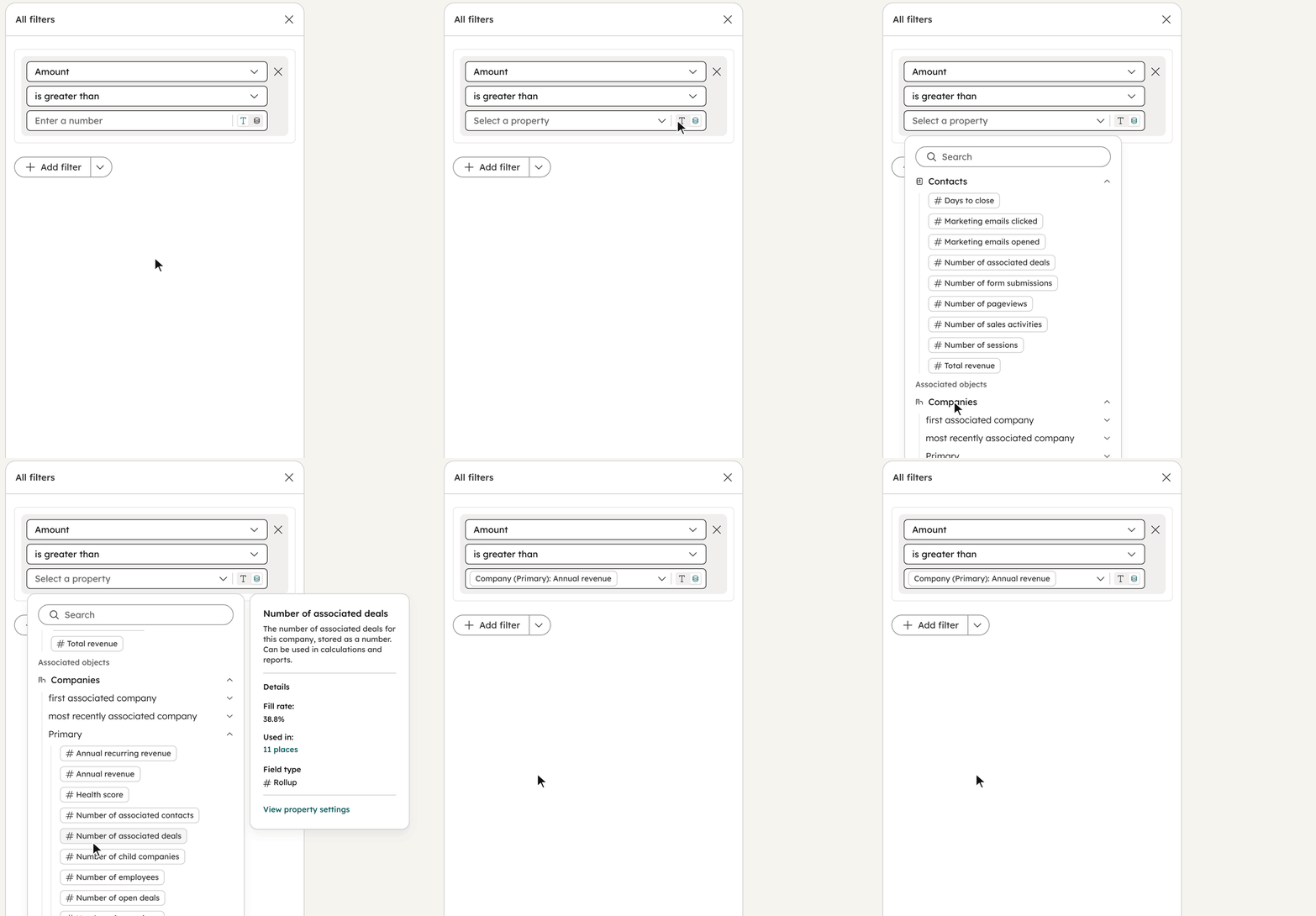
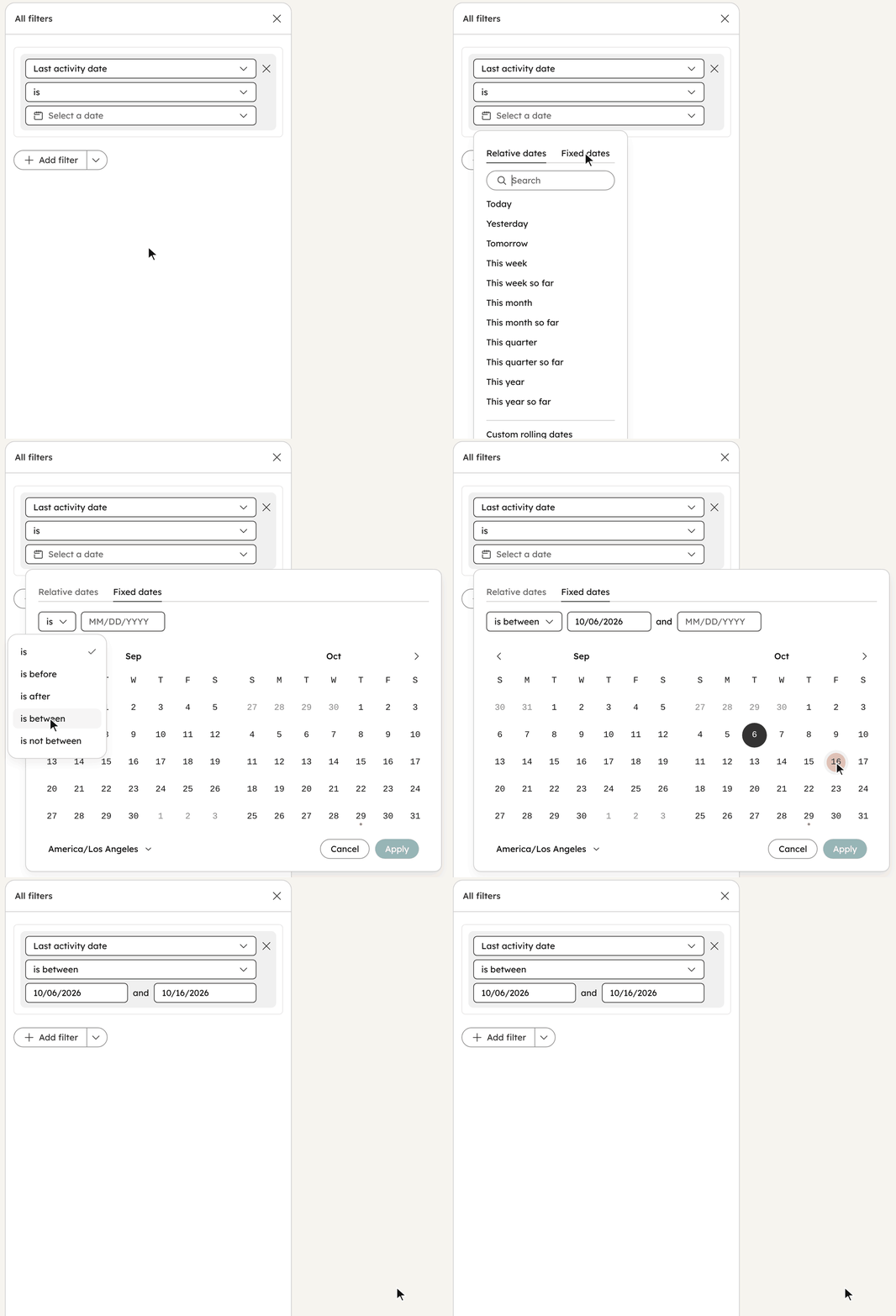
Long, overlapping operator lists were one of the top usability complaints. I reduced the operator overhead by introducing modes into the input value: a property comparison mode lets users compare against another property, and a new date picker handles relative and fixed dates in one place.
Property comparison mode
New date picker
Before
After
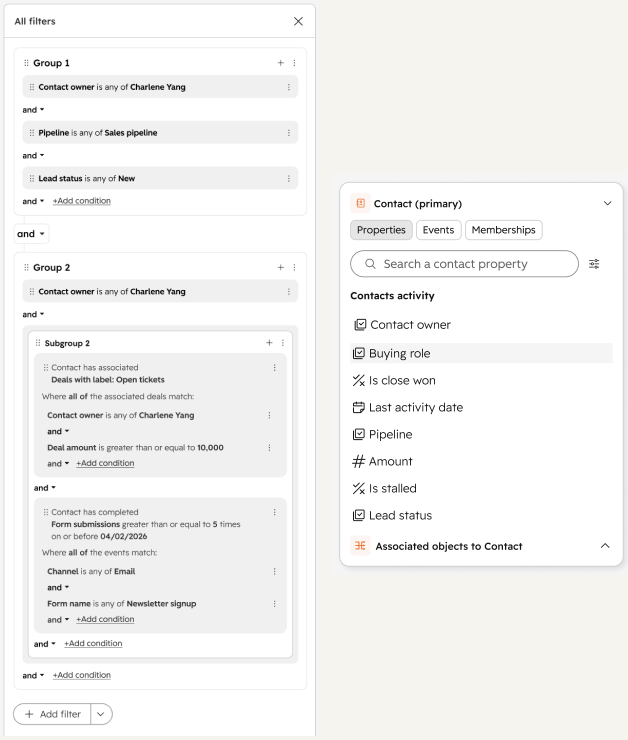
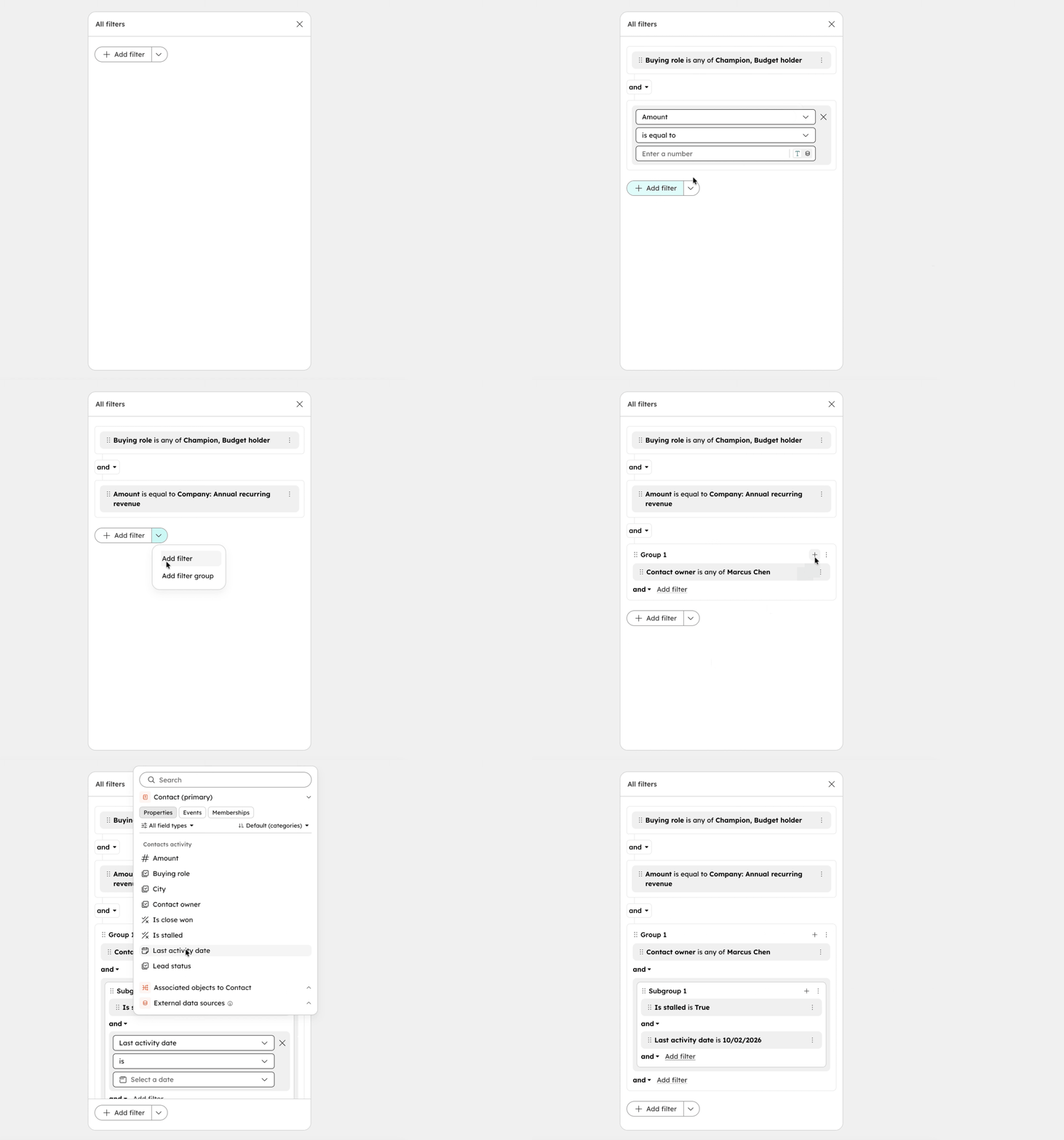
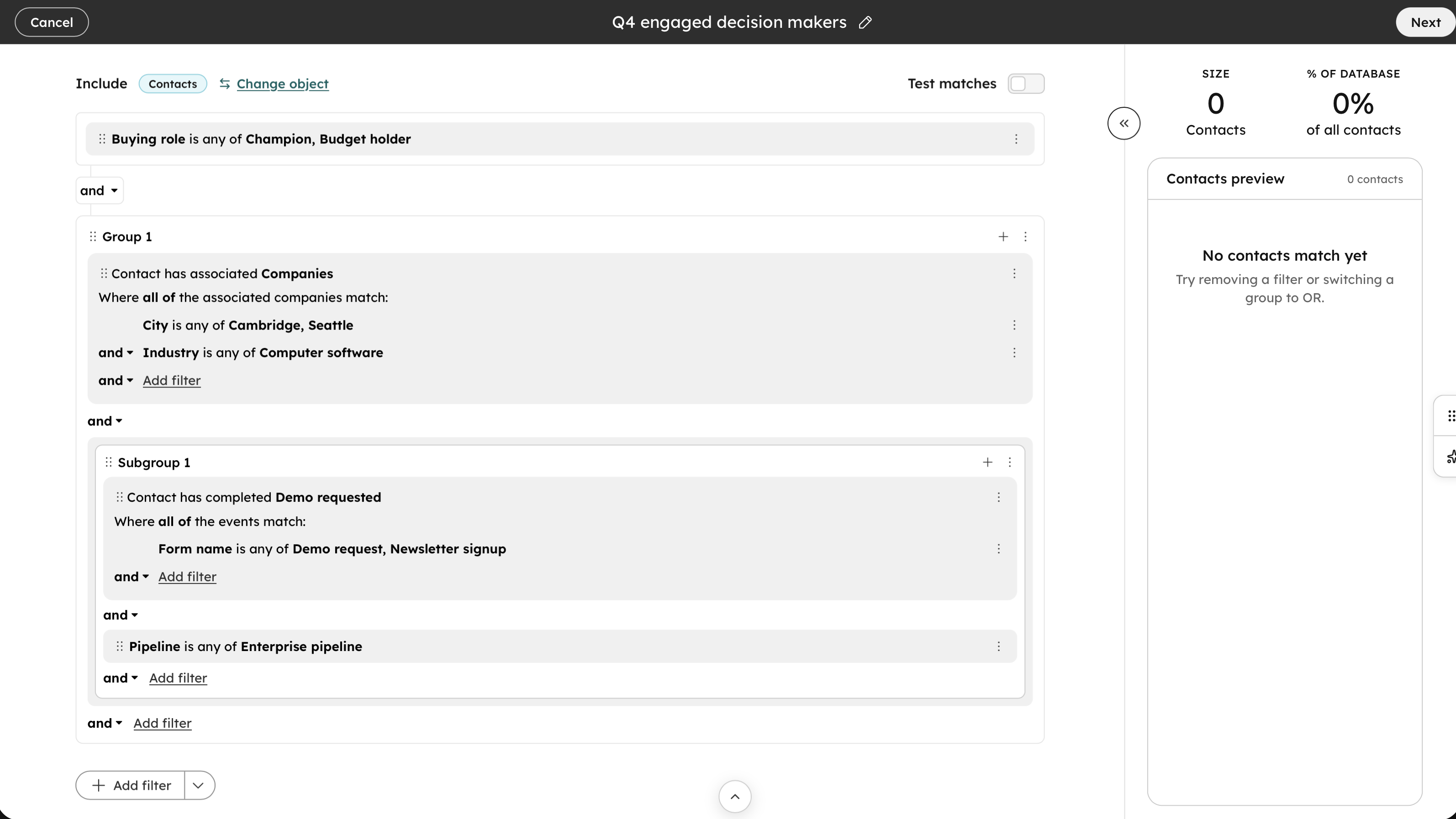
Start with one condition and add more as you go. When the logic needs it, add a filter group from the Add filter menu, or a subgroup inside a group, up to three levels deep.
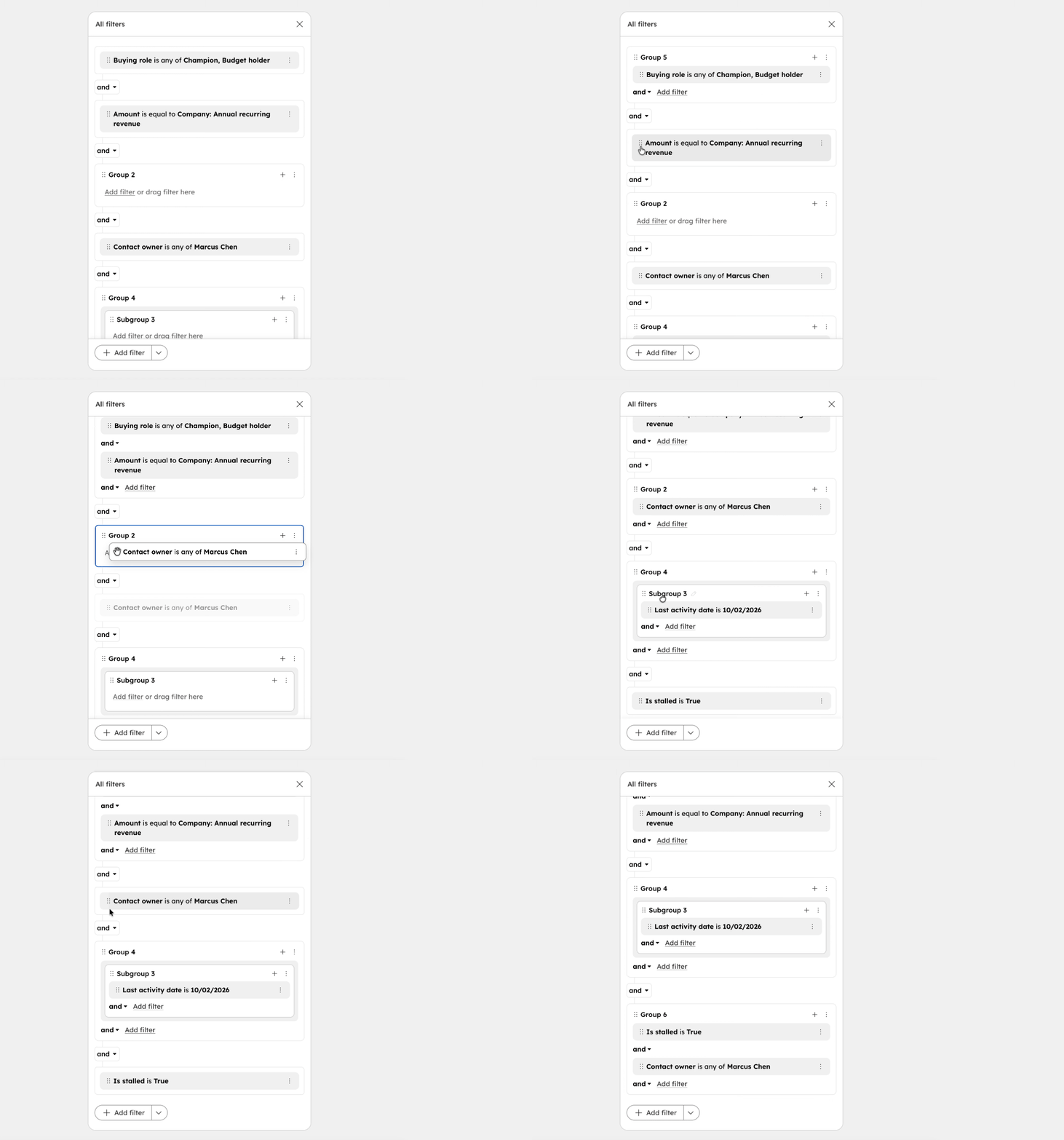
Change the structure without rebuilding the filter. Drag a condition into or out of a group, drop one condition onto another to group them, and ungroup when the group isn't needed anymore.
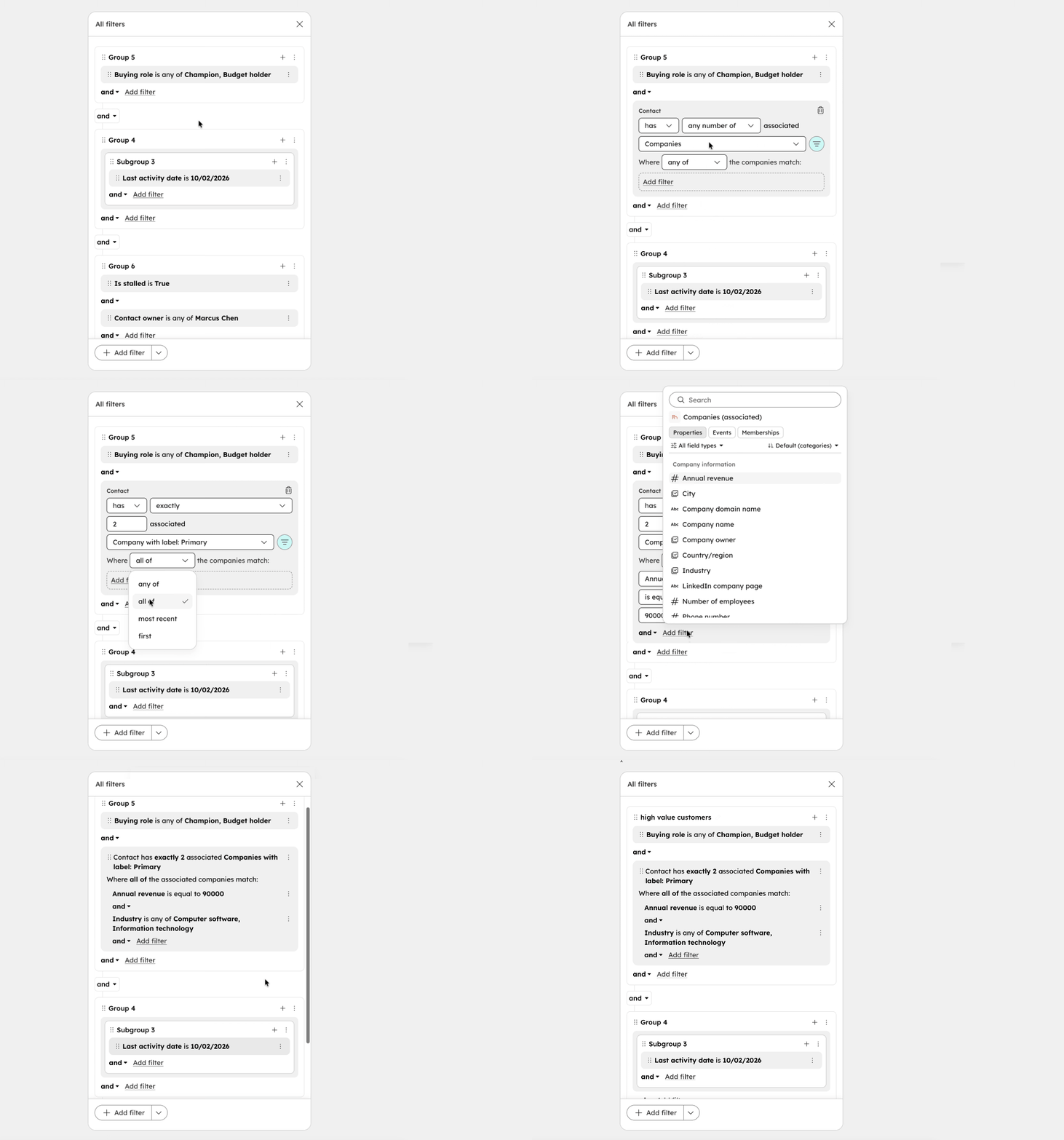
Filter records by the companies, deals and other records they're associated with. Set how many should match, narrow them by association label, and add conditions on their properties, like annual revenue or industry.
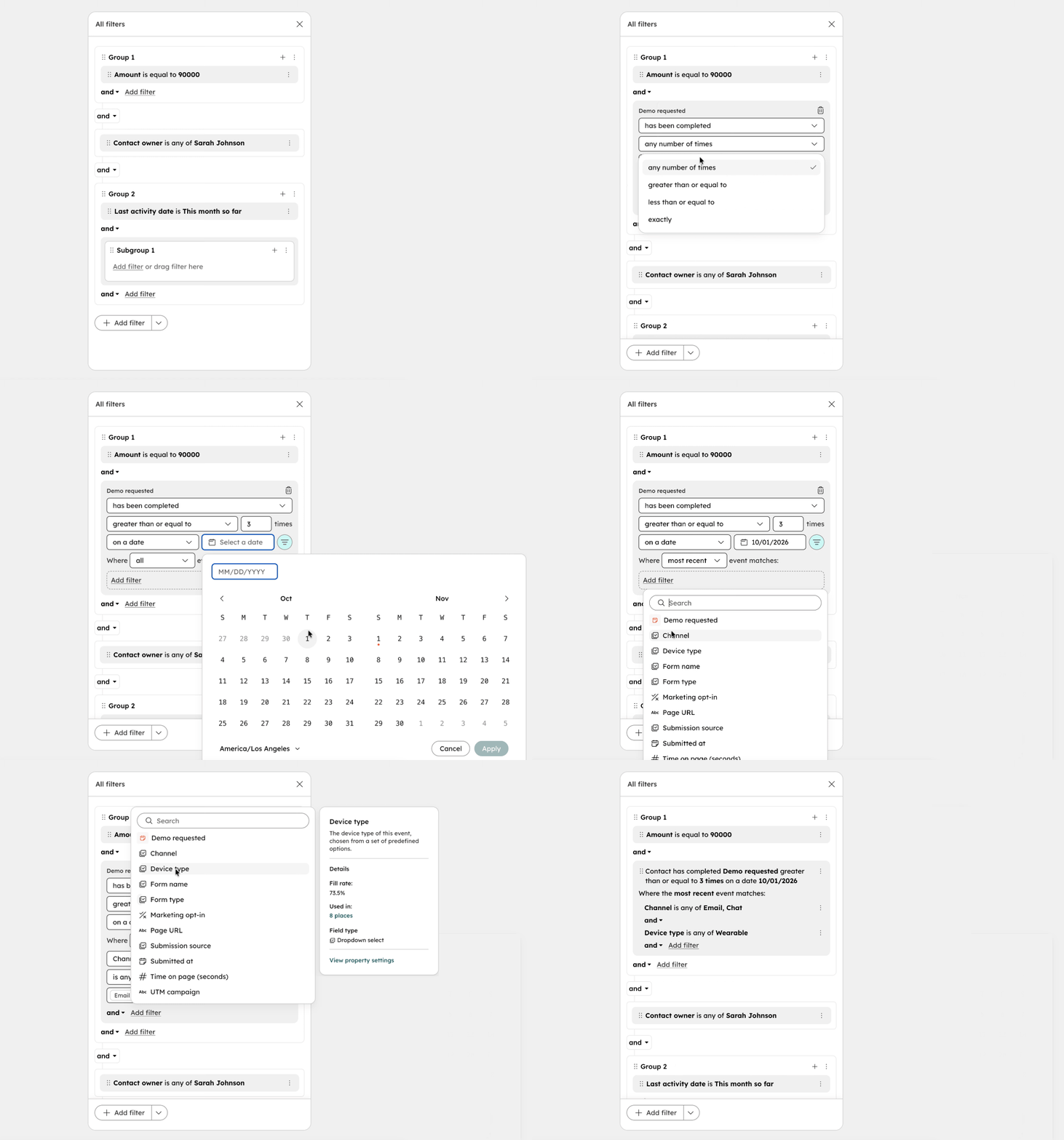
Filter by what people did, like requesting a demo. Set how many times and when, then filter on the event's own details, such as channel or device type, across all events or just the first or most recent one.
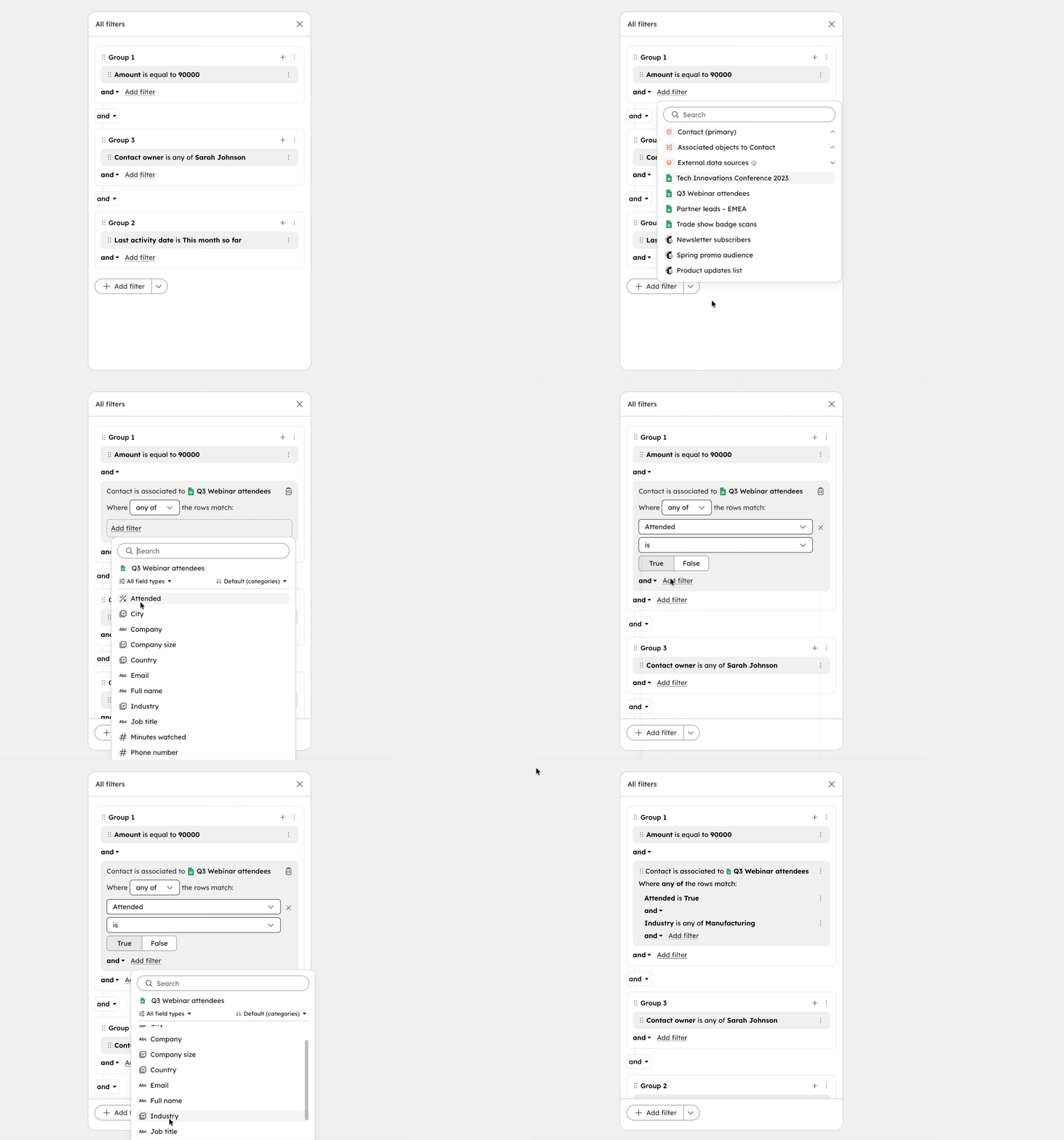
Filter on data that lives outside HubSpot, like a spreadsheet of webinar attendees. Pick the source, then add conditions on its columns the same way as on any other property.
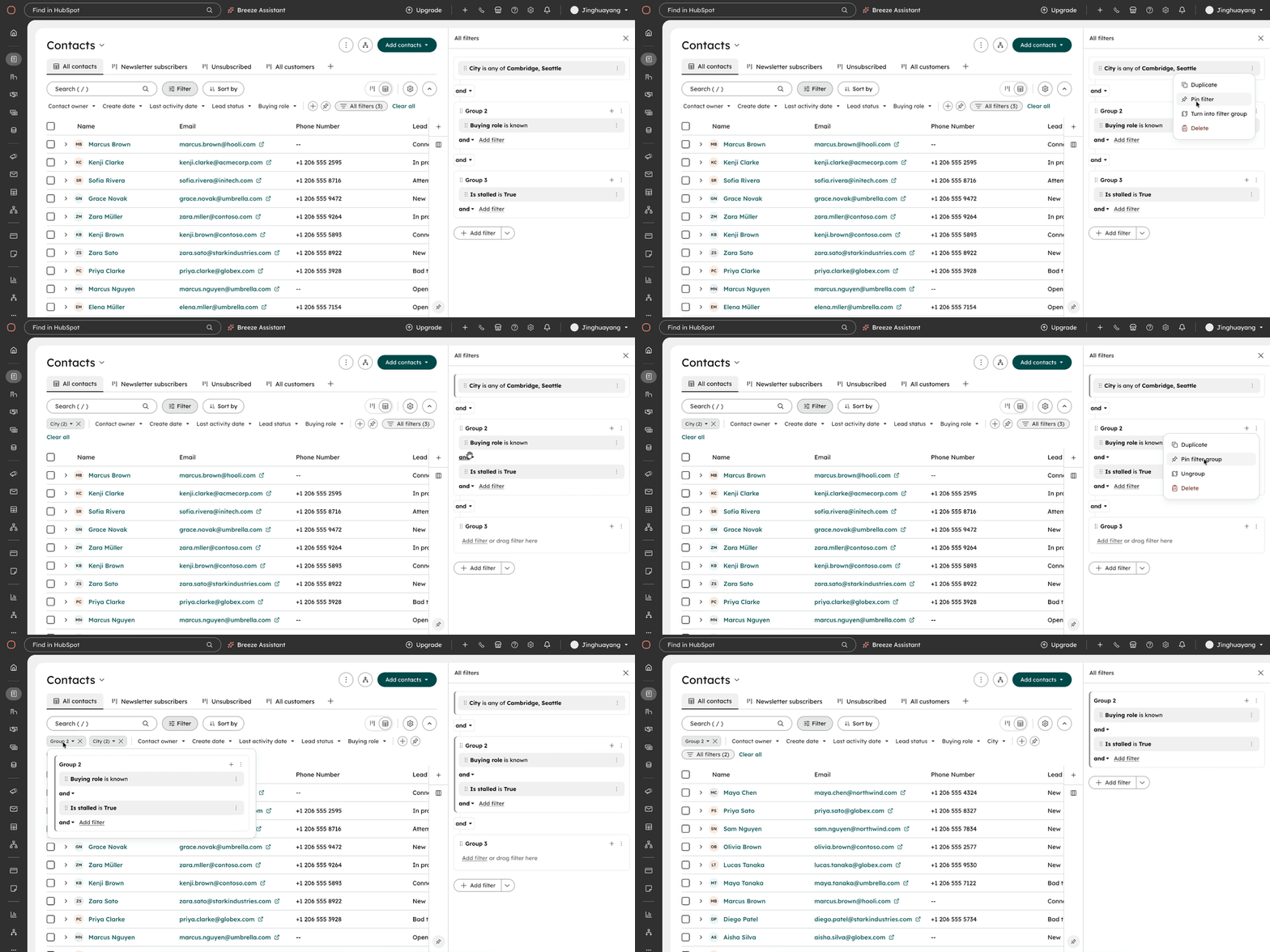
Optionally, users can pin a filter or filter group to the filter bar for quick access.
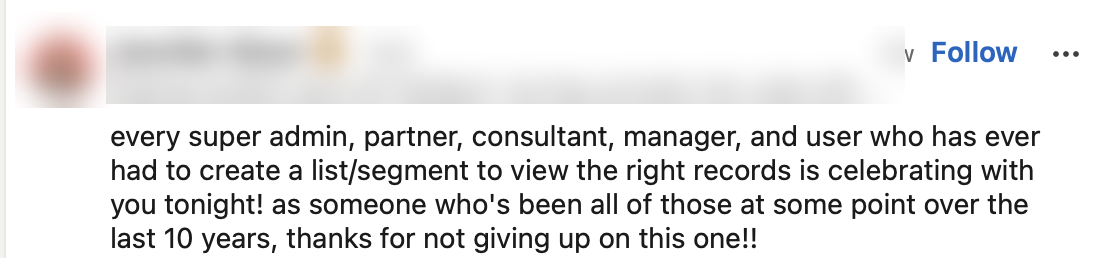
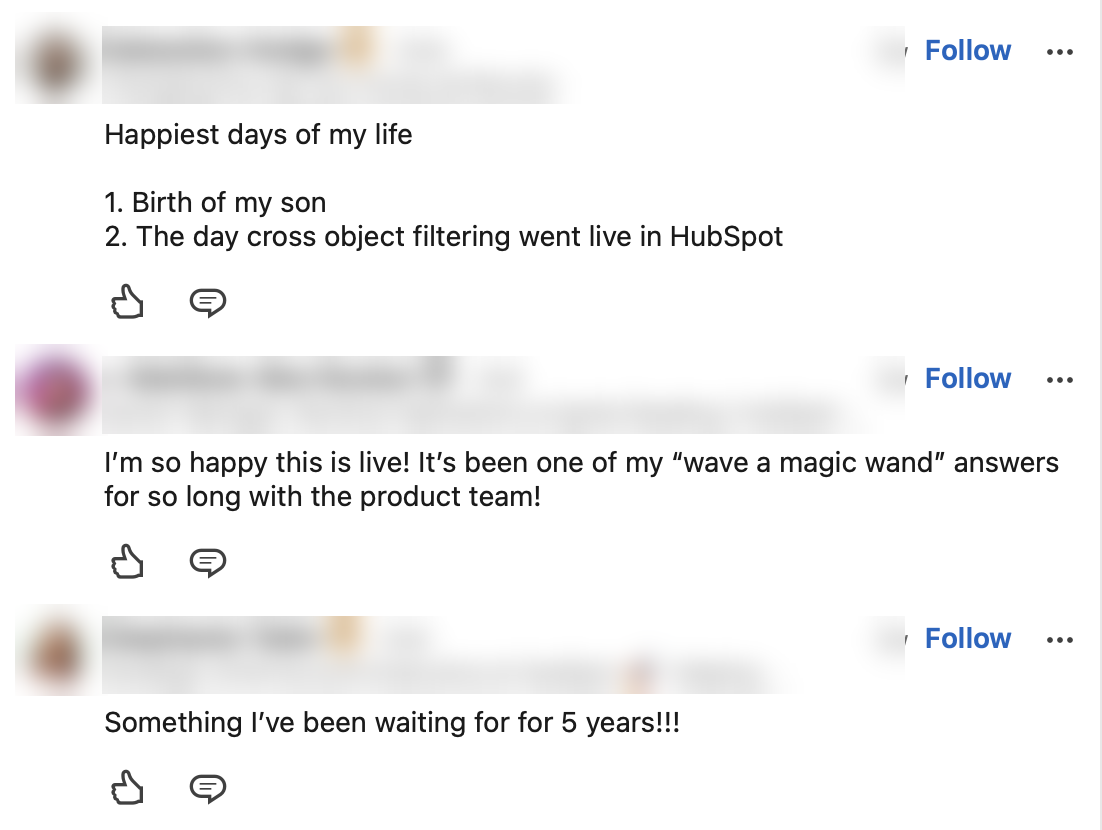
Thousands of requests to join the beta in one week, and lots of positive customer feedback.
Recognized by HubSpot's co-founder and CTO.
Segments and Workflows committed to the migration on their roadmaps.
With no dedicated PM for most of the project, the biggest risk was no decision at all. My tech lead and I stepped in to fill the gap. I learned to set the direction early, ground it in research, and let others push on it. We debated almost every decision, and that push and pull is how we got to a design that's intuitive and scales to complex use cases.
Every filter is a query underneath. Understanding how the query works showed me where different requests were really the same need, and where the UI had to expose real complexity.
Two directions are in progress: natural language combined with manual filtering, and subquery support.
A parallel research study by the Segments team tested building filters through chat.
Rebuild the manual foundation first, designed so chat can hand off into the manual builder later.
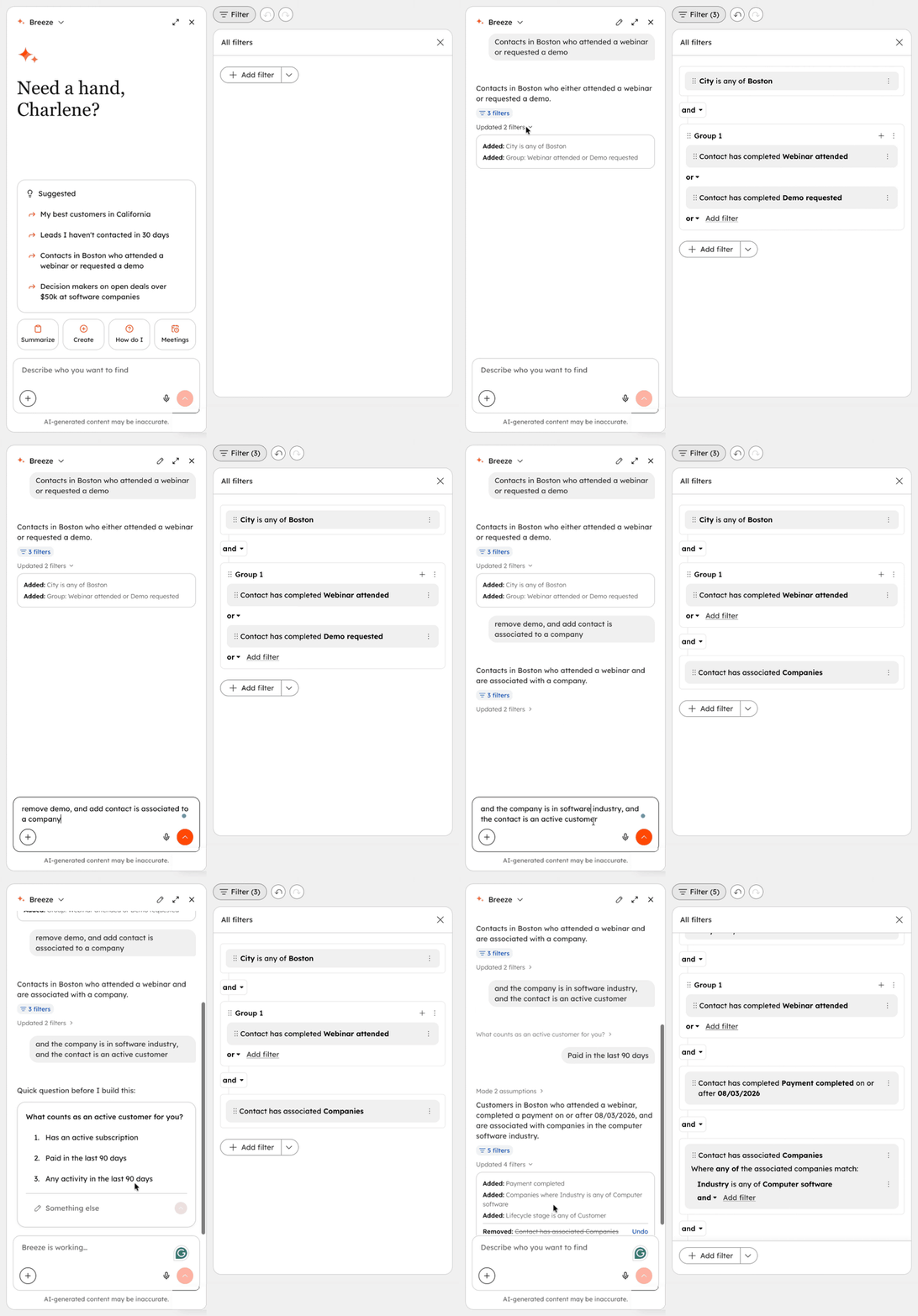
When a word like “best” could mean several things, Breeze asks a clarifying question and saves the answer to memory.
Each reply lists which filters were added and which were removed.
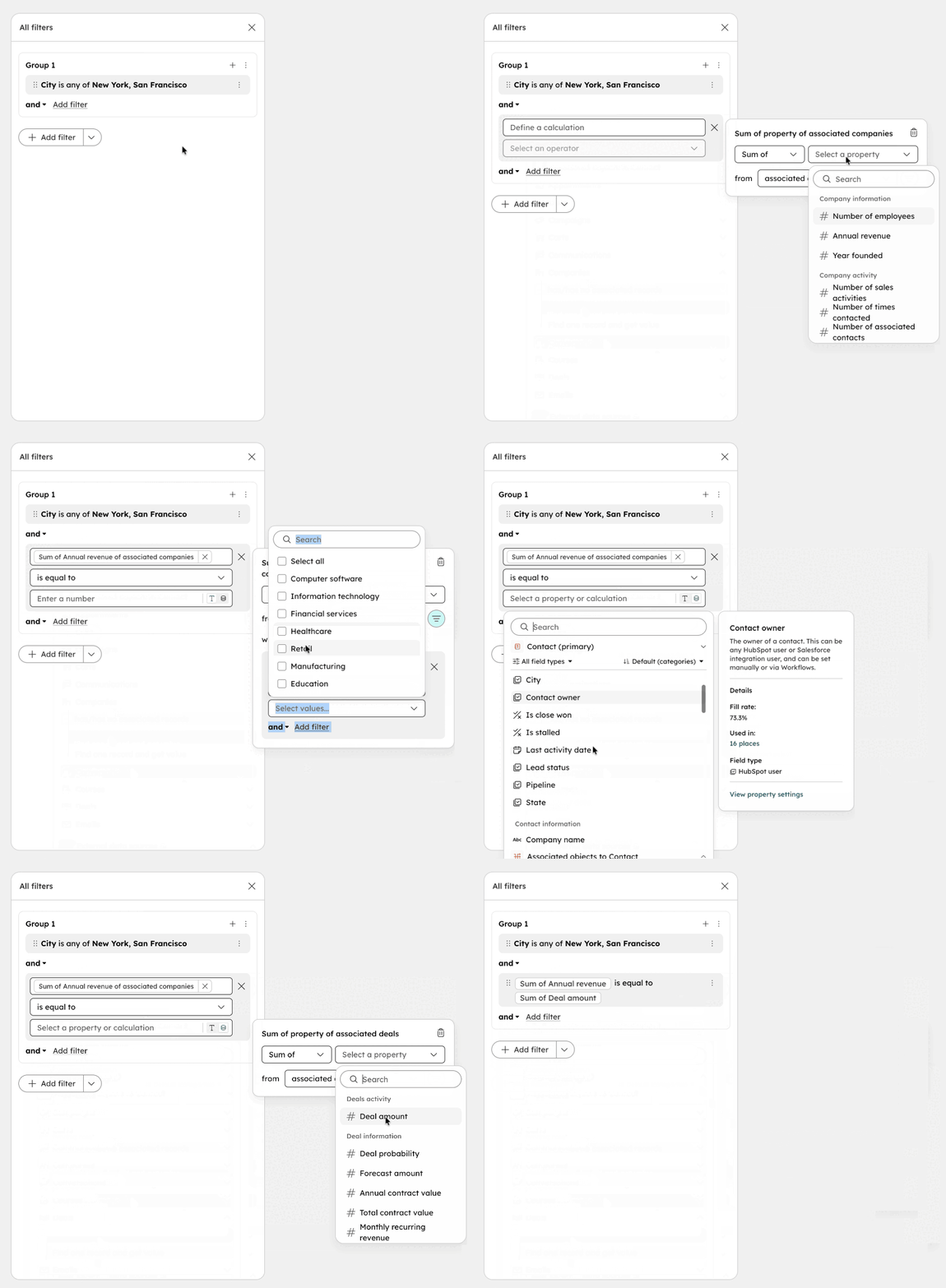
Filter on a sum, average, min or max from related records, like a contact’s companies’ total revenue compared with their deals’ total amount.
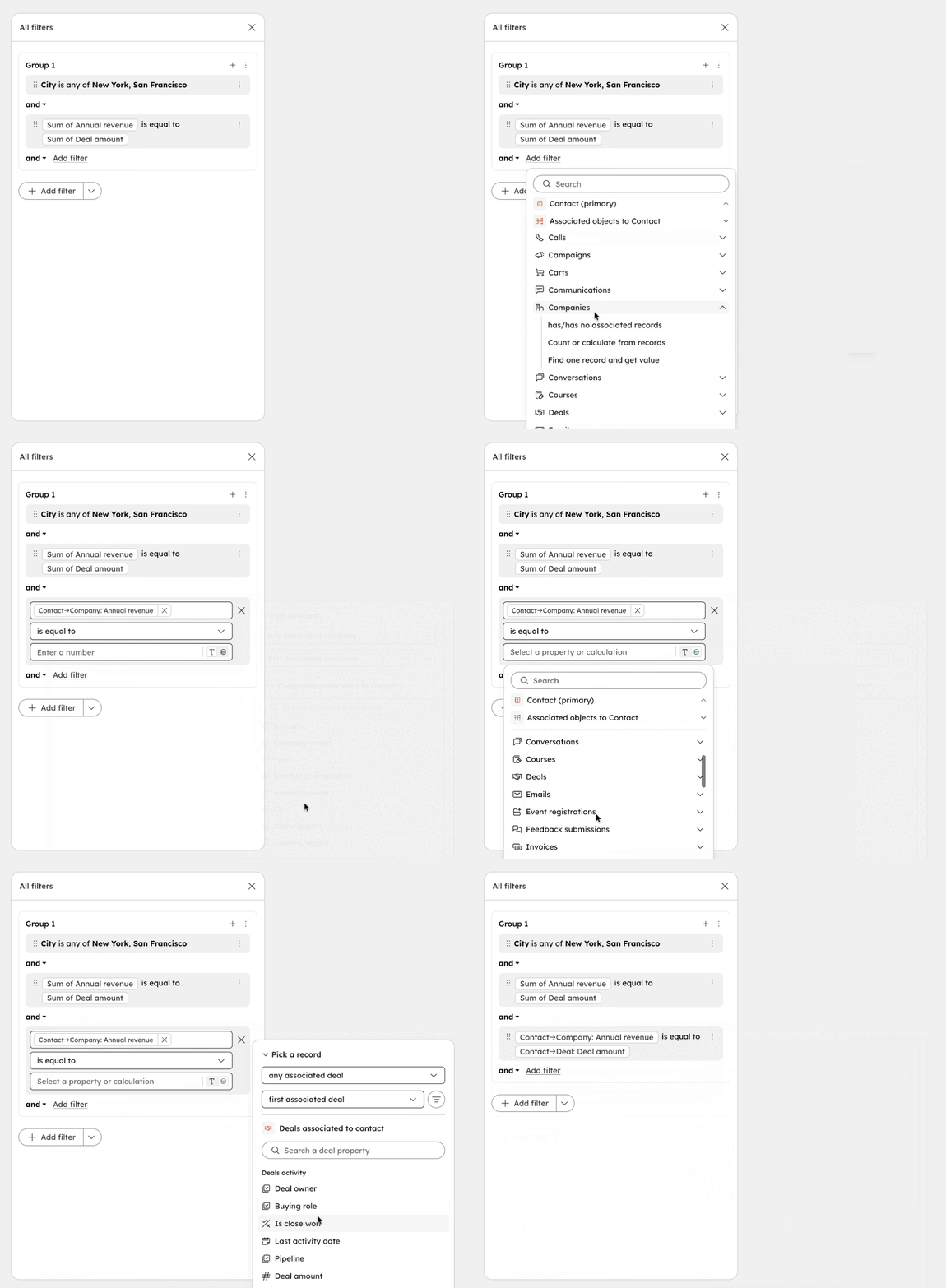
Filter on a value from a specific associated record, like the first associated company’s revenue or the most recent deal’s amount.