top of page

Event setup

Event setup options in HubSpot

Overview

Data platform's top goal for 2025 was making event streaming data "first class" in HubSpot. My PM had several promising directions but no clear priority, and the existing event setup was too thin to hold them.

I turned loose directions into one cohesive setup experience, validated with customers. The results informed product prioritization and set our 2025 roadmap, increasing portal adoption of custom events by 27%, the biggest improvement in history.

My team: Custom events

1 PM, 1 PD, 9 ENG

Context

HubSpot was built around objects data like contacts, companies and deals. It started supporting event streaming data as part of becoming its customers’ central source of truth. However, event data still lacked much of needed tooling and platform support for setting up, testing and managing the data. Many customers didn’t know what event data was or what to use it for. Only 11% of enterprise portals used custom events.

Our mission was to grow custom event adoption by making event data easier to bring in and more useful once it’s in HubSpot.

Target customers

Primary customers
CRM admins and developers who create events and send event data from their systems.

Secondary customers
Front-office team members, primarily marketing and service teams, who use and benefit from the event data.

We expect non-technical users to be able to set up the event definition in the UI, while technical users instrument the event and set up the piping. We would like the setup UX to be accessible to both technical and non-technical users.
User research

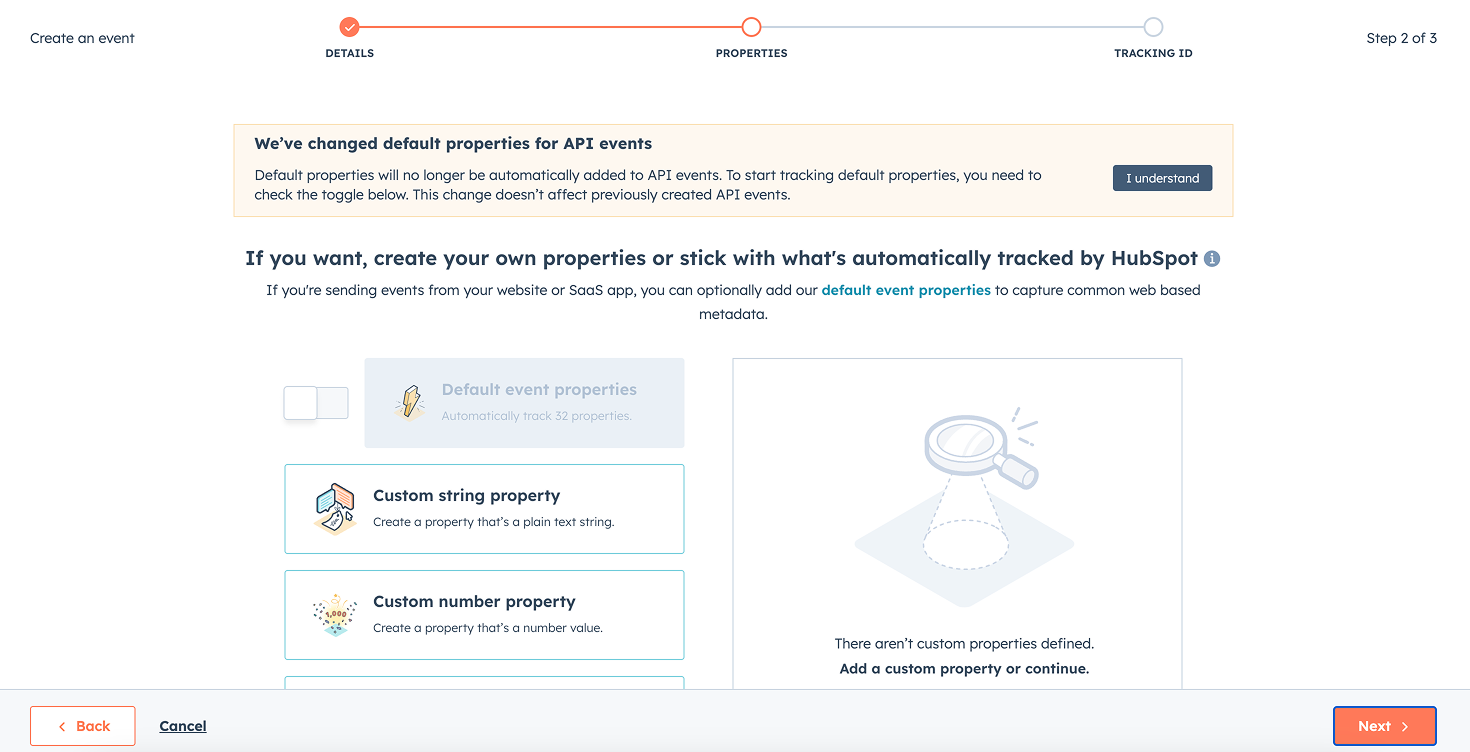
Existing event setup flow

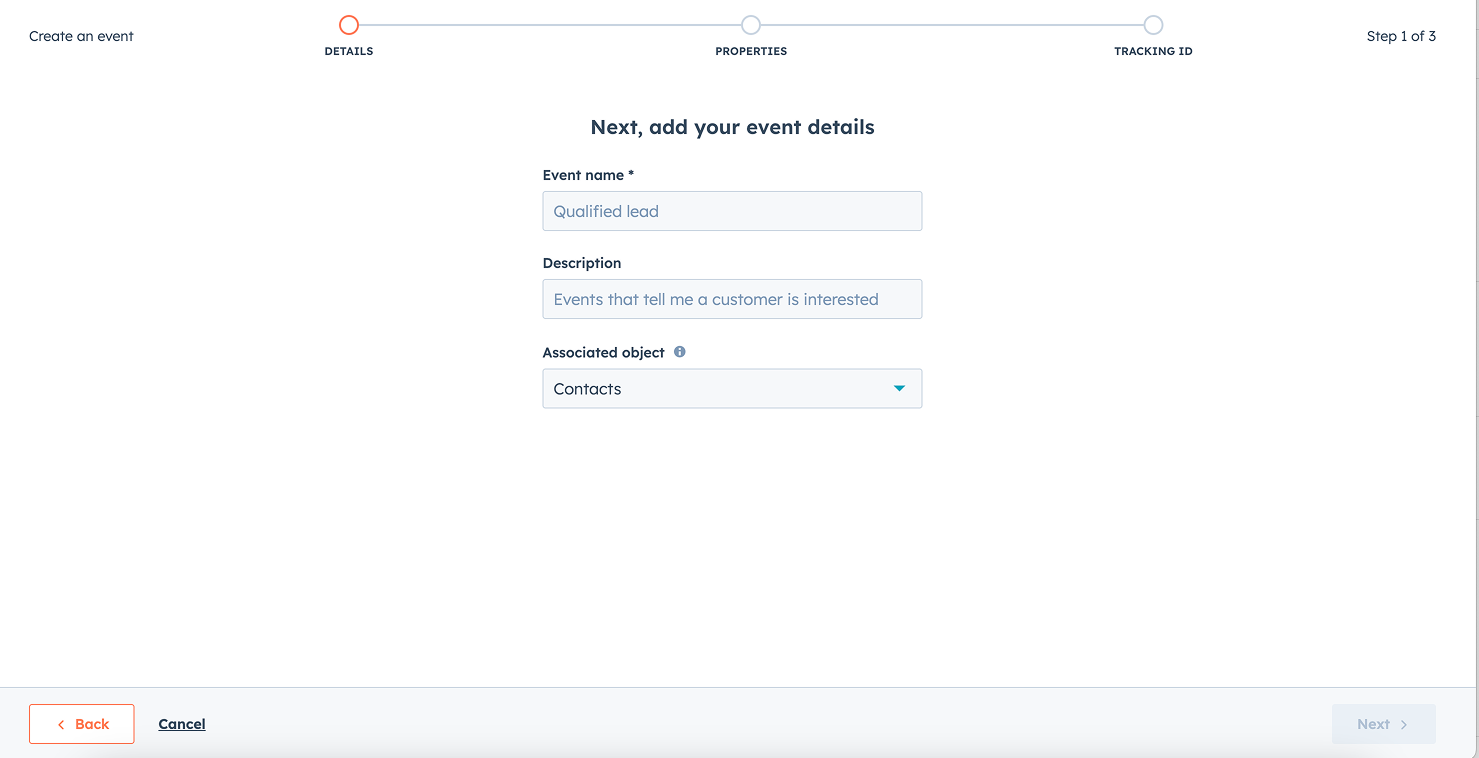
Step 1: Event details
1. Event details and link to an object
Step 2: Event properties
2. Event properties
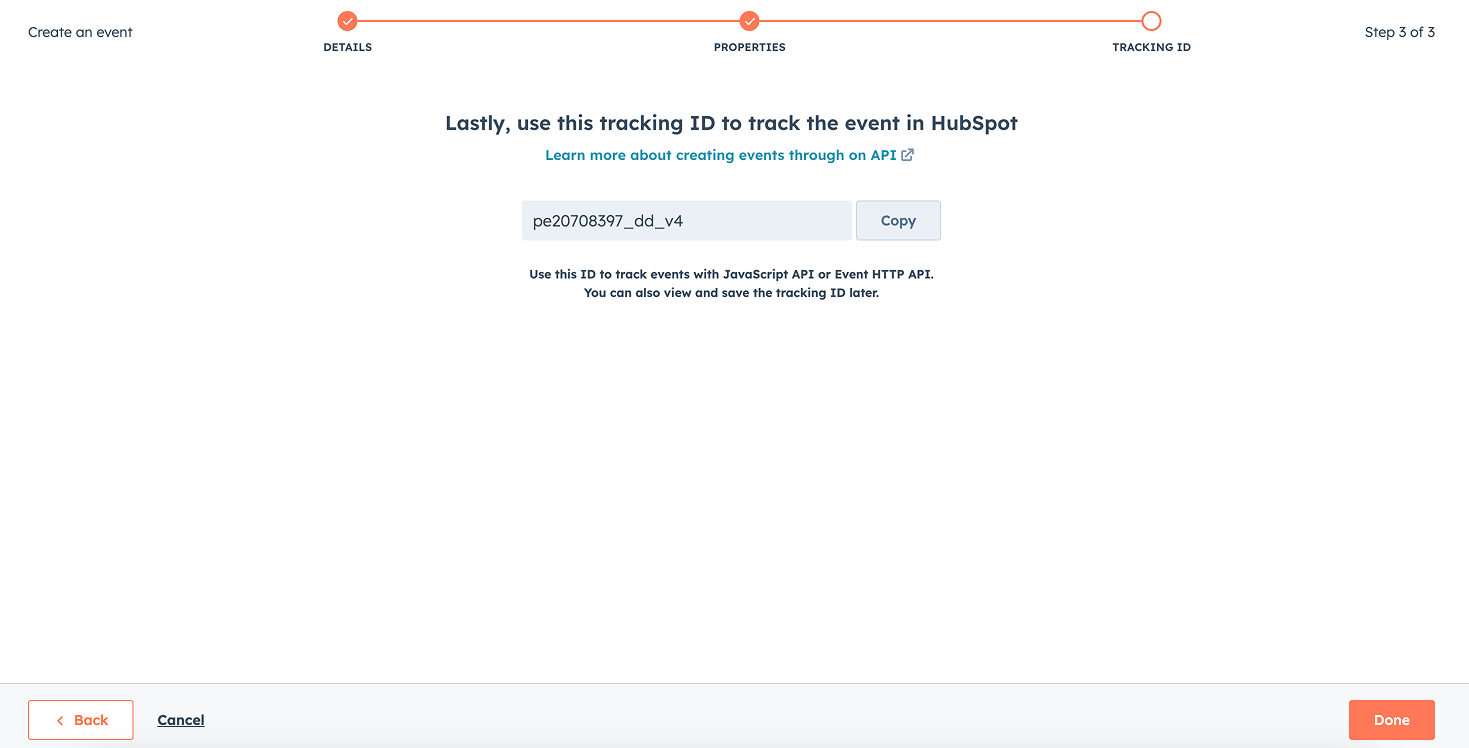
Step 3: Tracking ID
3. Copy tracking ID

Problems and opportunities

  • Limited record matching. Events could only match on HubSpot’s object IDs, which are hard for customers to get. Integrations and custom events ended up creating duplicates and mismatches, cluttering the CRM.
  • Single-object linking. Each event could link to only one object. In reality, an event often involves several, like a contact, their company and a deal. That rigid model didn’t reflect how businesses actually work, which limited what customers could model in HubSpot.
  • No way to test. Testing was the #1 feedback category. Developers and admins couldn’t check an event before it went live.
  • Point-in-time context. HubSpot’s advantage over standalone event tools is that the CRM data is already there. Capturing values like lifecycle stage on each event, as it happens, unlocks point-in-time reporting.
  • Timeline customization. The record timeline is where teams see everything that has happened to a contact. Making events easier to read and customize there makes them more useful day to day.
Design challenge

With five directions and limited engineering time, we couldn’t build everything at full depth. I run concept testings to answer two questions for each direction:

  1. Is it worth building? How much value does it add for HubSpot customers and the HubSpot platform?
  2. How far should we go? What’s the simplest version that meets real customer needs?

I combined these directions into one cohesive setup flow that gave customers a complete experience to react to in research. I tested the concepts with 9 customers across a wide range of technical skills, from developers to marketing managers.

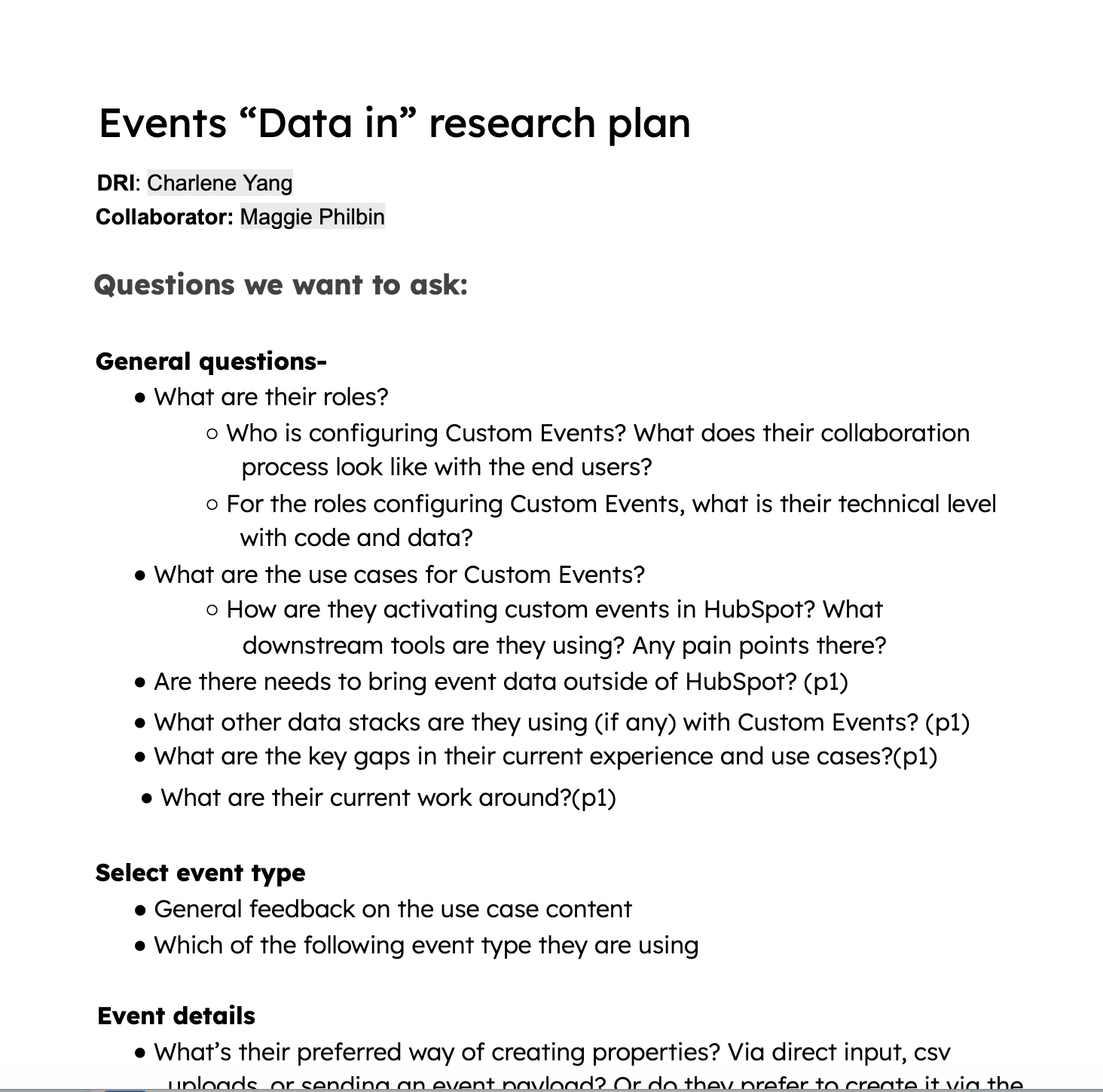
Events Data in research plan covering participant roles, custom event use cases, setup types, and event details
Product strategy
Usablty testing

Concept testing insights

The research gave us clear signals on which features mattered most. Both technical and non-technical users responded to the easy setup, the illustrations and the overall ease of use. That especially won over non-technical users, who felt the tool was built for them. Technical users were glad they would no longer need to write custom code. The testing validated many of our assumptions, surfaced a few gaps, and directly shaped our prioritization.

“I love these kinds of illustration that’s really for us, non technical persons. It’s part code and part no code… I can set up everything on my side and then give the rest to the developer.”
“Everything is in one place, one tool, and I know where to go if I need to edit this.”

Record matching

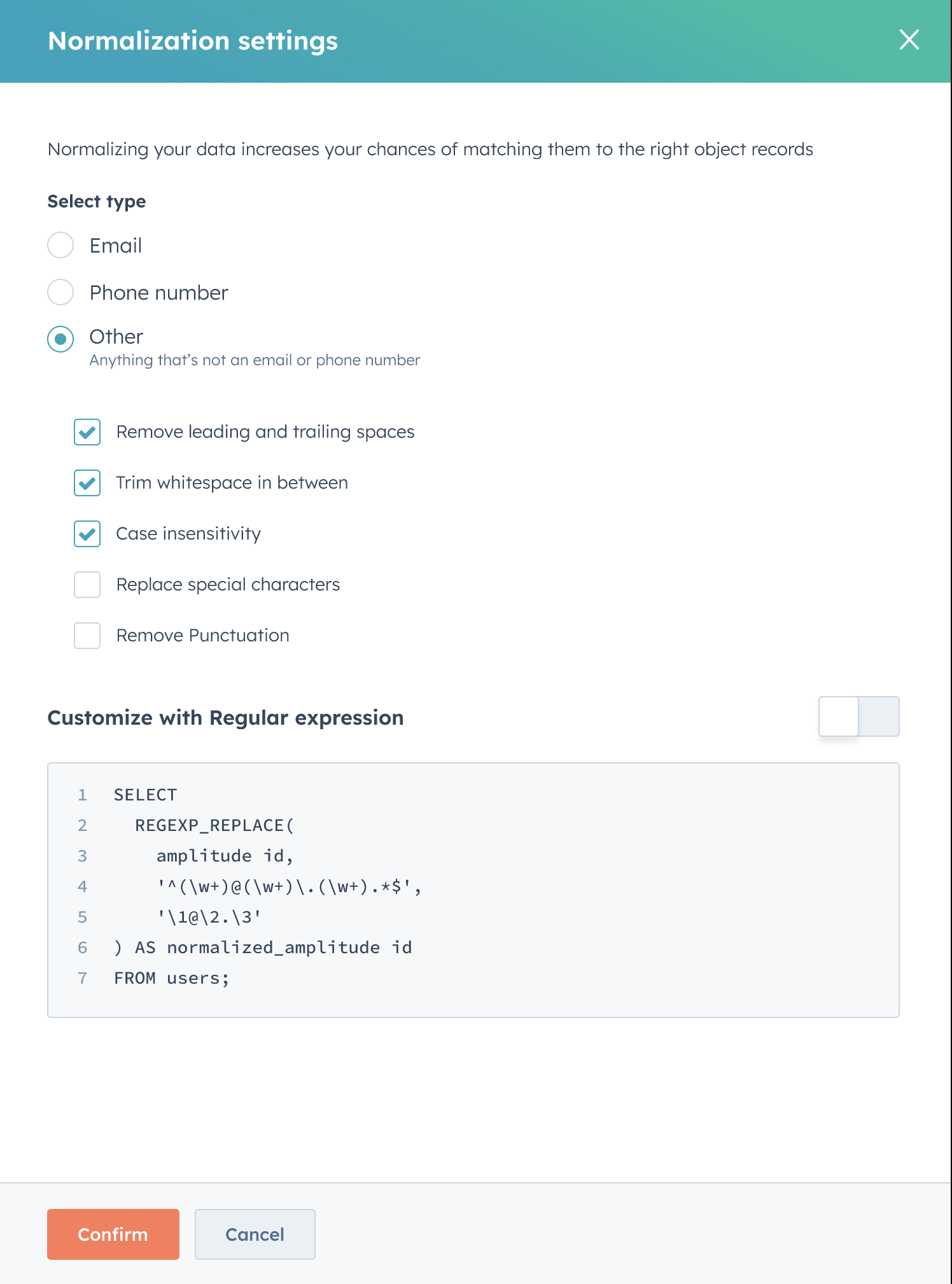
Record matching is a deep space. I explored advanced options in the concept: backup IDs, a prioritized list of IDs, ID normalization, even probabilistic matching. Research showed most customers didn’t need them. They already had clean IDs in their own systems, and saw the advanced options as nice to have. Scoping it to matching on the customer’s own ID would cover most real needs with far less complexity.

What was presented
Normalization settings concept with data types, whitespace and case options, and a regular expression editor

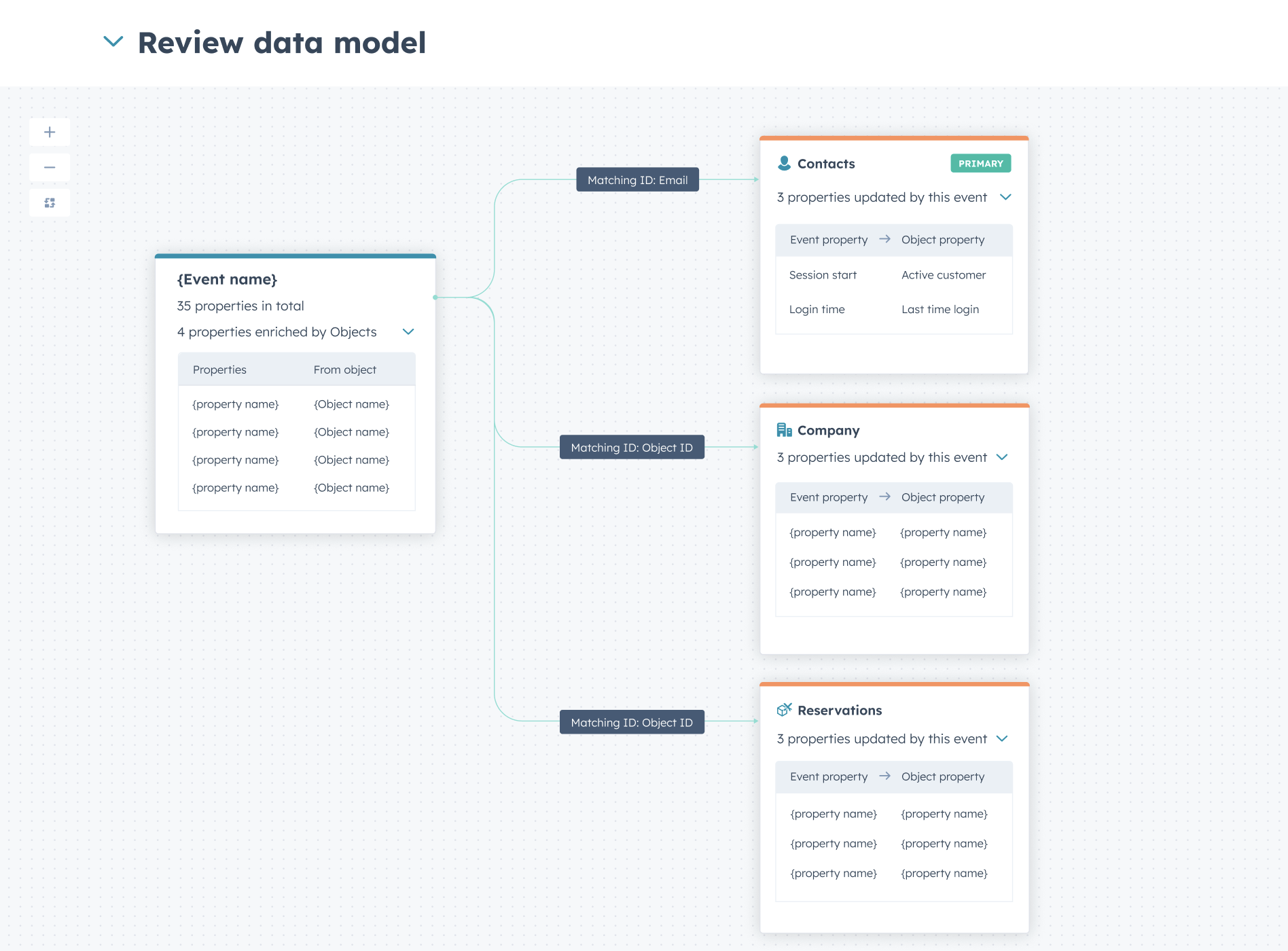
Multi-object support and data model preview

Multi-object support was most valuable for businesses with complex data models. Customers described a workaround: sending the same event several times, each copy linked to a different record. It worked, but it multiplied their event usage, and they wanted native support instead.

What was presented
An event linked to Contacts, Company, and Reservations through matching IDs

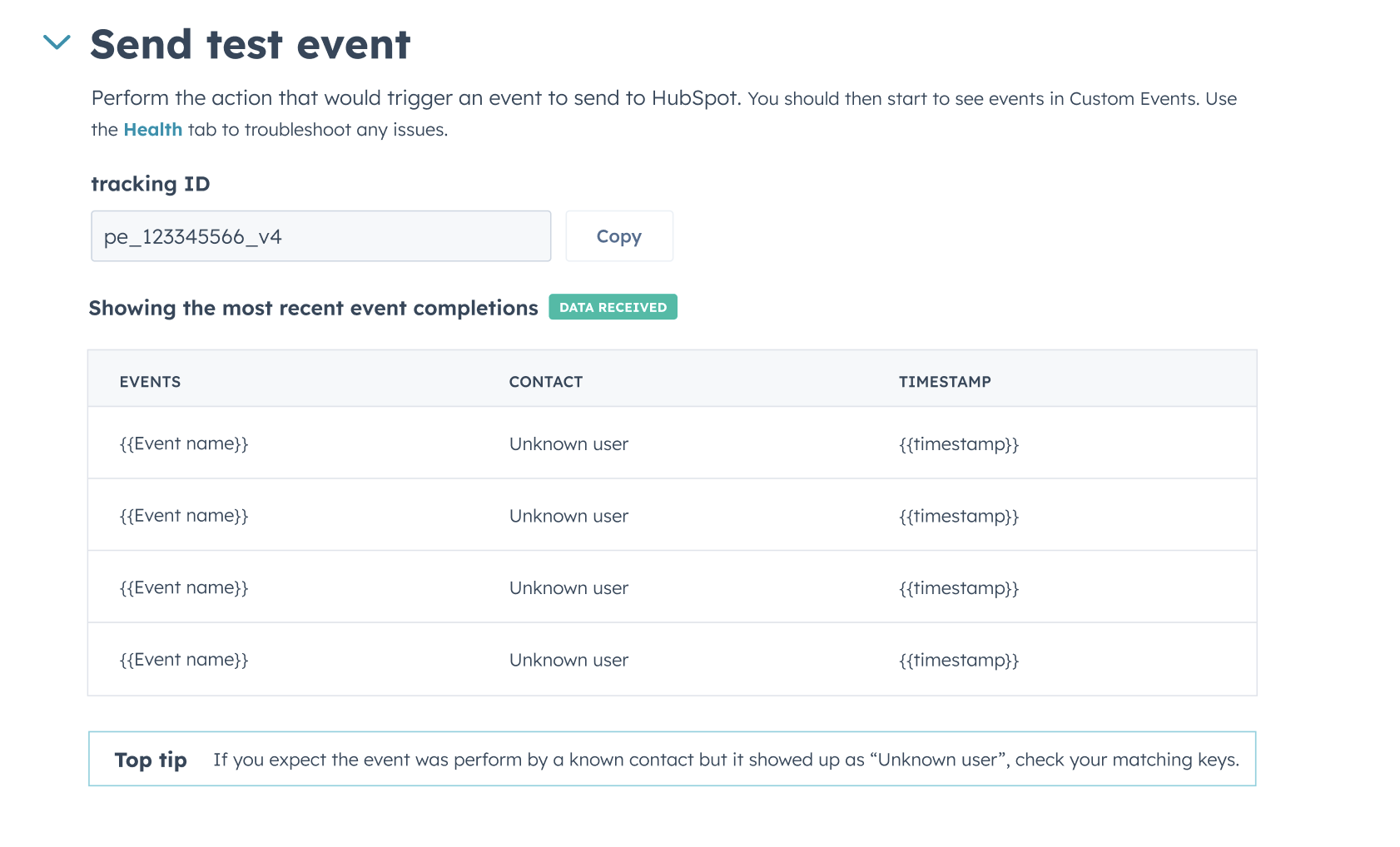
Test events

Customers saw test events as a standard feature and came in with clear expectations, and the presented concept was not enough. They found the concept comparable to other event platforms but wanted more than a pass or fail. They asked to see the raw payload, the parsed properties and any validation errors. Today, the expected property format isn’t always clear from the API docs, so customers find it through trial and error. A test that catches those errors would save them that work. Ideally, they also wanted to see the test event on the actual record, and to delete it afterward.

What was presented
Send test event interface showing a tracking ID, received event completions, contacts, timestamps, and a matching-keys troubleshooting tip

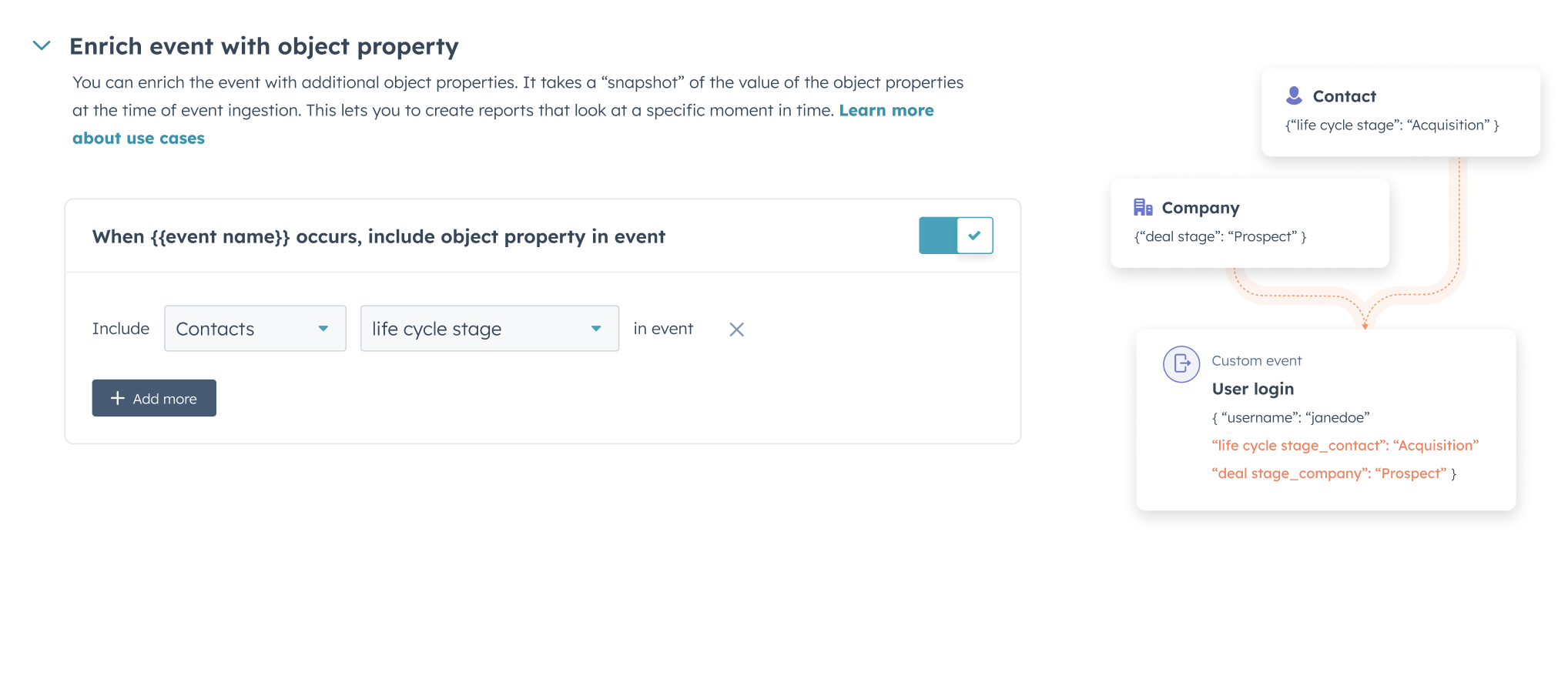
Object property snapshot

Object property snapshot was the most-wanted feature in testing. By capturing a snapshot of record data at the moment an event happens, like a contact’s lifecycle stage when they made a purchase, it opens up reporting customers couldn’t do before. Paired with multi-object linking, the reporting possibilities grow even further.

“I don’t do code a lot. So having this very simple, very user friendly… without having to play with javascript and stuff. It’s very handy.”

— Digital marketing manager
What was presented
Enrich event with object properties, capturing contact and company values as a snapshot on a custom event

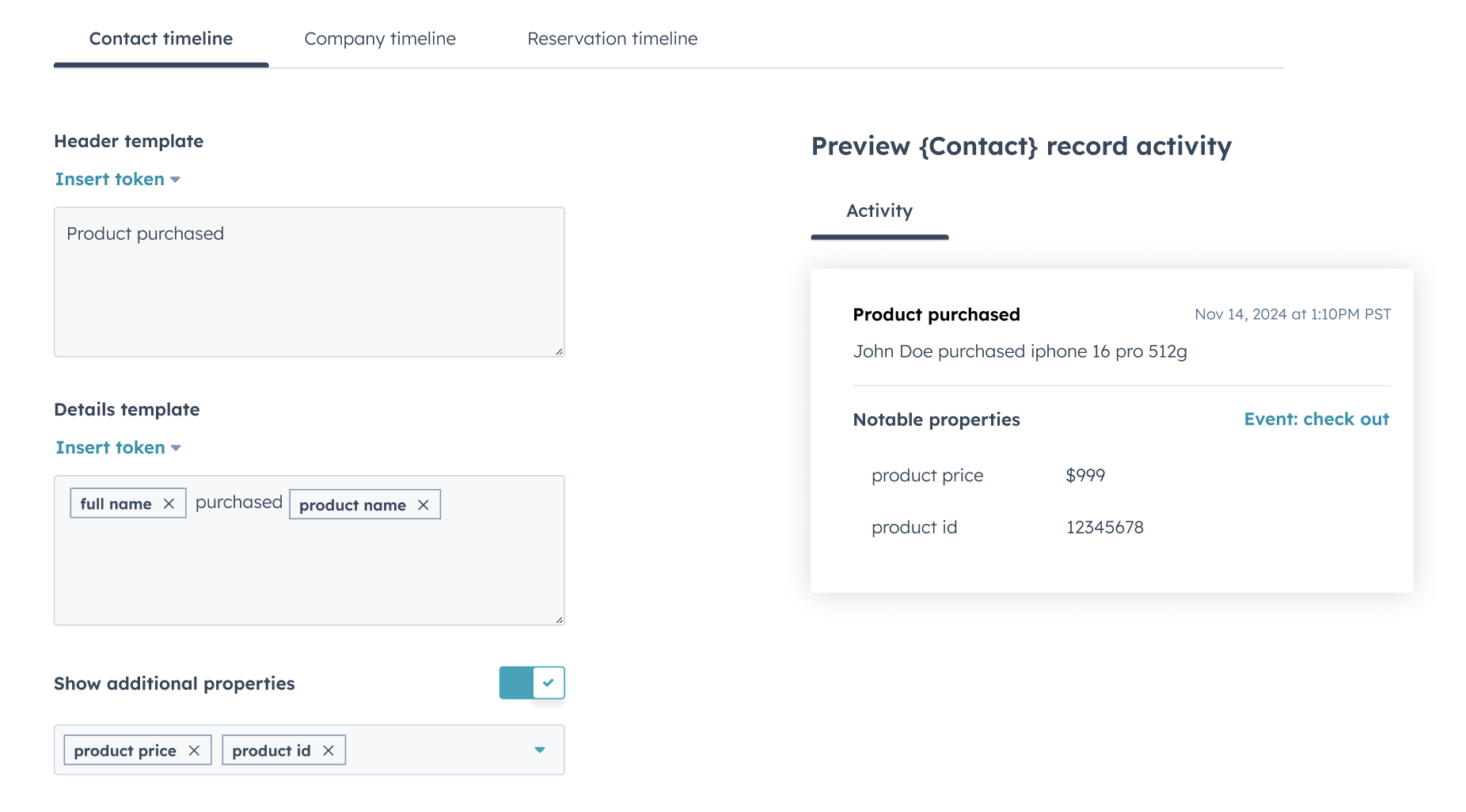
Timeline customization

Timeline customization was well received by every participant. They liked that events became easier to scan, and that they could choose which properties matter most on the CRM record. Several asked for even more control, like reordering properties and grouping them under subheaders, which signaled real demand.

What was presented
Timeline customization with header and details templates, selected properties, and a contact record activity preview

Roadmap prioritization

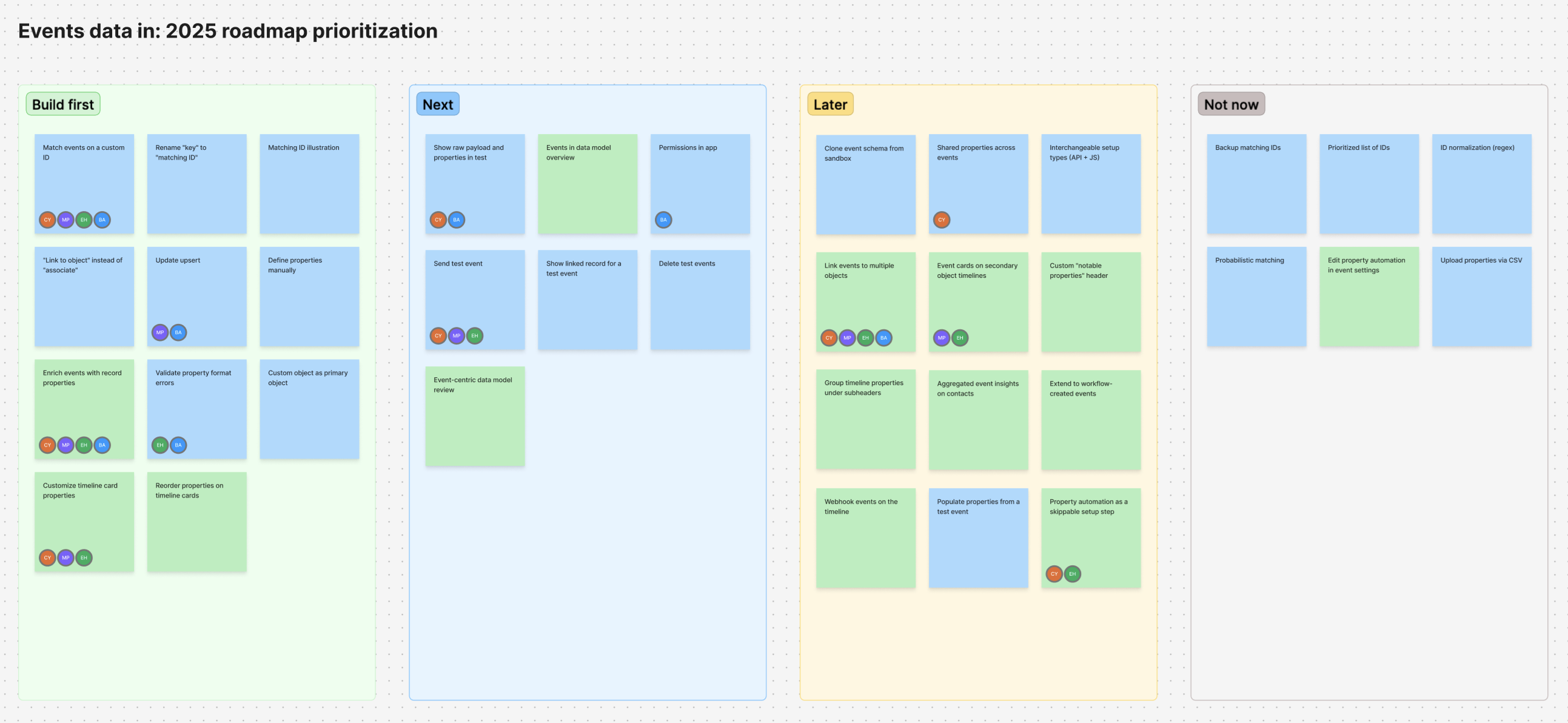
After the research, I led a prioritization workshop with my PM and tech leads to plan the 2025 roadmap. We weighed each direction’s customer value from research against its technical cost.

Deprioritize multi-object linking

While multi-object linking was a highly requested feature, we realized it required re-architecting how events are tied to records. It also risked clashing with HubSpot’s existing associations model, which would need careful handling and more UX research. We decided to deprioritize it for now, shipped the features customers could use right away, and kept multi-object on the roadmap.

Scope down test events

Because events couldn’t be deleted yet, we scoped test events down to a sandbox limited to event data. That way, test events wouldn’t pollute downstream CRM systems.

2025 event data roadmap grouped into Build first, Next, Later, and Not now
Design walkthrough

Shaping the API docs

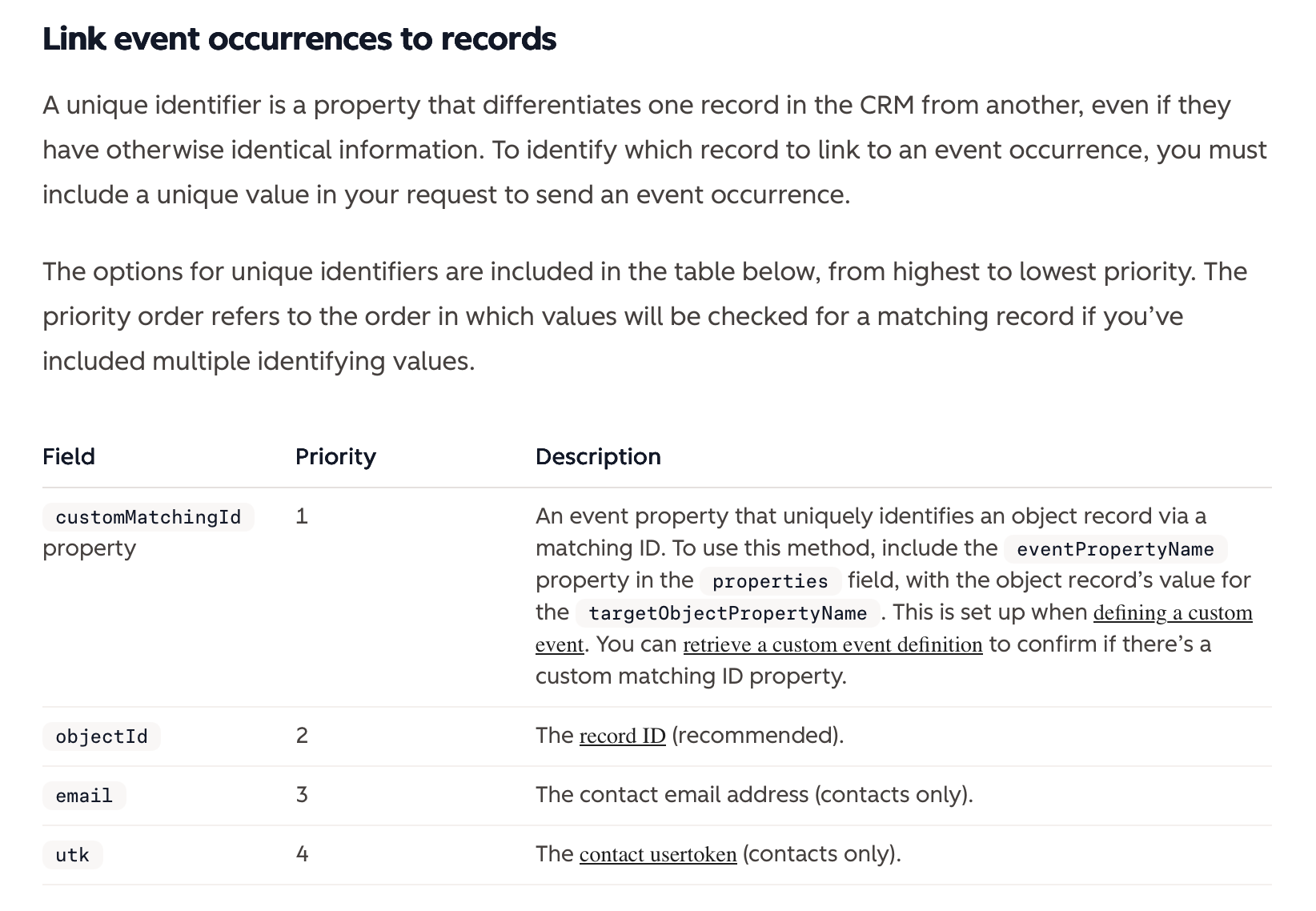
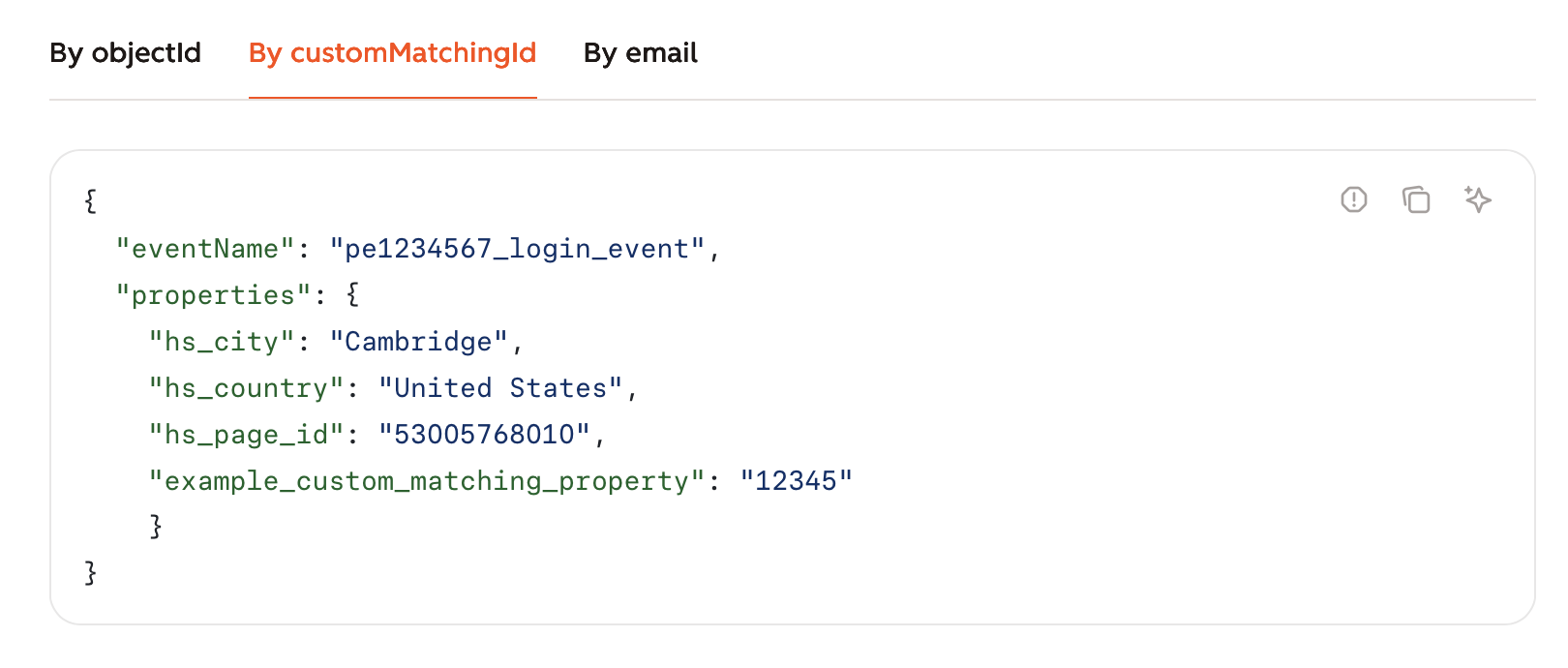
Design didn’t stop at the UI. I co-authored the record matching section of the API docs with our tech lead. I proposed the examples and how the information was structured on the page, drawing on the matching scenarios customers described in concept testing.

API documentation explaining how event occurrences link to records and the priority of matching identifiers
API request example using a custom matching ID to link an event to a record

Design walkthrough

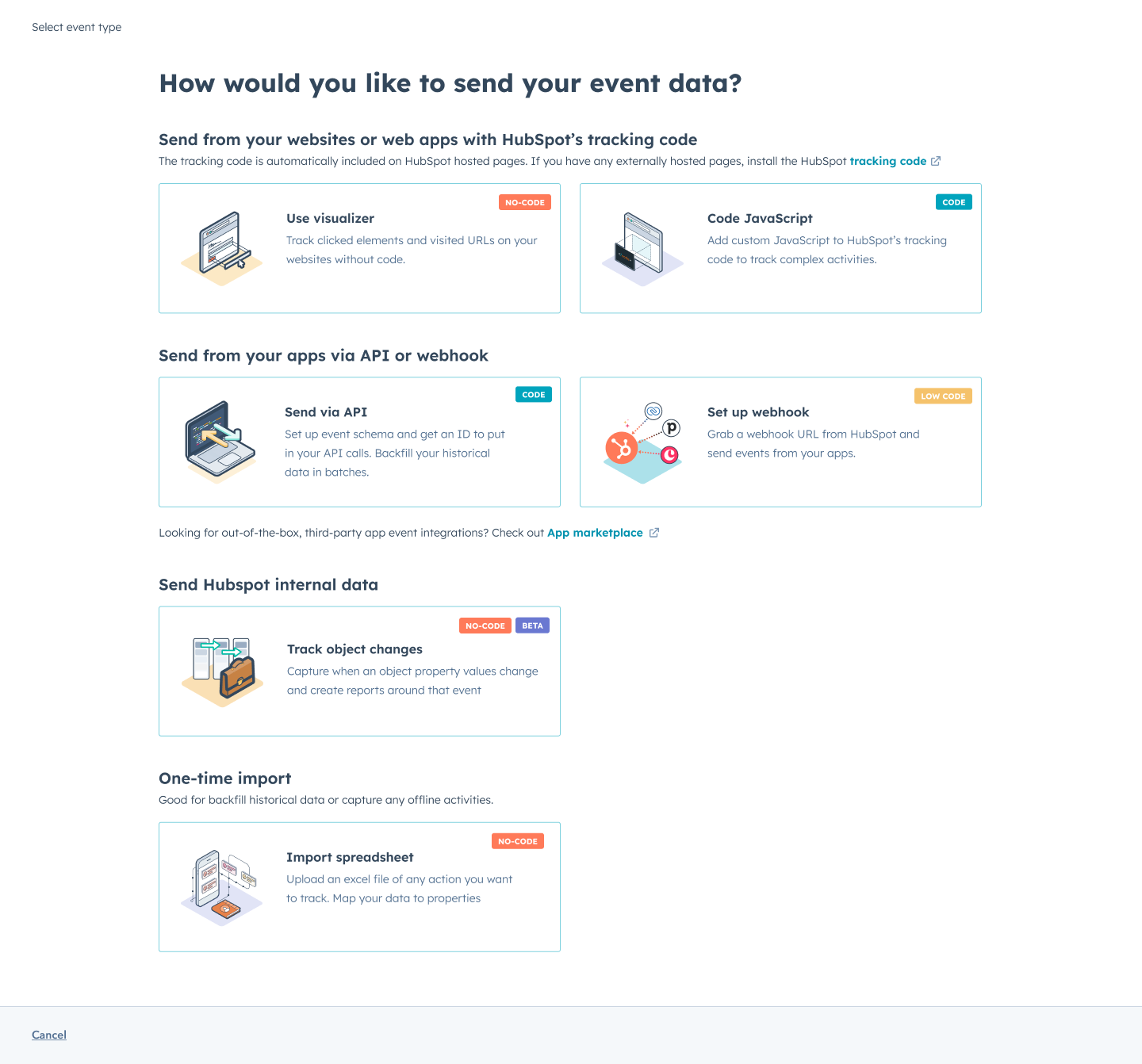
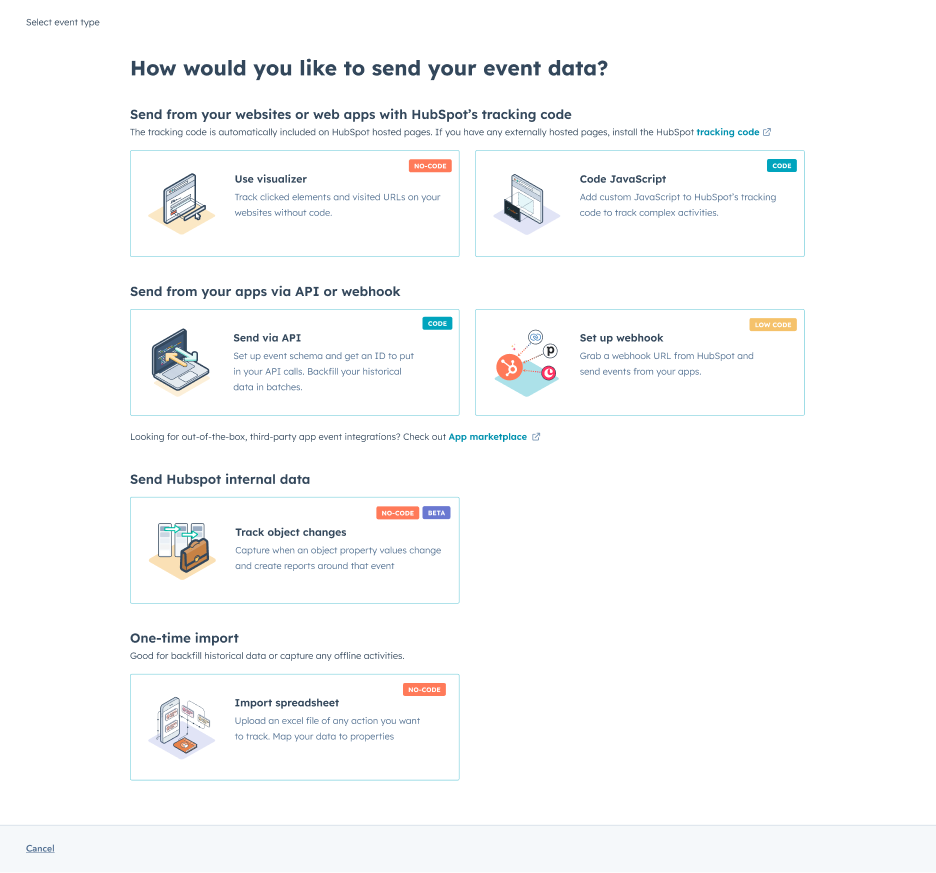
Select event type: visualizer, JavaScript, API, webhook, object changes, or spreadsheet import

Step 0. Select setup type

Grouped setup types by where the data comes from and labeled each with its technical level.

Animated walkthrough of defining an event and its properties

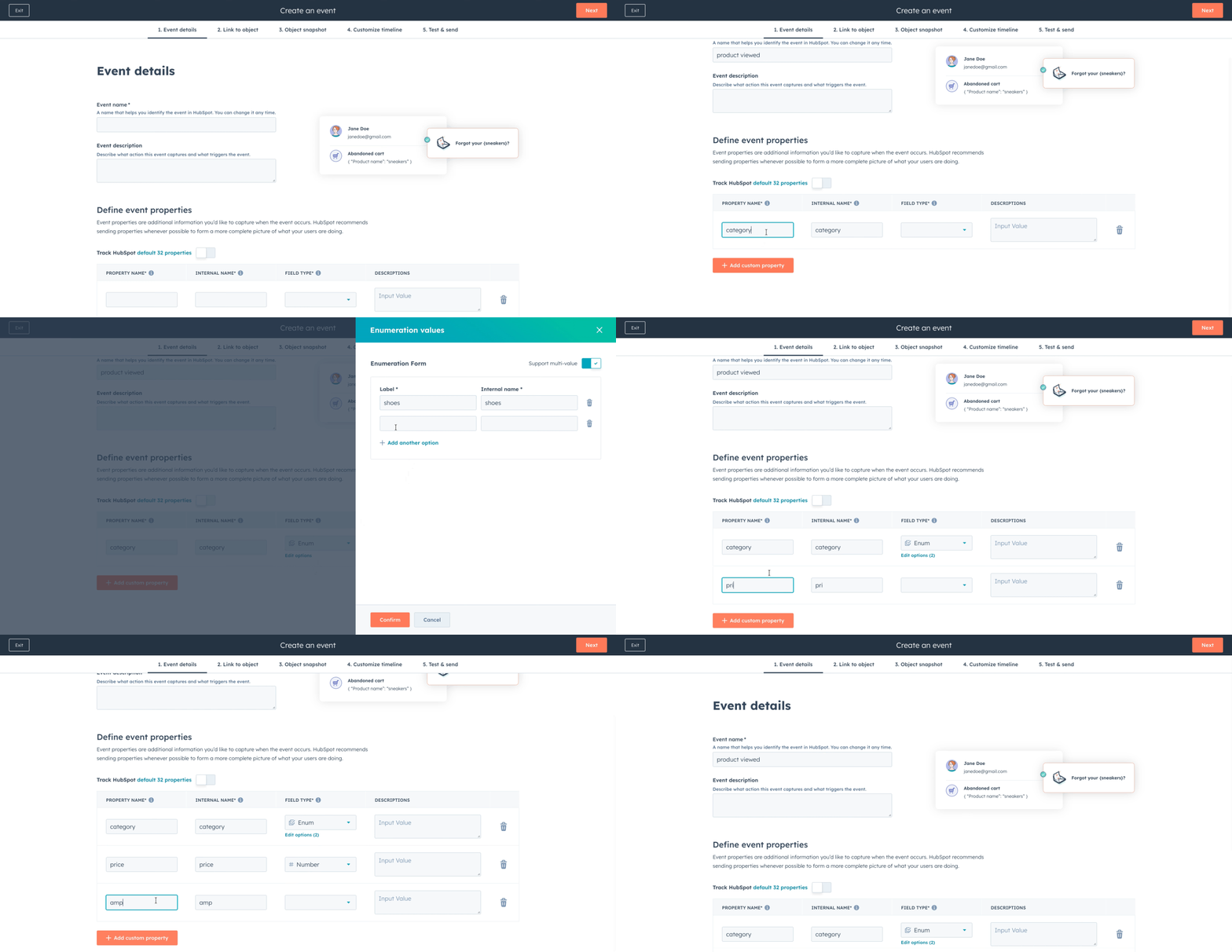
Step 1. Define event and properties

Define the name and properties of the event.

Link an event to an object using a matching ID

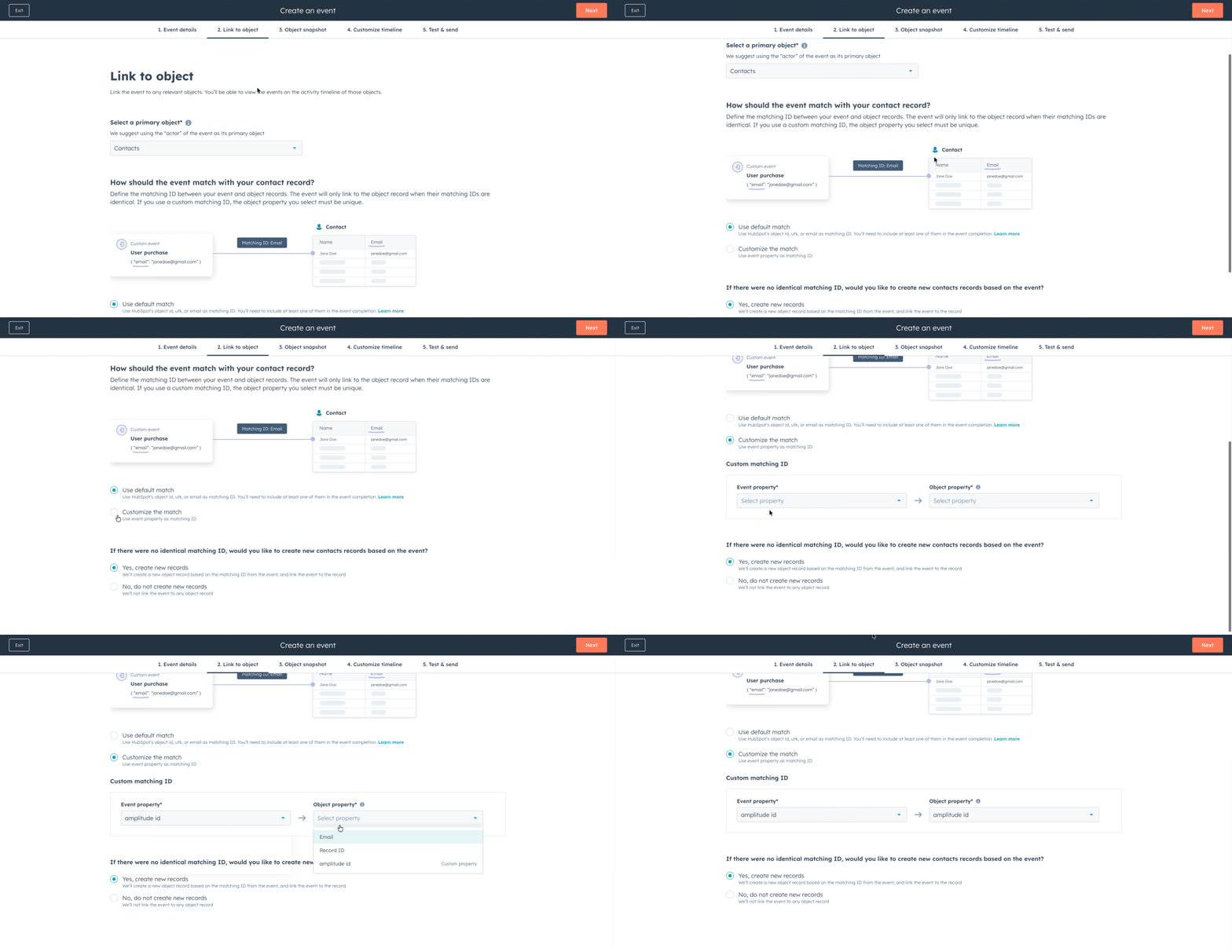
Step 2. Link to object

Visualize how an event is linked to an object. Users can define a custom matching ID using an event property.

Animated walkthrough for Step 3

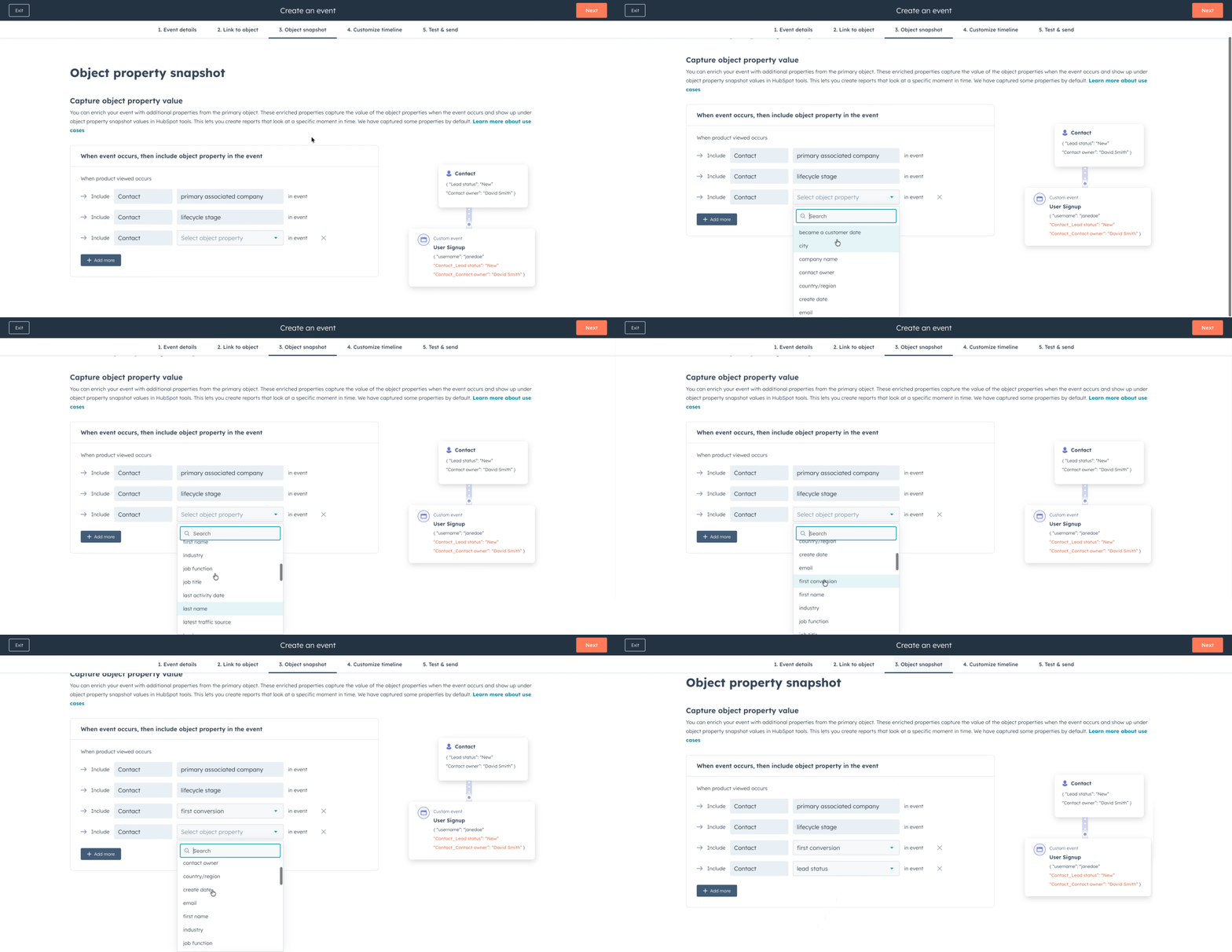
Step 3. Object snapshot

Capture the point-in-time value of the object property when the event occurred.

Animated walkthrough of customizing the event timeline

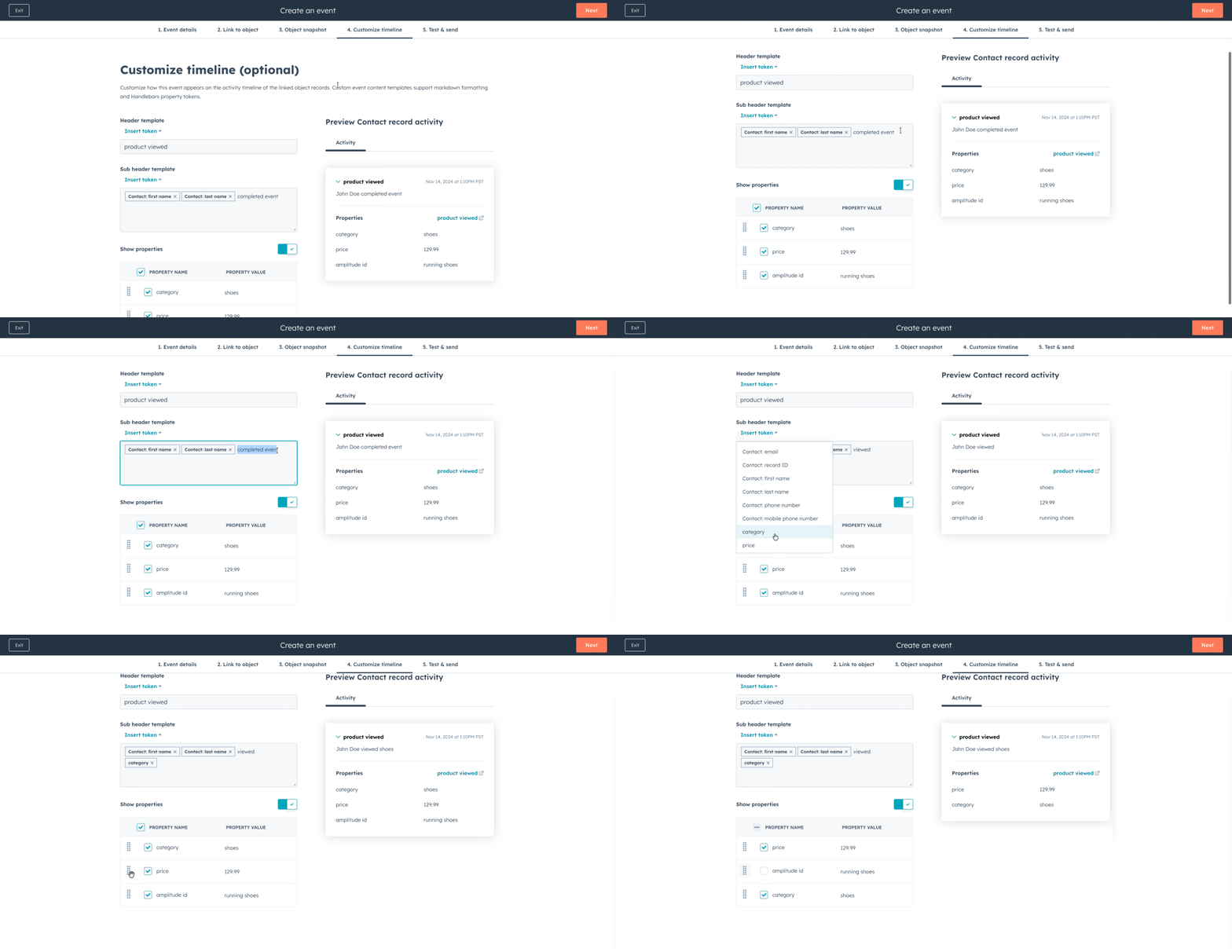
Step 4. Customize timeline

Customize how events appear on a record’s timeline, alongside other CRM activity. Users choose which properties to show, change their order, and insert tokens to pull event data into the card’s title.

Step 5 walkthrough animation

Step 5. Test connection

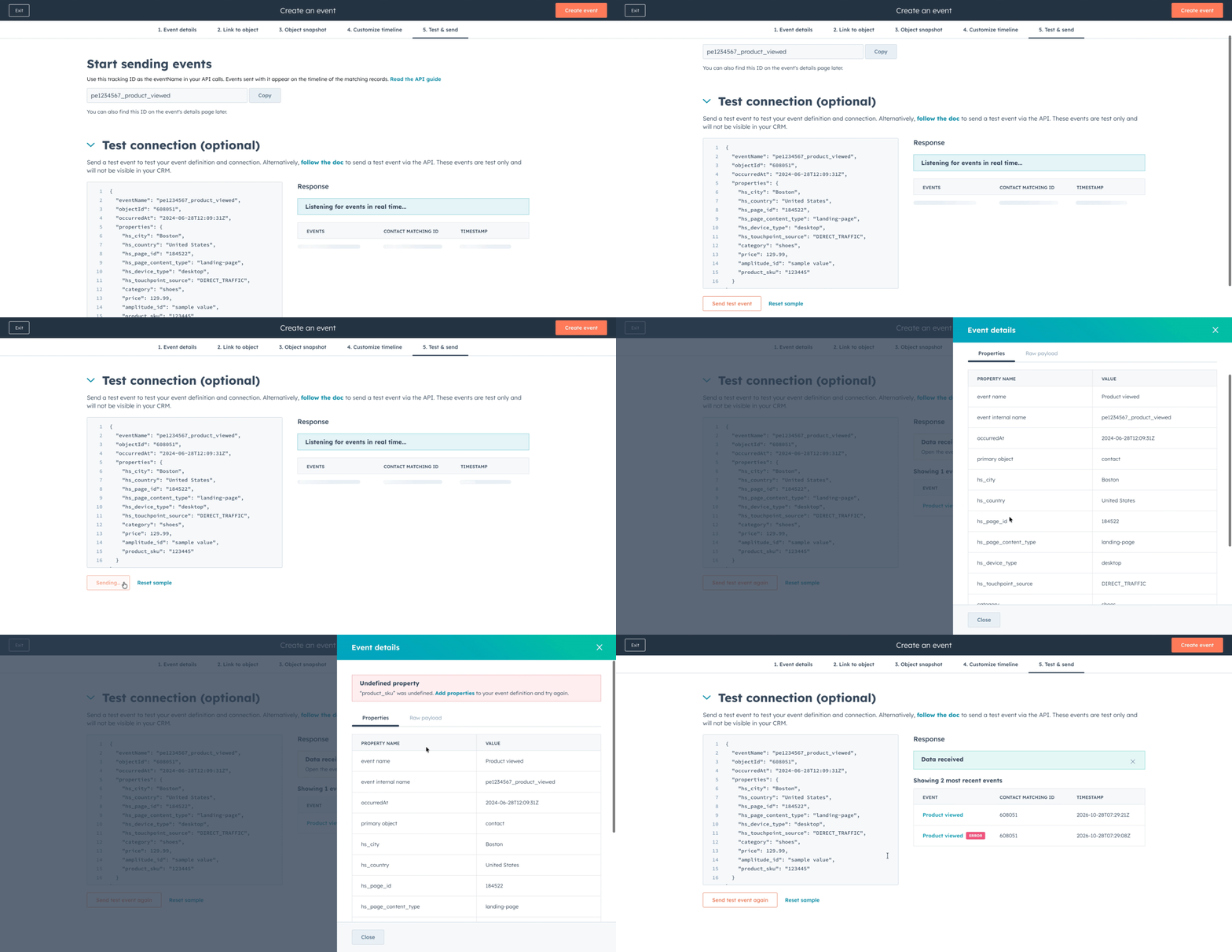
Send a test event to test the event definition and connection. The UI shows success or error messages with the raw payload. Users are limited to five test events.

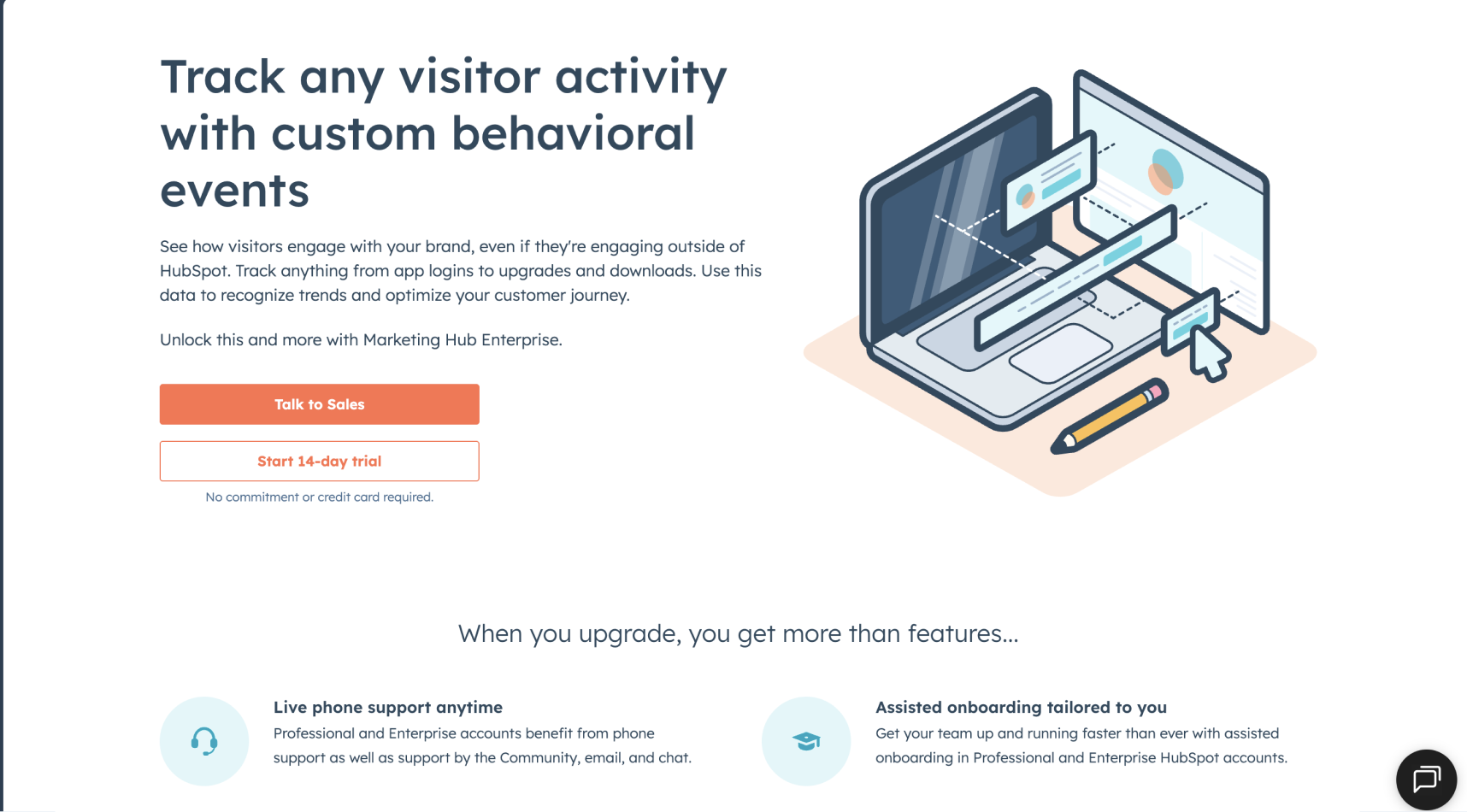
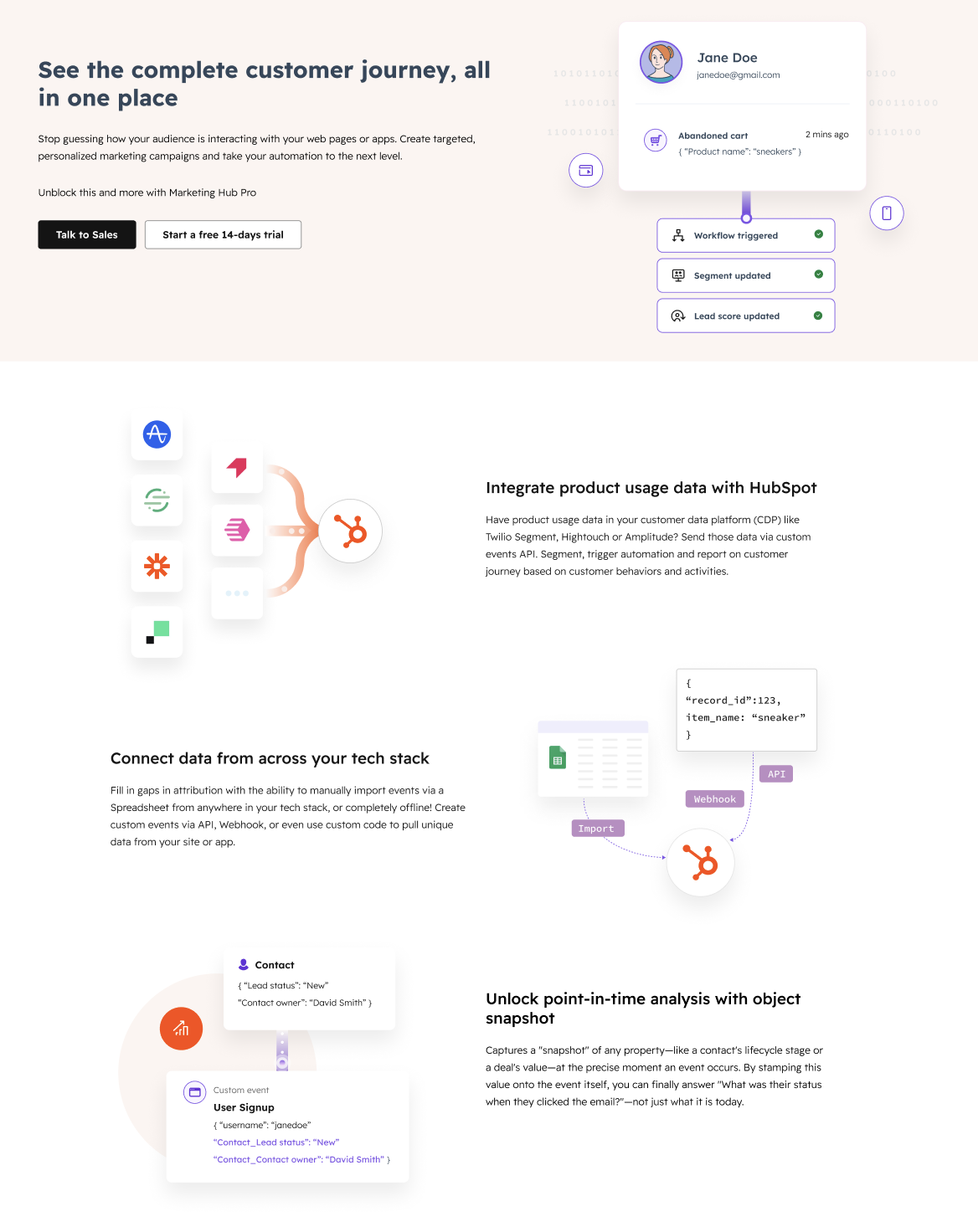
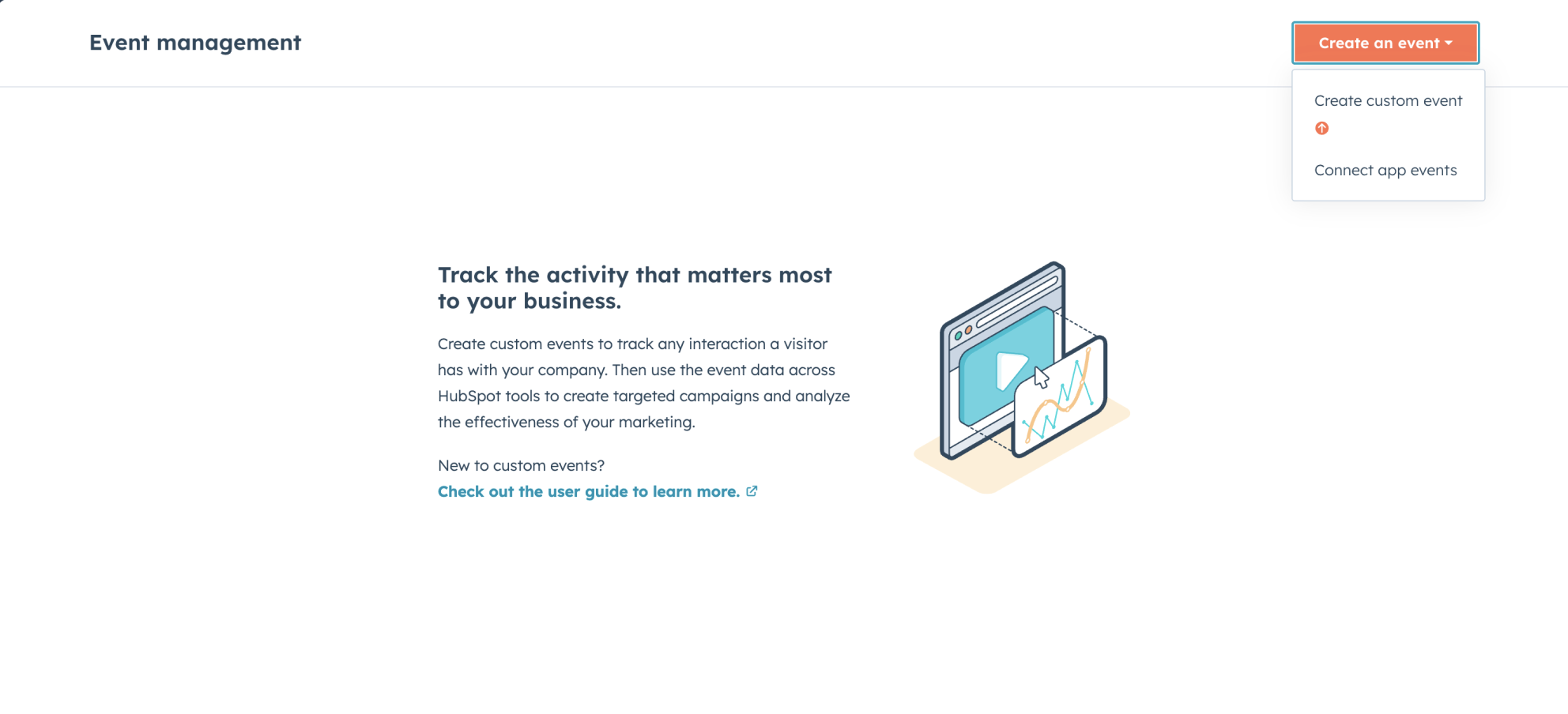
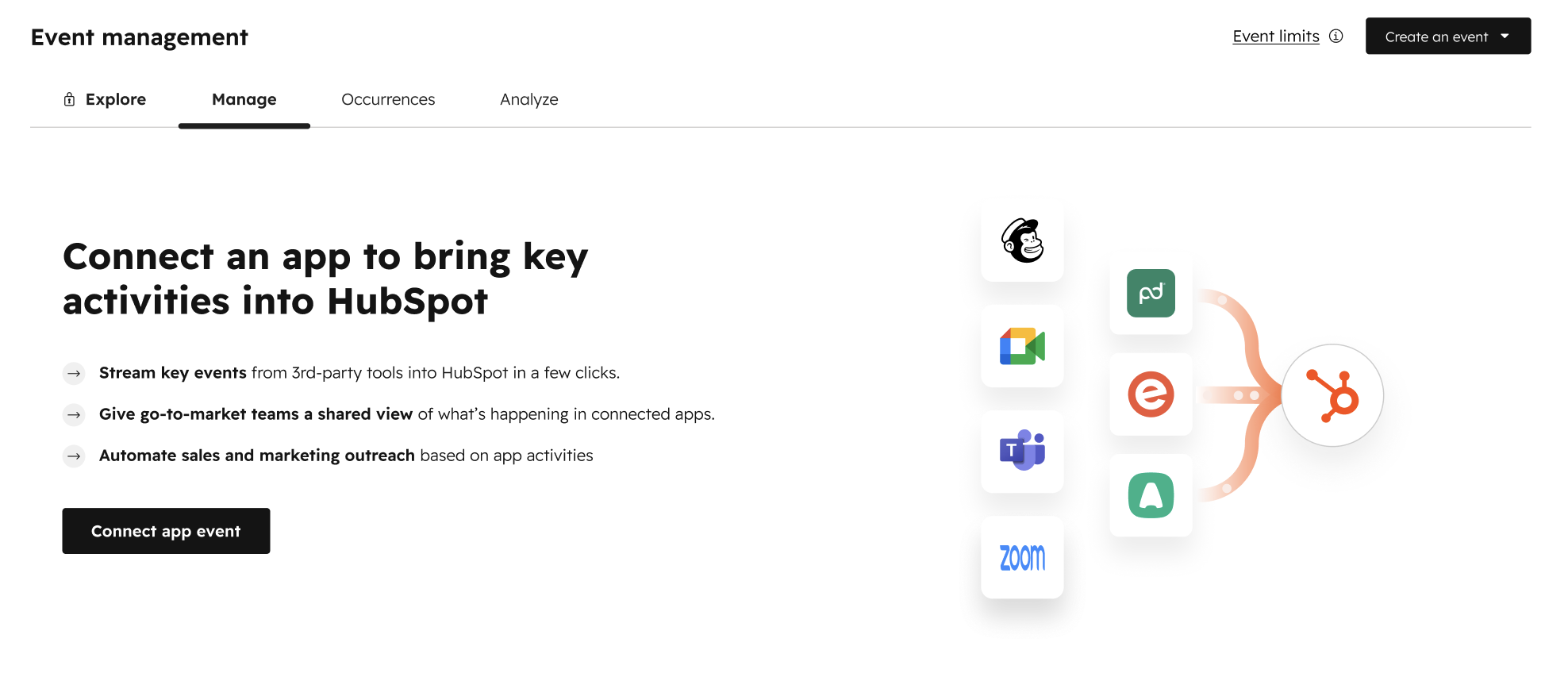
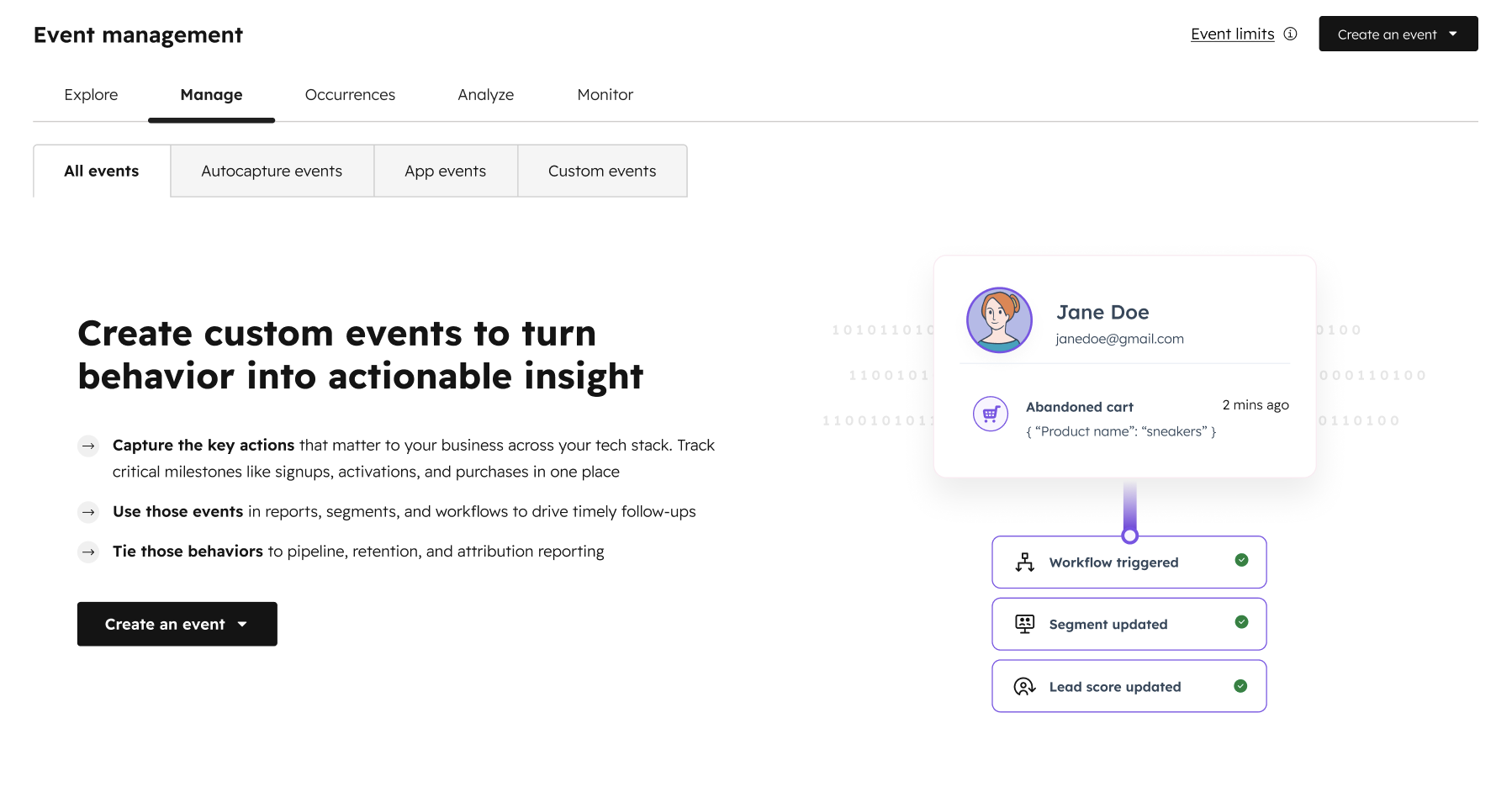
I also did a visual revamp of all the empty states and upgrade pages to reflect the new visual language and updated product offerings.

Upgrade page

Before
Before
After
After · Upgrade page

Empty states

Before
Before
After
After · App events
After
After · Custom events

Result and impact 

Within 6 months of launch, the number of portals using custom events grew by 27%, the biggest improvement since the team was formed. Object property snapshots were adopted by 20% of custom event users.

Result and impact
Event setup — Charlene Yang
Widget Didn’t Load
bottom of page